

If you’re launching a website, you’ll quickly come across something called cPanel inside your hosting account. At first glance, it may look technical, but in reality, it’s one of the simplest tools that helps you manage a website without needing server knowledge.
Instead of working with complicated server commands, cPanel gives you a clean dashboard where you can manage everything — from your website files and emails to databases, domains, and backups.
This is why most shared hosting providers use it as the default control panel. It turns hosting management into something visual, organized, and beginner-friendly.
In this guide, you’ll understand exactly what cPanel is, how it works in real hosting environments, why it matters, and how beginners and businesses use it every day.
What Is cPanel in Web Hosting?
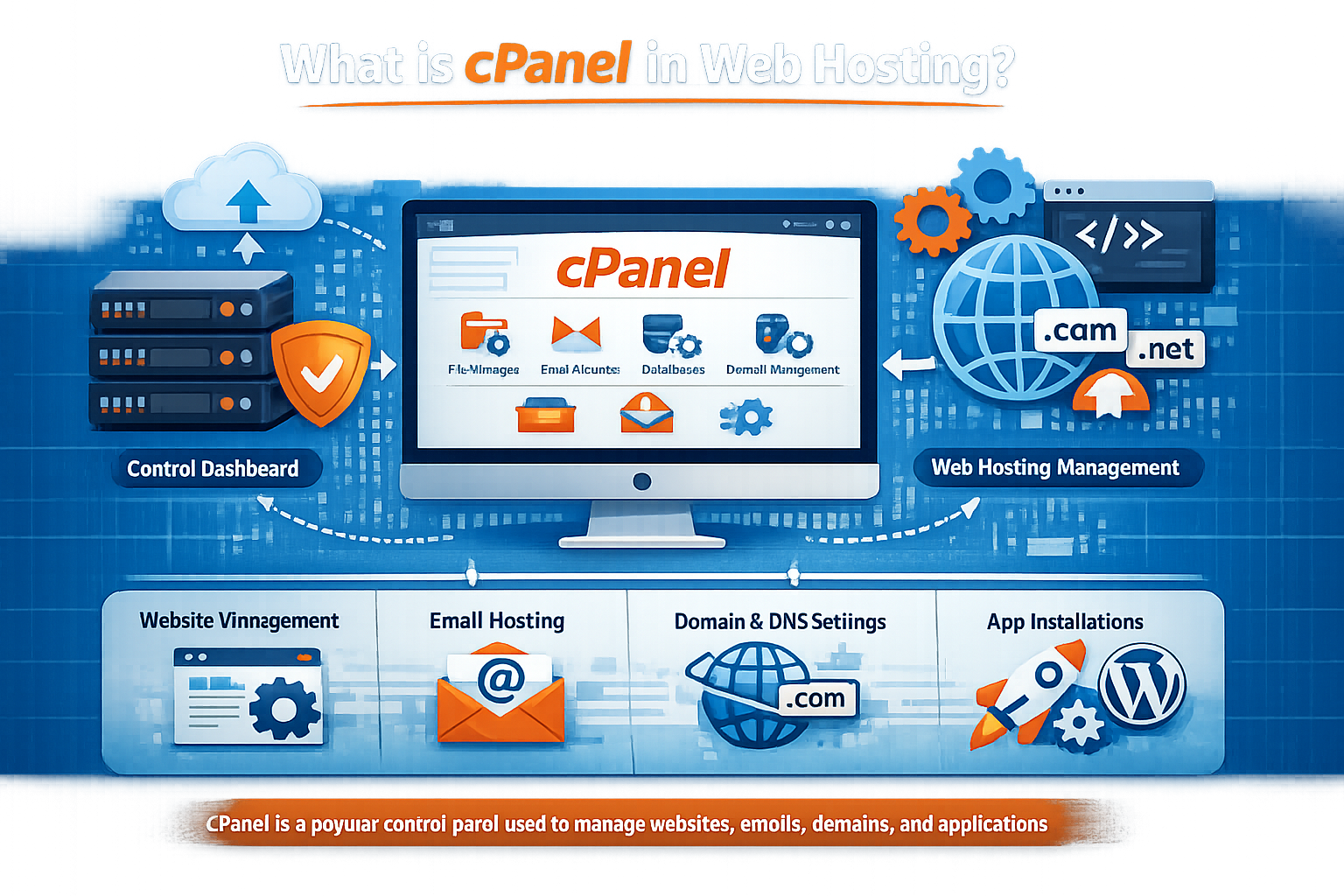
cPanel is a Linux-based web hosting control panel that allows users to manage hosting services through a graphical interface instead of using technical server commands.
In simple terms, cPanel is the “control room” of your hosting account.
It lets you manage:
- Your website files
- Email accounts
- Databases
- Domains and subdomains
- Backups
- Security settings
- Application installations (like WordPress)
Most importantly, you don’t need to be a developer to use it.
It is installed by hosting providers on servers and is accessed through a browser using a secure login panel.
Why cPanel Exists (The Real Problem It Solves)
Before tools like cPanel existed, website management required manual server commands. That meant only developers or system administrators could properly manage websites.
cPanel was created to solve one major problem:
Make website hosting management accessible to non-technical users.
Instead of typing commands like a server engineer, you simply click buttons to:
- Create a website
- Upload files
- Set up email accounts
- Install applications
- Manage security
This shift is what made modern shared hosting possible for millions of users worldwide.
How cPanel Works Behind the Scenes
When you buy hosting from a provider (for example, businesses like CreativeON.ae or CreativeON.com), your account is created on a Linux server.
Here’s what happens:
- The hosting company installs cPanel on the server
- You receive login credentials
- You log in through a browser dashboard
- You interact with your hosting visually
- cPanel sends instructions to the server in the background
So while you see a simple interface, cPanel is actually translating your clicks into server-level operations.
This is what makes it powerful yet easy.
How to Access cPanel (Beginner-Friendly Explanation)
Accessing cPanel usually happens in one of these ways:
- yourdomain.com/cpanel
- A link inside your hosting dashboard
- A login URL provided by your hosting company
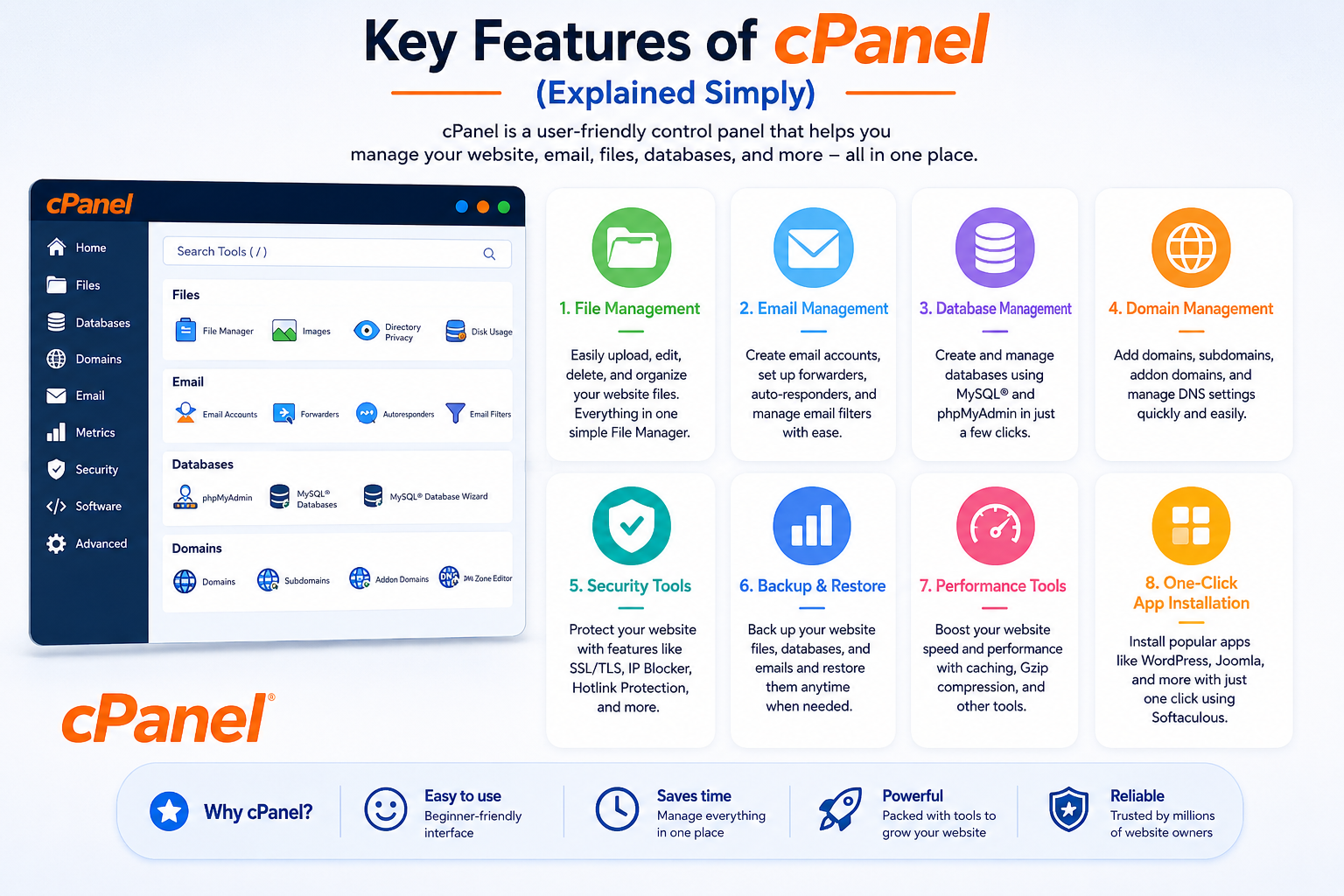
After logging in, you enter a dashboard divided into sections such as:
- Files
- Databases
- Domains
- Metrics
- Security
- Software
Each section contains tools for specific tasks.
Key Features of cPanel (Explained Simply)
cPanel is popular because it combines everything you need to manage a website in one place.
1. File Management System
The File Manager allows you to control your website files directly from your browser.
You can:
- Upload website files
- Edit code (HTML, PHP, CSS)
- Create folders
- Delete unnecessary files
- Extract ZIP files
This removes the need for FTP tools in many cases.
2. Email Hosting and Management
cPanel lets you create professional email addresses using your domain.
Example:
- info@yourbusiness.com
- support@yourbusiness.com
You can:
- Create email accounts
- Set passwords
- Configure forwarding
- Access webmail
- Apply spam filters
This is especially useful for businesses that want a professional identity instead of free email services.
3. Database Management
Modern websites (especially WordPress) rely on databases.
cPanel includes tools like:
- MySQL database creation
- Database user management
- phpMyAdmin access
- Backup/restore options
This makes database handling much easier for beginners.
4. One-Click Application Installation
Most hosting providers integrate application installers inside cPanel.
This allows you to install platforms like:
- WordPress
- Joomla
- Magento
- Drupal
- WooCommerce
⚠️ Note: Tools like Softaculous are common, but not included in every hosting plan.
This feature is one of the biggest reasons beginners choose cPanel hosting.
5. Backup and Restore System
Backups are essential for website safety.
Depending on your hosting provider, cPanel allows you to:
- Create full backups
- Download backups to your computer
- Restore previous versions
- Backup databases and emails
⚠️ Important: Backup availability depends on hosting configuration, not cPanel alone.
6. Security Management Tools
cPanel includes several security features, such as:
- SSL certificate activation
- Password-protected folders
- IP blocking tools
- Two-factor authentication (on supported setups)
However, advanced security (firewalls, malware scanning) is usually handled at the server level by hosting providers.
7. Resource Usage Monitoring
You can track how your hosting account is performing:
- Disk usage
- Bandwidth usage
- CPU limits
- Memory usage
- Visitor statistics
This helps you decide when to upgrade from shared hosting to VPS hosting or cloud hosting infrastructure.
cPanel vs WHM (Important Distinction)
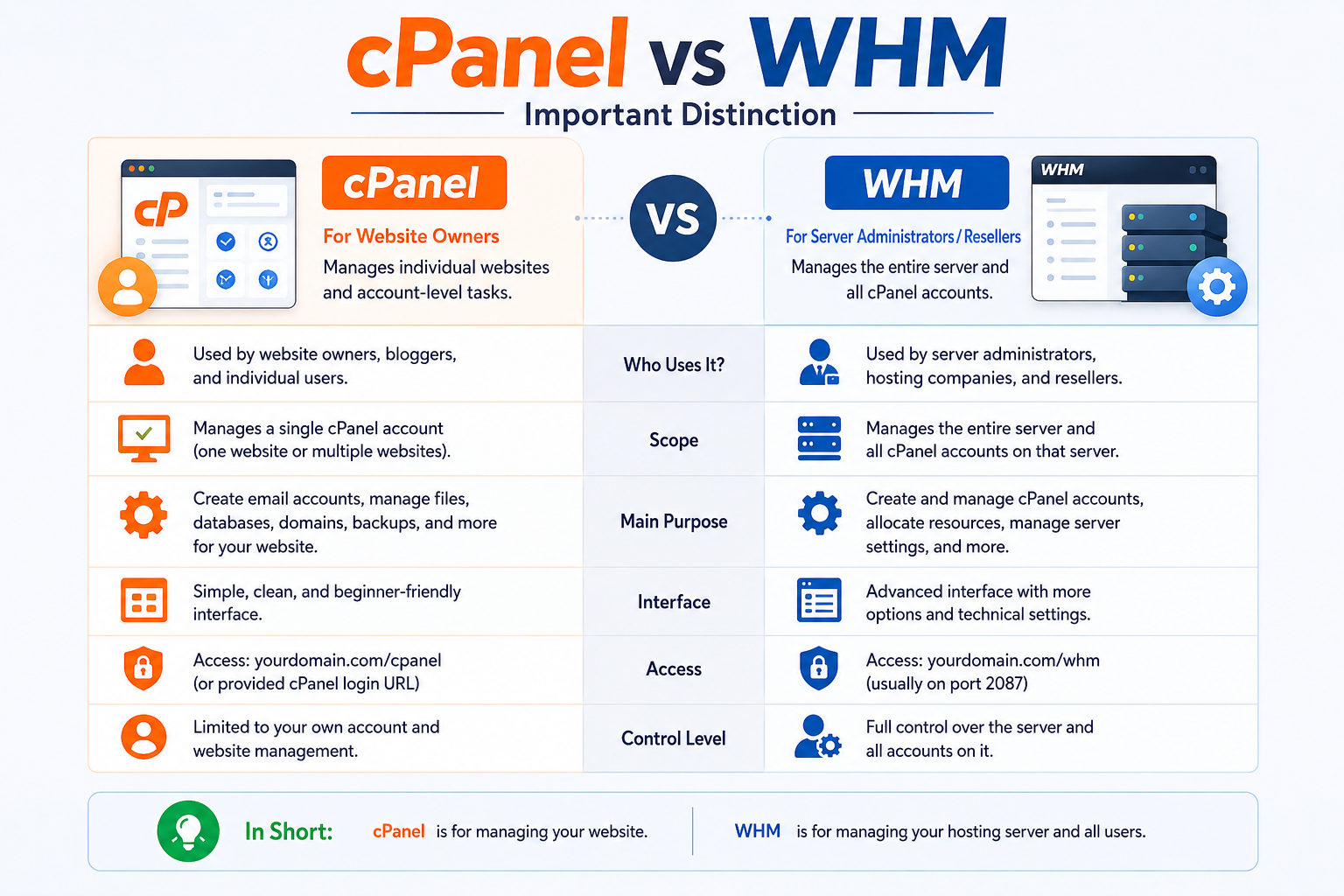
Many beginners confuse cPanel with WHM.
Here’s the simple breakdown:
cPanel
Used by website owners to manage a single hosting account.
WHM (Web Host Manager)
Used by hosting providers to manage multiple cPanel accounts on a server.
So:
- You use cPanel
- Your hosting company uses WHM
They work together but serve different roles.
Who Actually Uses cPanel?
cPanel is widely used by:
- Small businesses
- Startup websites
- Bloggers
- Ecommerce stores
- Digital agencies
- Freelancers
- Hosting resellers
- WordPress users
It is especially useful for anyone who wants to manage a website without technical server skills.
Real-World Example: How a Business Uses cPanel
Imagine a small business in Dubai launching an online store:
They use cPanel to:
- Install WordPress + WooCommerce
- Create email addresses like sales@brand.com
- Upload product images
- Manage website backups
- Monitor traffic usage
Everything is handled from a single dashboard without hiring a server administrator.
Advantages of cPanel
1. Extremely Beginner-Friendly
No coding or server knowledge required.
2. Everything in One Place
Website, email, files, and databases in one dashboard.
3. Fast Setup
You can launch a website in minutes.
4. Industry Standard
Used by most Linux hosting providers globally.
5. Strong Ecosystem
Thousands of tutorials and support resources exist online.
Limitations of cPanel (Important for Transparency)
Even though cPanel is powerful, it has limitations:
1. Linux Only
It is mainly designed for Linux hosting environments.
2. Licensing Cost
Hosting companies pay licensing fees, which may affect pricing.
3. Shared Hosting Restrictions
Some advanced server controls are not available to users.
4. Not Fully Automatic for Everything
Backups, security, and installers depend on hosting provider configuration.
Is cPanel Secure?
Yes — but security depends on two things:
1. cPanel Features
- SSL support
- Authentication tools
- Access controls
2. Hosting Provider Security Layer
- Firewalls
- Malware scanning
- Server hardening
So cPanel is secure when combined with a properly managed hosting environment.
Best Practices for Using cPanel Safely
To keep your website safe:
- Use strong passwords
- Enable two-factor authentication
- Keep WordPress/plugins updated
- Take regular backups
- Remove unused files and apps
- Monitor disk usage
- Avoid sharing login access
These simple habits significantly reduce security risks.
Why cPanel Is Still Industry Standard
Despite newer control panels entering the market, cPanel remains dominant because:
- It is stable and mature
- It is widely supported
- It is easy for beginners
- It integrates with most hosting providers
- It has decades of industry adoption
This makes it a trusted choice for shared hosting environments worldwide.
cPanel in Modern Hosting (VPS and Cloud Era)
Even in modern hosting setups like VPS hosting or cloud hosting infrastructure, cPanel is still widely used as a management layer.
It helps users:
- Avoid command-line server management
- Maintain a familiar interface across environments
- Scale from shared hosting to advanced servers
This continuity is one reason it remains relevant even today.