
Choosing the best WordPress hosting provider is one of the most important decisions you’ll make for your website, yet it’s often rushed. Business owners tend to pick a plan based on price alone, only to discover months later that their site is slow, insecure, or impossible to scale. This guide gives you a practical checklist to evaluate any WordPress hosting provider before you commit, so you avoid the common pitfalls that come with a poor hosting choice.
Whether you’re launching your first WordPress site or migrating from a provider that isn’t meeting your needs, this checklist will help you make a confident, informed decision.
This checklist is ideal for:
- Business websites
- Blogs
- WooCommerce stores
- Agencies
- Portfolio websites
- Startup websites

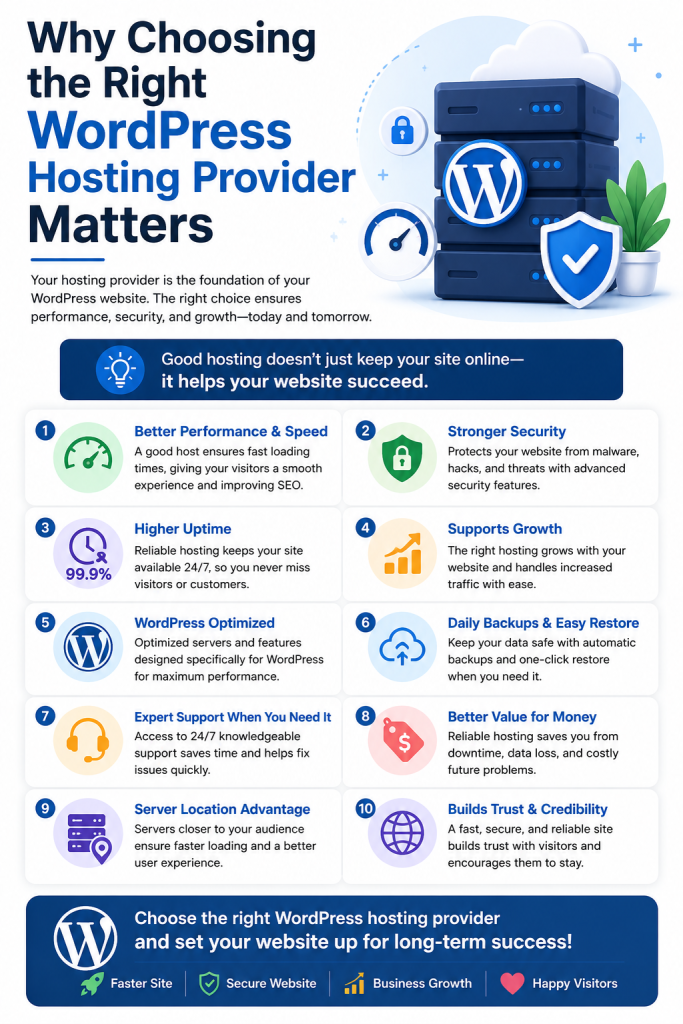
Why Choosing the Right WordPress Hosting Provider Matters
Your hosting provider isn’t just where your files live — it directly affects your site’s speed, uptime, security, and how much support you get when something breaks. A provider that’s optimized for WordPress will handle updates, caching, and server configuration in ways that generic hosting simply doesn’t.
Get this decision wrong, and you’ll deal with slow load times, downtime during traffic spikes, and vulnerable security gaps. Get it right, and your website becomes a reliable foundation you rarely have to think about.
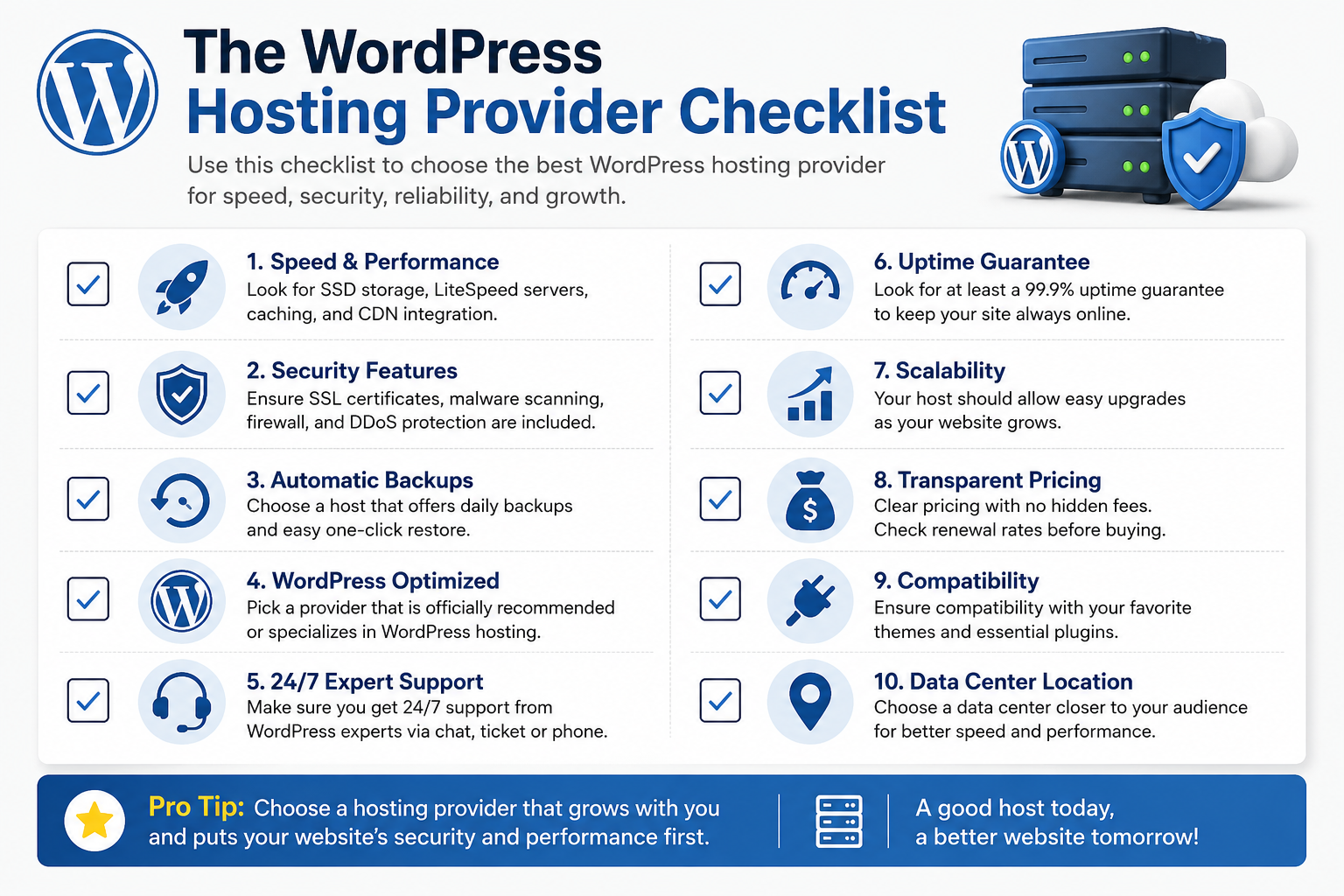
The WordPress Hosting Provider Checklist
Here’s what to actually check before signing up with any provider.
1. WordPress-Specific Optimization
Not all hosting is built the same. Look for providers that offer:
- Pre-installed caching solutions tuned for WordPress
- Server-level optimization (not just a generic LAMP/LEMP stack)
- One-click WordPress installation and updates
- Compatibility with popular plugins and themes
If a provider markets itself as “managed WordPress hosting,” that’s usually a strong signal they’ve built their infrastructure specifically around WordPress’s needs. Our guide on managed WordPress hosting breaks down what “managed” really includes.
2. Performance and Server Resources
Speed affects everything from user experience to search rankings. When evaluating a provider, check:
- Whether they use SSD or NVMe storage
- Server locations relative to your target audience
- Resource limits included in each plan
- Built-in content delivery network (CDN) support
Some providers advertise “unlimited” hosting while quietly limiting CPU usage, memory, or simultaneous processes. Review the actual resource limits so you understand how your site will perform under heavier traffic, not just at idle.
For UAE-based businesses and eCommerce stores targeting regional customers, server location matters — a data center closer to your audience in Dubai or Abu Dhabi reduces latency significantly. If speed is a recurring concern, our WordPress caching guide covers additional steps you can take after choosing a host.
3. Uptime Guarantee
Look for a provider offering at least 99.9% uptime, backed by a service level agreement (SLA). Anything less means your site could be unreachable for hours each month — a real problem if you run an online store or lead-generation site.
Ask providers directly:
- What’s their historical uptime record?
- Do they offer credits or compensation for downtime breaches?
4. Security Features
WordPress sites are frequent targets for automated attacks, so your host’s security posture matters as much as your own. A strong WordPress hosting provider should include:
- Free SSL certificates
- Malware scanning and removal
- A web application firewall (WAF)
- Automatic core and plugin update options
- DDoS protection
If security is a major concern for your business, our WordPress security best practices guide goes deeper into hardening your site beyond what hosting alone provides.
5. Backup Policy
Backups are your safety net. Confirm:
- How often backups run (daily is standard for active sites)
- Where backups are stored (ideally off-server)
- How easy it is to restore a backup yourself
- Whether backups are included free or cost extra
Don’t assume backups are automatic just because a provider mentions them in passing — check the specifics. Our WordPress backup best practices article explains how to set up additional backup layers regardless of your host.
6. Customer Support Quality
Support quality becomes critical the moment something goes wrong. Before choosing a provider, check:
- Availability of live chat or phone support, not just tickets
- WordPress-specific expertise (not generic hosting scripts)
- Response time guarantees
- Reviews mentioning real support experiences
A quick way to test this: contact their support team with a technical question before you sign up, and see how knowledgeable and responsive they actually are.
7. Scalability
Your hosting needs today may not match your needs in a year. Check whether the provider allows you to:
- Upgrade plans without migrating to a new server
- Handle traffic spikes without site crashes
- Add resources (storage, bandwidth, visitors) incrementally
Growing UAE startups and agencies in particular should prioritize this — outgrowing a host and having to migrate mid-growth is disruptive and avoidable with the right choice upfront.
8. Staging Environment Access
A staging environment lets you test updates, plugins, and design changes without affecting your live site. Not all providers include this, especially at lower-tier plans. If you plan to make regular changes to your site, confirm staging is available before committing. Our WordPress staging environment guide walks through how to use one effectively.
9. Control Panel and Ease of Management
Many buyers compare providers based on how easy day-to-day management actually is. Look for:
- Easy file management
- Database access
- PHP version switching
- SSL management
- Email management
- One-click staging
A clunky or limited control panel can make routine maintenance far more frustrating than it needs to be.
10. Website Migration Support
If you’re moving from an existing host, ask upfront whether the provider offers:
- Free WordPress migration
- Expert migration assistance
- Minimal downtime during the switch
- Migration testing before going live
Not every provider includes this, and a poorly handled migration can mean lost content or extended downtime. Our WordPress migration guide covers what a smooth migration should look like.
11. WooCommerce and eCommerce Readiness
If you’re running or planning an online store, your hosting needs go beyond a standard WordPress site. Check for:
- Sufficient resources to handle checkout traffic
- Payment gateway compatibility
- SSL included by default (non-negotiable for eCommerce)
Our WooCommerce hosting guide covers what to look for specifically if you’re selling online.
12. Pricing Transparency
Finally, read the pricing structure carefully. Common areas where providers differ — often in the fine print — include:
- Renewal pricing versus the introductory rate
- Money-back guarantee terms
- Hidden migration fees
- Backup restoration charges
- SSL renewal costs
- Whether backups, SSL, or staging are “add-ons” rather than included
A provider that’s upfront about these details from the start is usually more trustworthy than one that buries costs in fine print.
Common Mistakes to Avoid
- Choosing based on price alone. The cheapest plan often lacks the resources, security, or support your site needs.
- Ignoring renewal pricing. Many providers offer steep introductory discounts that jump significantly at renewal.
- Skipping the backup policy check. Assuming backups are handled, only to lose data during an issue.
- Overlooking scalability. Picking a plan that works today but forces a painful migration later.
- Not testing support before signing up. Discovering poor support only after you actually need help.
Quick Reference: Why Each Checklist Item Matters
Checklist Item | Why It Matters |
WordPress Optimization | Better performance |
Security | Protects your website |
Backups | Easy recovery |
Staging | Safe testing |
Support | Faster issue resolution |
Scalability | Supports business growth |
Control Panel | Easier day-to-day management |
Migration Support | Smoother, safer switch |
Final Checklist Summary
Before choosing a WordPress hosting provider, confirm they offer:
- ✔ WordPress-specific optimization
- ✔ Strong performance (with clear, honest resource limits)
- ✔ 99.9%+ uptime guarantee
- ✔ Solid security features (SSL, WAF, malware scanning)
- ✔ Reliable, easy-to-restore backups
- ✔ Responsive, knowledgeable support
- ✔ Room to scale without migration headaches
- ✔ Staging environment access
- ✔ An easy-to-use control panel
- ✔ Migration assistance, if you’re switching hosts
- ✔ WooCommerce readiness (if applicable)
- ✔ Transparent, predictable pricing