
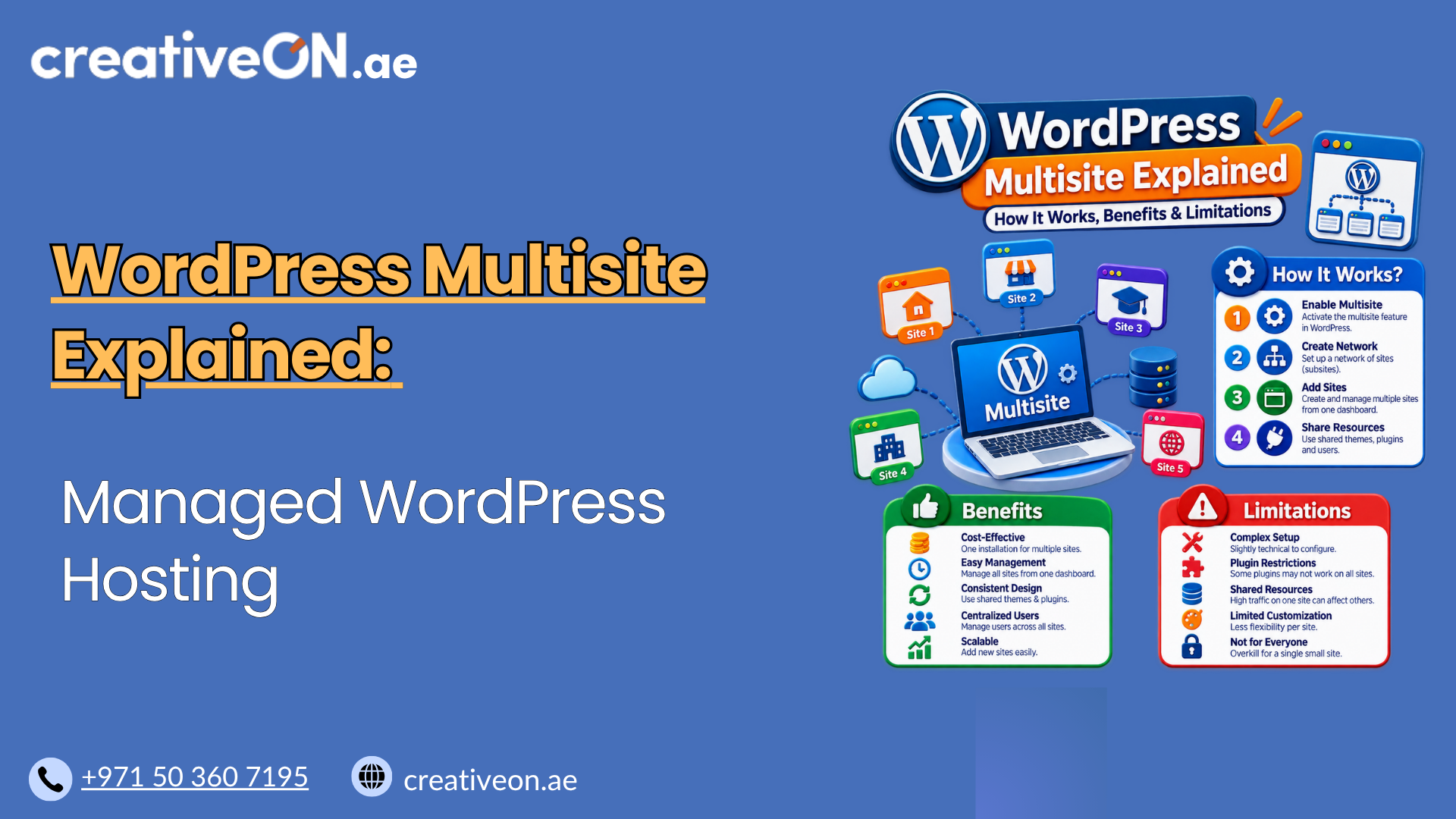
Managing several WordPress websites separately can mean maintaining multiple installations, plugin sets, themes, updates, users, and hosting environments. WordPress Multisite offers another approach: it allows multiple WordPress sites to operate as part of one network from a single WordPress installation.
This can be useful for businesses with regional websites, universities with departmental sites, agencies managing related websites, franchises, and organizations that need centralized administration.
However, WordPress Multisite is not simply a way to put several websites on one hosting account. The sites share parts of the same WordPress installation and administration structure, which creates both advantages and limitations.
What Is WordPress Multisite?
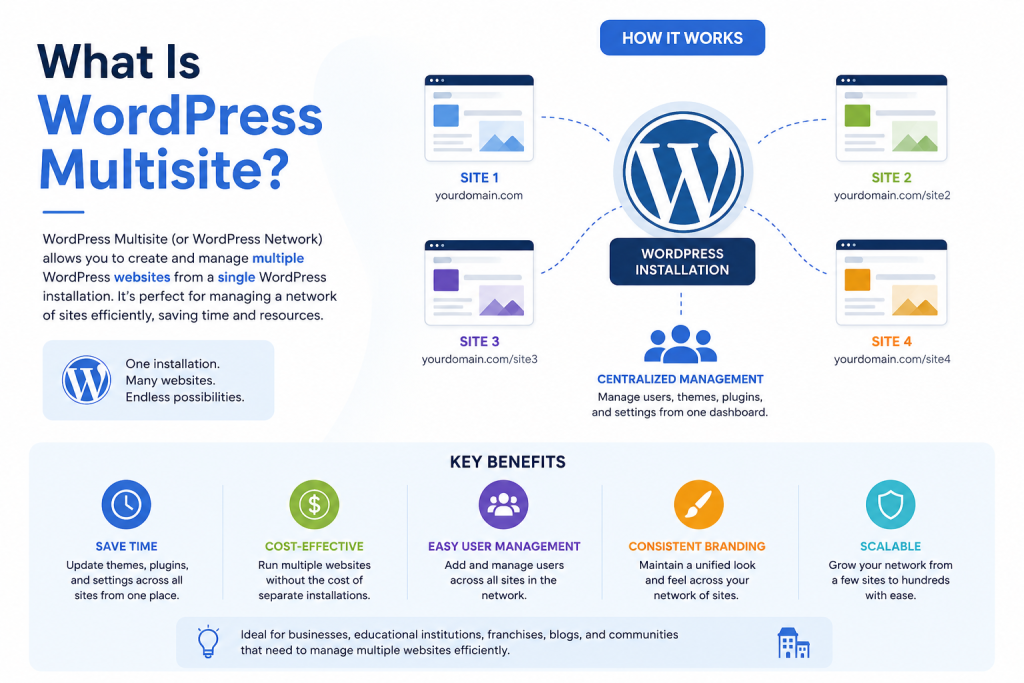
WordPress Multisite is a feature built into WordPress that lets you create and manage multiple websites from a single WordPress installation.
The collection of sites is called a Multisite network, while the individual websites within it are commonly called subsites.
For example, a company could create:
- example.com
- example.com/pakistan
- example.com/uae
Or use subdomains:
- pakistan.example.com
- uae.example.com
The sites can have their own content and settings while sharing the underlying WordPress installation. WordPress documentation confirms that a Multisite network shares WordPress core files, while individual sites have separate database tables and media-upload directories. The user table is shared across the network.
What Is Shared and What Is Separate?
Understanding this structure is one of the most important parts of deciding whether Multisite is appropriate.
Component | Multisite Behavior |
WordPress core | Shared |
Themes | Installed at network level |
Plugins | Installed at network level |
Users | Shared across the network |
Posts and pages | Separate for each site |
Site settings | Separate for each site |
Database tables | Separate tables for each site |
Media uploads | Separate by site within the shared installation |
Network administration | Centralized |
This means that creating a new subsite does not create a completely independent WordPress installation.
How Does WordPress Multisite Work?
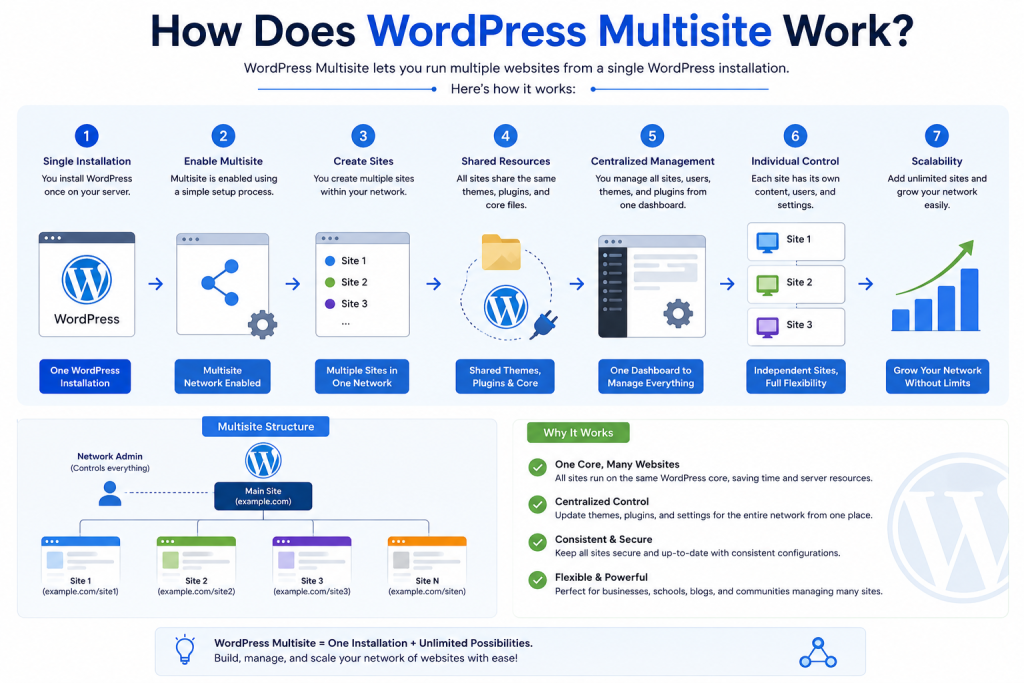
A normal WordPress installation is designed around one website. A Multisite network extends that installation so multiple sites can be managed together.
Each subsite has its own:
- Posts and pages
- Media library
- Site settings
- Site-specific content
- Users assigned to that site
At the network level, the Super Admin can manage:
- Sites
- Network users
- Themes
- Plugins
- Network settings
- Network updates
WordPress provides a dedicated Network Admin area for these network-wide tasks. Only Super Admins can access the Network Admin interface.
Multisite Does Not Automatically Share Content
One common misconception is that Multisite automatically synchronizes content between websites.
It does not.
For example, publishing a blog post on example.com/uae does not automatically publish that post on example.com/pakistan.
The sites are separate from a content perspective. Plugins can be used to create connections or share information between sites, but that functionality is separate from Multisite itself. WordPress specifically notes that Multisite sites are separate and may not be the right solution when strong data sharing or interconnection is the primary requirement.
WordPress Multisite URL Structures
A Multisite network can use different URL structures depending on how the sites should be organized.
Subdirectory Multisite
Sites appear as paths under the main domain:
- example.com/blog
- example.com/store
- example.com/uae
This can work well when all sites clearly belong to the same main domain.
Subdomain Multisite
Each site uses a subdomain:
- blog.example.com
- store.example.com
- uae.example.com
This provides greater URL separation while keeping the sites within the same network.
Separate Domains
A Multisite subsite can also be mapped to its own domain.
For example:
uae.example.com
could be presented to visitors as:
example.ae
WordPress has native domain mapping support, but the domains must be correctly configured in DNS and have appropriate SSL certificates.
This can be useful for organizations managing regional websites while retaining centralized WordPress administration.
Super Admin vs Site Administrator
Multisite introduces an important distinction between Super Admin and Administrator.
Super Admin
A Super Admin manages the network as a whole and can perform network-level tasks such as:
- Creating and deleting sites
- Managing network users
- Installing network plugins
- Installing network themes
- Managing network settings
- Performing network updates
Site Administrator
A site Administrator manages an individual site within the network.
However, the Administrator’s capabilities are more restricted than those of an Administrator on a normal single-site WordPress installation. For example, Multisite Site Administrators cannot independently install new plugins or themes; those capabilities belong to the Super Admin.
This distinction matters when several teams manage different subsites.
For example, a company could have one central technical team with Super Admin access while marketing teams manage the content of their individual regional websites.
Benefits of WordPress Multisite
WordPress Multisite can simplify administration when websites are closely related.
Centralized Management
Instead of maintaining completely separate WordPress installations, network administrators can manage multiple sites from one network.
This can reduce repetitive administrative work for organizations with many related websites.
Shared Themes and Plugins
Themes and plugins are managed at the network level. Individual sites can use the themes and plugins made available to them.
This can make it easier to maintain a consistent technology stack across a network. WordPress confirms that themes and plugins are installed at the network level, while individual sites can activate them according to the network configuration.
Consistent Administration
Organizations can establish common procedures for:
- WordPress updates
- Security controls
- User management
- Backups
- Plugin management
- Hosting configuration
This can be especially useful when sites have similar operational requirements.
Useful for Related Websites
Multisite works particularly well when several websites share a common organization but need separate site content.
Examples include:
- Regional business websites
- University departments
- Franchise locations
- Corporate divisions
- Related publications
- Large organizations with separate teams or locations
Limitations of WordPress Multisite
The same centralization that makes Multisite convenient can also create limitations.
Sites Share the Same Underlying Environment
A Multisite network does not provide completely independent server resources for every website.
If one high-traffic site generates heavy PHP, database, or other server workloads, it can consume resources that are also available to the rest of the network.
For that reason, hosting capacity should be based on the combined workload of the network, not simply the number of websites.
A network containing 20 small informational sites may require fewer resources than a network containing five busy WooCommerce stores.
Plugin and Theme Management Is Centralized
Individual Site Administrators cannot independently install plugins and themes.
This can be useful for centralized control, but it can also become restrictive when different sites have significantly different technical requirements.
A Problem Can Affect Multiple Sites
Because sites share the same WordPress installation and underlying environment, a problematic plugin, theme, configuration change, or update can potentially affect more than one site.
This makes testing, backups, access control, and update management particularly important.
Individual Site Migration Can Be More Complicated
Moving a single site out of a Multisite network can require additional planning because the site is part of a shared installation and database structure.
WordPress’s migration documentation identifies additional considerations involving users, plugins, themes, configuration, and PHP limitations.
If you need to move a website, use a dedicated WordPress migration guide rather than treating Multisite migration as a normal single-site migration.
WordPress Multisite vs Separate WordPress Sites
The biggest decision is often whether the websites should actually belong to the same network.
WordPress Multisite | Separate WordPress Sites |
One WordPress installation | Each site has its own installation |
Centralized network administration | Independent administration |
Themes and plugins managed centrally | Each site manages its own |
Sites share the underlying environment | Greater technical separation |
Useful for related websites | Useful for independent websites |
Network-wide changes can affect multiple sites | Changes are generally isolated |
Individual site migration can be more involved | Individual migration is usually simpler |
Example: When Multisite Makes Sense
Imagine a company operates:
- company.ae
- company.pk
- company.co.uk
All three websites use the same branding, selected plugins, similar technical standards, and a shared administration team.
A Multisite network could make sense because the sites have a strong operational relationship.
Example: When Separate Sites Make More Sense
Now imagine a web agency manages websites for unrelated clients.
Each client has:
- Different administrators
- Different plugins
- Different themes
- Different development teams
- Different security requirements
- Different migration schedules
Putting all of those sites into one Multisite network could create unnecessary dependencies.
The question should therefore not be:
“Can WordPress Multisite host these websites?”
Instead, ask:
“Do these websites benefit from being managed as one network?”
That is the more useful decision criterion.
When Should You Use WordPress Multisite?
Multisite is worth considering when several sites have a strong relationship and benefit from centralized management.
Good examples include:
- Regional websites for the same business
- University or school department websites
- Franchise networks
- Corporate department websites
- Related publications
- Organizations with centralized technical administration
It is especially useful when sites need some common infrastructure while maintaining separate content.
When Should You Avoid WordPress Multisite?
Consider separate WordPress installations when:
- Websites are completely unrelated.
- Each site requires significantly different plugins.
- Each site needs different technical configurations.
- Different owners require complete administrative control.
- Sites need to be migrated independently on a regular basis.
- You want problems on one website to remain isolated from others.
- Websites have substantially different hosting or performance requirements.
If the sites do not benefit from centralization, Multisite may introduce more complexity than it removes.
WordPress Multisite Hosting Considerations
A Multisite network needs hosting that can support its combined requirements.
Before creating a network, check whether the hosting environment supports:
- WordPress Multisite
- Required rewrite rules
- Suitable PHP and WordPress versions
- DNS configuration for domains or subdomains
- SSL certificates for required domains
- Adequate CPU and memory
- Sufficient database resources
- Reliable backups
- Appropriate storage capacity
- Server-level caching compatible with the network
WordPress notes that Multisite has additional server requirements, including support for the appropriate rewrite configuration. Requirements can also differ between domain-based and path-based networks.
Think About Total Network Workload
Don’t choose hosting based only on the number of sites.
Consider:
- Total monthly traffic
- Number of concurrent visitors
- WooCommerce activity
- Database-heavy plugins
- Scheduled tasks
- Media processing
- PHP workload
- Storage requirements
For example, ten low-traffic company websites may place less demand on hosting than two busy online stores.
This is one reason managed WordPress hosting can be useful for organizations that want help with the underlying hosting environment while focusing on their websites.
WordPress Multisite Best Practices
A few practices can make a Multisite network easier to manage.
Test Important Updates
Because themes, plugins, and WordPress core are managed within a shared environment, test significant changes before applying them across a production network.
Keep Reliable Backups
A backup strategy should account for the entire network and provide a practical recovery path for individual sites where required.
See the dedicated WordPress backup guide for detailed backup planning.
Limit Super Admin Access
Super Admin provides extensive network-wide privileges. Only trusted users who genuinely need network-level control should have this access.
Monitor Network Resources
Watch CPU, memory, storage, database activity, traffic, and other relevant hosting resources as the network grows.
Plan Domains and SSL Before Launch
If sites will use subdomains or separate domains, plan DNS and SSL configuration before putting the network into production.
WordPress’s domain-mapping documentation specifically highlights DNS and SSL configuration as part of the process.
Test Before Converting an Existing Site
Enabling Multisite changes the structure and configuration of an existing WordPress installation.
WordPress recommends backing up the database and files and checking requirements before creating the network.
For a production business website, testing the planned configuration before making the change is a safer approach.
How to Enable WordPress Multisite
Multisite is enabled from an existing WordPress installation.
At a high level, the process involves:
- Back up the WordPress files and database.
- Enable the Multisite feature.
- Open Tools → Network Setup.
- Choose a subdomain or subdirectory structure.
- Apply the configuration provided by WordPress.
- Log back into WordPress.
- Use Network Admin to create and manage sites.
The actual process can require changes to wp-config.php and server configuration such as .htaccess, depending on the environment. WordPress provides specific installation instructions for the network being created.
This article intentionally keeps setup at a high level. A dedicated How to Set Up WordPress Multisite guide can cover the technical installation process in detail.
Is WordPress Multisite Right for Your Website?
WordPress Multisite is most useful when several websites have a strong operational relationship and benefit from centralized management.
It can simplify administration for regional sites, departments, franchises, educational organizations, and similar networks.
However, Multisite also creates shared dependencies. Hosting resources, plugins, themes, updates, security controls, backups, and network administration need to be managed with the entire network in mind.
If your websites are independent and require different technical environments, separate WordPress installations may provide greater flexibility.
The right choice ultimately depends on how closely the websites are related and how much centralized control you actually need.