Disadvantages of VPS Hosting: 8 Limitations to Consider
VPS hosting offers more control and allocated resources than traditional shared hosting, but it also introduces responsibilities and limitations that are important to understand before choosing a hosting plan. From higher hosting costs and server management requirements to security responsibilities, resource limitations, and dependence on the hosting provider’s infrastructure, VPS hosting is not suitable for […]
VPS hosting offers more control and allocated resources than traditional shared hosting, but it also introduces responsibilities and limitations that are important to understand before choosing a hosting plan.
From higher hosting costs and server management requirements to security responsibilities, resource limitations, and dependence on the hosting provider’s infrastructure, VPS hosting is not suitable for every website or business.
Understanding these disadvantages of VPS hosting can help you determine whether a virtual private server is the right choice for your technical requirements, budget, and available resources.
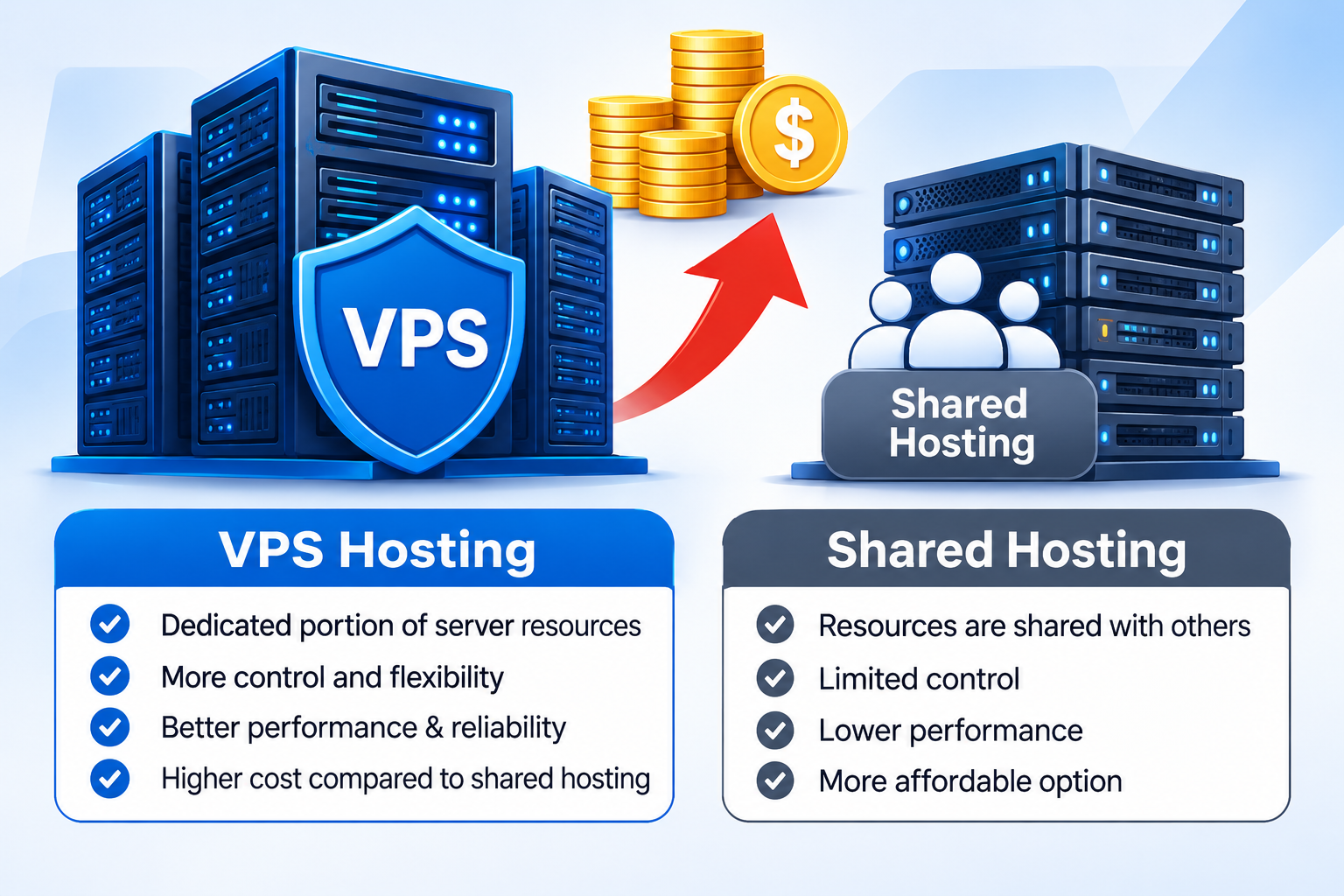
1. Higher Cost Compared With Shared Hosting
One of the main disadvantages of VPS hosting is its higher cost compared with shared hosting.
Shared hosting allows multiple websites to use resources from a common hosting environment. VPS hosting provides an allocated portion of server resources within a virtualized environment, which generally requires a higher monthly investment.
Depending on the hosting plan, additional expenses may include:
- Monthly VPS hosting charges.
- Control panel licenses, such as cPanel or Plesk.
- Server management services.
- Backup and monitoring solutions.
- Additional CPU, RAM, storage, or bandwidth.
For small websites, personal blogs, and projects with limited traffic, these additional expenses may not be justified.
How to manage this limitation: Choose a VPS plan based on your actual resource requirements. Avoid paying for excessive CPU, RAM, and storage capacity that your applications do not currently need.
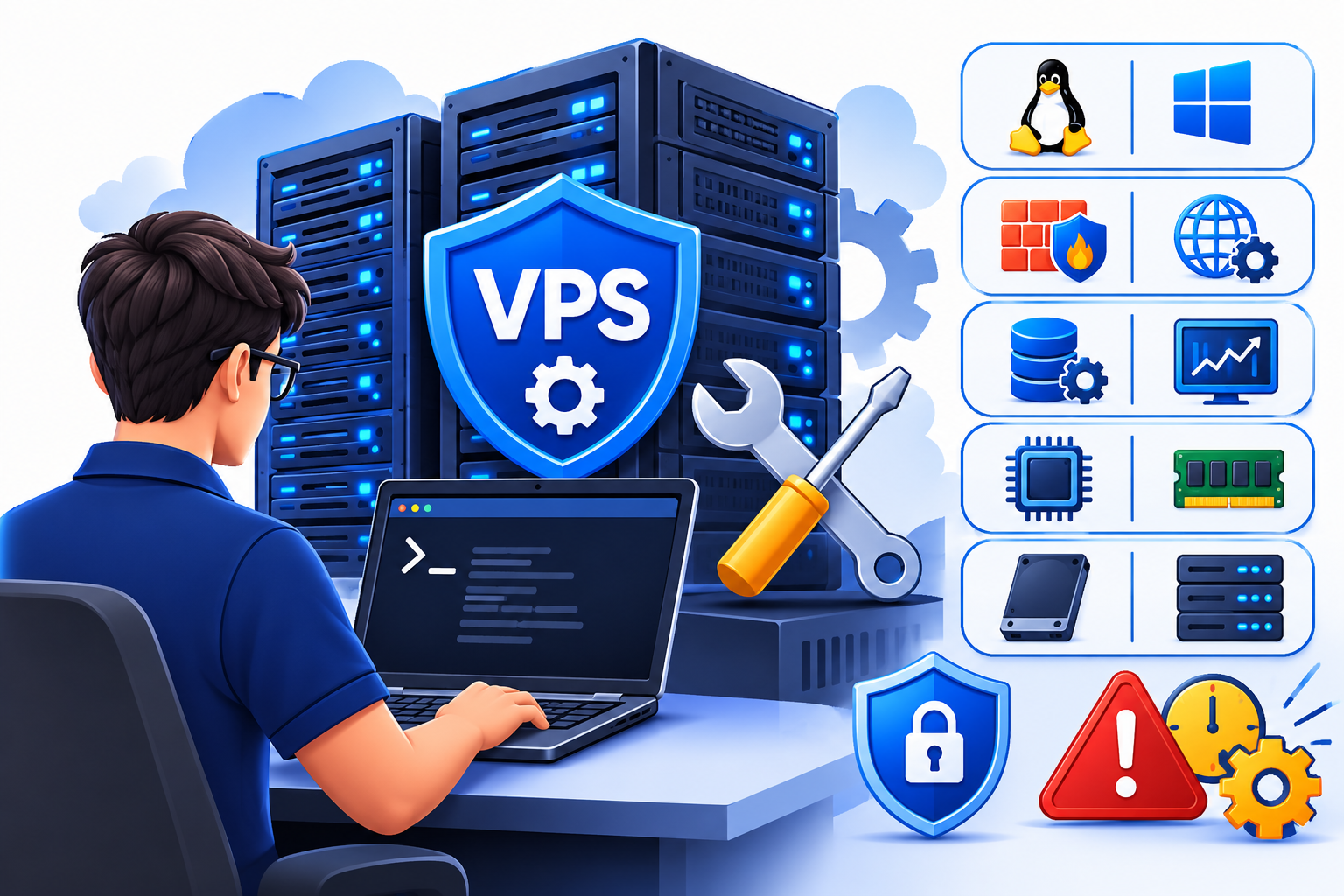
2. Requires Technical Knowledge and Server Management
VPS hosting provides greater server-level control, but managing that control requires technical knowledge, particularly when using an unmanaged VPS.
Unlike many shared hosting environments, an unmanaged VPS may require customers to configure, maintain, and troubleshoot their own server environments.
Depending on the operating system and server configuration, responsibilities may include:
- Installing and configuring Linux or Windows Server.
- Managing SSH or Remote Desktop access.
- Configuring firewalls and network settings.
- Installing web servers such as Apache, Nginx, or LiteSpeed.
- Managing databases and server software.
- Monitoring CPU, RAM, disk usage, and server performance.
- Applying operating system and software updates.
For beginners or businesses without dedicated IT staff, these responsibilities can become difficult and time-consuming.
Incorrect server configurations can also cause application errors, service interruptions, and security problems.
How to manage this limitation: Consider managed VPS hosting if you lack the technical expertise or resources to administer a server independently. Before purchasing, check which administration tasks are included in the provider’s management service.
3. Greater Security and Maintenance Responsibilities
Although VPS hosting provides an isolated virtual server environment, it does not automatically guarantee that your server, website, or applications are secure.
Security is a shared responsibility between the hosting provider and the customer. The provider generally manages the physical infrastructure and underlying virtualization environment, while customers are responsible for securing their guest operating systems, applications, and configurations according to their service agreement.
Common customer-side security responsibilities include:
- Keeping the operating system and installed software updated.
- Configuring firewalls and restricting unnecessary ports.
- Using strong passwords and SSH key authentication.
- Managing user accounts and access permissions.
- Monitoring suspicious login attempts.
- Protecting websites and databases against unauthorized access.
- Maintaining and testing regular backups.
Server maintenance also requires ongoing attention. Administrators must monitor disk space, review logs, update software, and investigate performance or security issues.
An outdated operating system, incorrectly configured firewall, or compromised administrator account can expose a VPS to security threats.
How to manage this limitation: Follow established server security practices, apply updates regularly, use appropriate access controls, and maintain tested backups. Consider managed security or server administration services if you cannot handle these responsibilities internally.
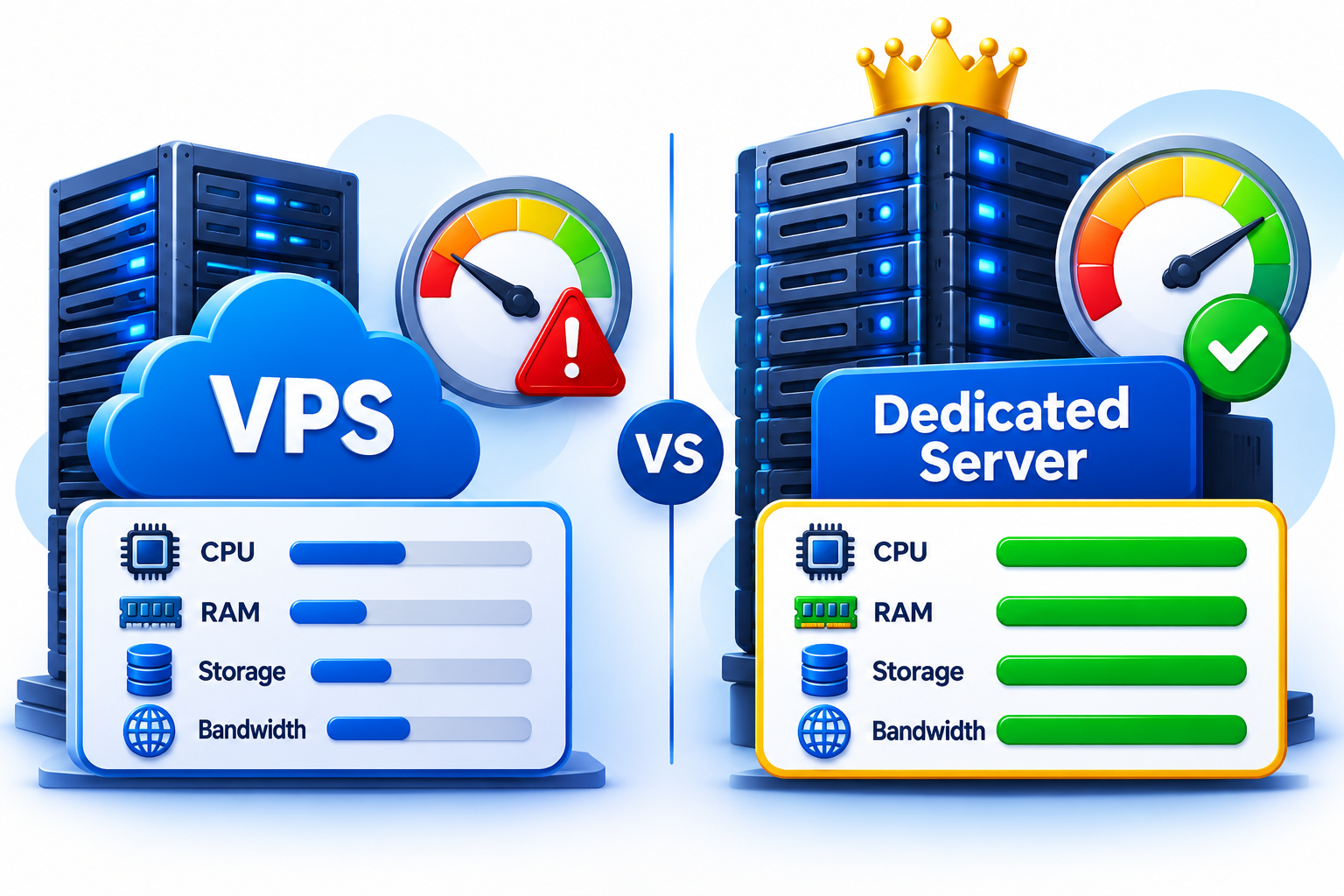
4. Limited Resources Compared With Dedicated Servers
A VPS provides allocated virtual resources, but it does not offer the entire physical server’s hardware capacity.
Typical VPS resources include:
- Virtual CPU cores (vCPU).
- RAM.
- SSD or NVMe storage.
- Network bandwidth.
- Storage input/output capacity.
These allocations are defined by the hosting plan and infrastructure configuration. Depending on the provider, CPU resources may be shared or dedicated, and other resource limits may apply.
If your website experiences a sudden increase in visitors, runs resource-intensive applications, or processes large amounts of data, its allocated resources may become insufficient.
For example, an eCommerce website running multiple applications, database queries, and background processes may experience performance problems if its VPS does not have enough CPU or RAM.
A VPS also has practical resource limits. Even when upgrades are available, it cannot necessarily accommodate every workload that a high-capacity dedicated server can handle.
How to manage this limitation: Monitor CPU, RAM, storage, and bandwidth consumption. Upgrade your VPS when your measured workload requires additional capacity. For consistently demanding applications, consider whether dedicated server hosting is more appropriate.
5. Potential Performance Issues Due to Resource Contention
VPS hosting operates on physical server infrastructure that may accommodate multiple virtual machines. Although virtualization provides isolation, the way physical resources are allocated and managed can influence performance.
One possible limitation is resource contention.
Resource contention occurs when multiple virtual machines compete for shared physical resources, such as CPU processing time, storage performance, or network capacity.
Depending on the infrastructure and resource allocation policies, this can contribute to inconsistent performance.
Factors that may affect VPS performance include:
- CPU allocation and scheduling.
- Whether CPU resources are shared or dedicated.
- Physical host utilization.
- Storage input/output allocation.
- Network capacity and congestion.
- Hosting provider resource management.
This does not mean that every VPS experiences performance problems. Well-managed infrastructure and appropriate resource allocation can provide consistent performance.
However, VPS plans with similar advertised specifications may deliver different real-world results depending on the underlying infrastructure.
How to manage this limitation: Choose a hosting provider that clearly explains its resource allocation policies. Evaluate infrastructure quality, resource limits, and monitoring capabilities instead of comparing VPS plans based only on advertised CPU cores and RAM.
6. Dependence on Hosting Provider Infrastructure
A VPS gives customers administrative control over their virtual server, but it does not provide unrestricted control over the underlying physical infrastructure.
The hosting provider remains responsible for managing the physical server, virtualization platform, and underlying network infrastructure.
This creates a level of provider dependency that may limit what customers can configure independently.
For example, VPS customers generally cannot:
- Replace or upgrade the physical server hardware themselves.
- Independently configure the underlying hypervisor.
- Directly manage the physical network infrastructure.
- Decide how the provider maintains the physical host.
- Access the physical machine as a hardware administrator.
If the physical server experiences hardware failure, network problems, or virtualization platform issues, the virtual machines running on that infrastructure may also be affected.
This is an important difference between VPS hosting and dedicated server hosting, where customers have greater control over the allocated physical hardware, although infrastructure operations still depend on the provider.
How to manage this limitation: Choose a provider with transparent infrastructure policies, appropriate support arrangements, and clearly explained backup and recovery options. Understand what happens to your VPS if the underlying physical server experiences a failure.
7. Scaling Can Require Upgrades or Migration
VPS hosting offers flexibility, but scaling is not always immediate or unlimited.
When a website or application outgrows its current VPS resources, you may need to upgrade the existing plan, increase resource allocations, or migrate to another hosting environment.
Depending on the provider and virtualization platform, scaling may involve:
- Increasing CPU or RAM allocations.
- Expanding storage capacity.
- Moving to a higher VPS plan.
- Restarting the virtual server.
- Migrating to another physical host.
- Adjusting server and application configurations.
Some upgrades can be completed with minimal disruption, while others may require a restart, maintenance window, or migration process.
Furthermore, an application with consistently high resource requirements may eventually outgrow the available VPS plans.
How to manage this limitation: Select a provider with suitable upgrade options and understand its scaling procedures. If your application is business-critical, plan resource upgrades and migrations carefully to minimize service interruptions.
8. Managed VPS Hosting Can Increase Costs
Managed VPS hosting reduces the technical responsibilities of operating a server, but this convenience generally comes at an additional cost.
Depending on the provider, managed services may include operating system updates, server monitoring, security configuration, troubleshooting, and technical assistance.
However, managed VPS hosting does not necessarily mean that the provider manages every aspect of your server and applications.
Additional charges may apply for:
- Advanced server administration.
- Application-level troubleshooting.
- Custom software installation.
- Migration services.
- Additional backup storage.
- Specialized security requirements.
For businesses with experienced IT administrators, paying for management services that they can perform internally may not be cost-effective.
On the other hand, businesses without technical staff may find managed VPS hosting more economical than hiring dedicated server administrators.
How to manage this limitation: Compare the scope of management services rather than looking at the monthly price alone. Confirm which administrative tasks, security responsibilities, backup services, and support arrangements are included.
Who Should Avoid VPS Hosting?
VPS hosting is a practical solution for many businesses, but it may not be the best choice for every website owner or organization.
Consider another hosting solution if:
- You operate a small website: A personal blog or low-traffic website may work perfectly well on shared hosting.
- You have no server management experience: Unmanaged VPS hosting may introduce technical responsibilities that you are not prepared to handle.
- You have a very limited budget: Shared hosting may provide a more economical starting point.
- You require extensive hardware resources: A dedicated server may be more appropriate for demanding applications.
- You do not want to manage server security: Consider managed hosting with clearly defined administration and security responsibilities.
The right decision depends on your website’s resource requirements, technical capabilities, budget, and long-term plans.
Are the Disadvantages of VPS Hosting a Reason to Avoid It?
Not necessarily. The disadvantages of VPS hosting do not make it a poor hosting solution. They simply highlight the responsibilities and limitations associated with operating a virtual private server.
For businesses that need greater control, allocated resources, and flexibility, VPS hosting can still be a practical choice.
Before selecting a VPS plan, consider:
- Your website’s CPU, RAM, storage, and bandwidth requirements.
- Whether you have the expertise to manage a server.
- Whether managed VPS hosting is more suitable for your business.
- The provider’s infrastructure and resource allocation policies.
- Your security, backup, and disaster recovery requirements.
- The availability of suitable upgrade options.
For UAE businesses evaluating VPS hosting, it is also important to consider server location, data handling requirements, support arrangements, and infrastructure suitability. A UAE-focused hosting service does not automatically mean that the underlying server is physically located in the UAE.