Apache vs LiteSpeed: Which is Better for WordPress Hosting?
If your WordPress site feels slow, or you’re evaluating a new hosting plan, you’ve probably come across two names again and again: Apache and LiteSpeed. Both are web server software that sit behind your hosting account and handle every request your site receives. The one you’re on has a real impact on how fast your […]
If your WordPress site feels slow, or you’re evaluating a new hosting plan, you’ve probably come across two names again and again: Apache and LiteSpeed. Both are web server software that sit behind your hosting account and handle every request your site receives. The one you’re on has a real impact on how fast your pages load and how well your site holds up under traffic.
This guide compares Apache vs LiteSpeed specifically for WordPress hosting, so you can make an informed decision whether you’re choosing a new host or trying to understand what’s already running under the hood.
Why the Web Server Choice Matters for WordPress
WordPress itself doesn’t care which web server it runs on — it works on both. But the web server is what actually delivers your pages to visitors, handles concurrent connections, and (in LiteSpeed’s case) can cache content before WordPress even has to process the request.
For a WordPress site, this affects:
- Page load speed, which influences bounce rate and conversions
- Server resource usage, especially on shared or budget hosting plans
- How your site behaves under traffic spikes, like a sale or a viral post
- Compatibility with .htaccess rules, security plugins, and caching plugins
This is a foundational hosting decision, not a plugin setting — so it’s worth understanding before you commit to a host.
What Is Apache?
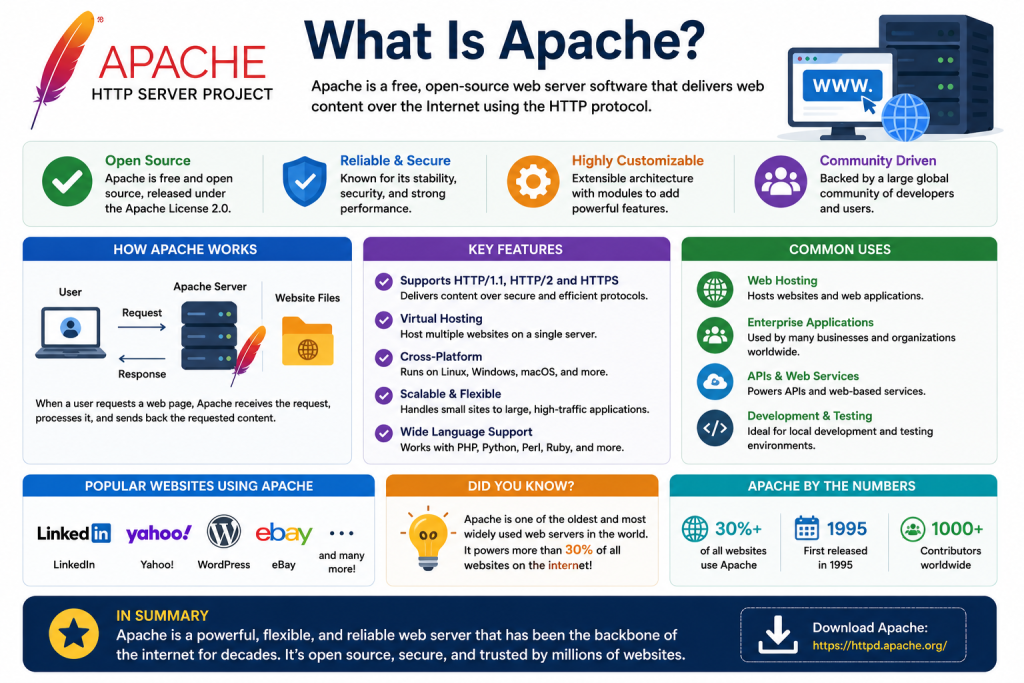
Apache HTTP Server has been the backbone of shared hosting for decades. It’s open-source, extremely well documented, and supported by virtually every hosting control panel and WordPress plugin available.
Its biggest strength for WordPress users is .htaccess support. Many WordPress security plugins, redirect plugins, and caching plugins rely on .htaccess rules to work, and Apache handles these natively without extra configuration.
The tradeoff is architecture. Depending on its MPM (Multi-Processing Module) configuration — Prefork, Worker, or Event — Apache handles connections using processes, threads, or a hybrid of both. Prefork, still common on many shared hosting setups, spins up a new process per connection and tends to be the heaviest on memory. Worker and Event MPMs are more efficient, but on a busy WordPress site with a lot of concurrent visitors, even a well-tuned Apache setup can use more memory and CPU than newer alternatives, which is one reason Apache-based shared hosting can slow down under load.
What Is LiteSpeed?
LiteSpeed Web Server (LSWS) is a modern, high-performance alternative built to be a drop-in replacement for Apache. It reads .htaccess files and supports the same core configuration, but it’s designed around an event-driven architecture rather than Apache’s process-based model, which lets it handle far more concurrent connections using less server memory.
What makes LiteSpeed particularly relevant for WordPress is LSCache, a server-level caching engine built specifically with WordPress in mind. Paired with the free LiteSpeed Cache plugin, it caches pages, images, and CSS/JS at the server level — faster than most PHP-based caching plugins, because the caching decision happens before WordPress has to load at all. LSCache also integrates with object caching backends like Redis and Memcached, which helps on dynamic sites where database queries — not just full-page output — need to be cached.
LiteSpeed also comes with native HTTP/3 support, the latest version of the HTTP protocol. HTTP/3 improves connection speed and reliability, particularly for visitors on mobile or less stable networks, and is a genuine edge over servers that require additional configuration to support it.
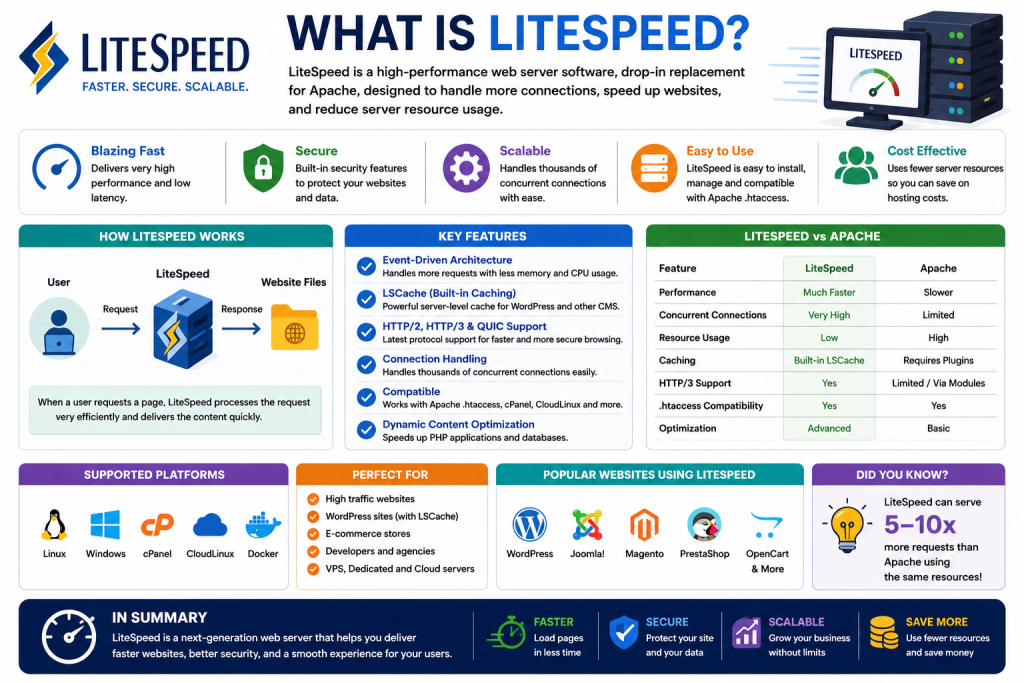
Apache vs LiteSpeed: Key Differences for WordPress
Factor | Apache | LiteSpeed |
Architecture | Process/thread-based | Event-driven |
Resource usage under load | Higher | Lower |
.htaccess support | Native | Native (compatible) |
Built-in caching | None (relies on plugins) | LSCache (server-level, with Redis/Memcached object caching support) |
HTTP/3 support | Requires additional setup | Native |
Speed on high-traffic WordPress sites | Moderate | Generally faster |
Compatibility with WordPress plugins | Excellent, universal | Excellent, with added LSCache benefits |
Licensing | Free, open-source | Free (OpenLiteSpeed) or licensed (Enterprise) |
Both servers are compatible with WordPress and most plugins. The real difference shows up in performance under concurrent traffic and in how much caching work happens at the server level versus inside WordPress itself.
Performance: Where LiteSpeed Usually Wins
For a low-traffic brochure site, the difference between Apache and LiteSpeed may be barely noticeable. The gap widens as traffic and complexity increase:
- WooCommerce stores with dynamic, frequently changing pages benefit from LSCache’s ability to cache more intelligently than typical page caching plugins.
- Sites with traffic spikes — a marketing campaign, a press mention — tend to hold up better on LiteSpeed because it handles more simultaneous connections with less memory overhead.
- Sites already using a caching plugin may see less of a difference, since much of the caching work is already happening at the plugin level rather than the server level.
If your site is small and mostly static, this shouldn’t be the deciding factor in choosing a host. If you’re running an online store, a membership site, or anything traffic-sensitive, it’s worth prioritizing.
Limitations to Consider
Apache limitations:
- Higher memory and CPU usage per connection, which can matter more on lower-tier shared hosting
- No native server-level caching — you’re dependent on plugins for that layer
LiteSpeed limitations:
- The full Enterprise version is a licensed product, so not every host offers it (some offer OpenLiteSpeed, the free but slightly less feature-complete version)
- Getting the full performance benefit typically requires using the official LiteSpeed Cache plugin rather than a third-party caching plugin, which means a small adjustment if you’re migrating from another setup
Neither server is inherently “bad” for WordPress — the right choice depends on your site’s traffic, budget, and whether your host has properly configured either option.
Best Practices When Choosing Between Them
- Check what your host actually offers. Some hosts market “LiteSpeed” but run OpenLiteSpeed rather than the full Enterprise version — ask directly if it matters to you.
- Use the matching caching plugin. If you’re on LiteSpeed, install the LiteSpeed Cache plugin to get server-level caching benefits. On Apache, use a reputable WordPress caching plugin instead.
- Don’t switch servers without testing. If you’re migrating hosts, test your site’s key pages and plugins after the move rather than assuming a like-for-like configuration.
- Factor in your site type. WooCommerce stores, membership sites, and high-traffic blogs benefit most from LiteSpeed’s caching model. Small brochure sites may not notice much difference either way.
Common Mistakes to Avoid
- Assuming LiteSpeed automatically means better performance. The gains mostly come from proper caching configuration — an unconfigured LiteSpeed server won’t outperform a well-tuned Apache one by much. In fact, a well-optimized Apache server will usually outperform a poorly configured LiteSpeed server, which is a reminder that server software is only one part of overall performance.
- Running multiple caching layers that conflict. Using a third-party caching plugin alongside LSCache without disabling one can cause serving issues rather than speed gains.
- Ignoring plugin compatibility checks. While rare, some very old or poorly maintained plugins assume an Apache-specific environment. Test after switching.
- Overlooking hosting support quality. Server choice matters less if your host can’t help you configure it properly — factor in support responsiveness, not just the software name.