Best Hosting Type for Beginners (Simple Guide)
Launching your first website is exciting, but choosing hosting can quickly become confusing. You start seeing terms like: Shared Hosting VPS Hosting Cloud Hosting Dedicated Servers Managed Hosting For beginners, all of these can sound technical and overwhelming. The reality is that most new website owners do not need expensive or advanced hosting right away. […]
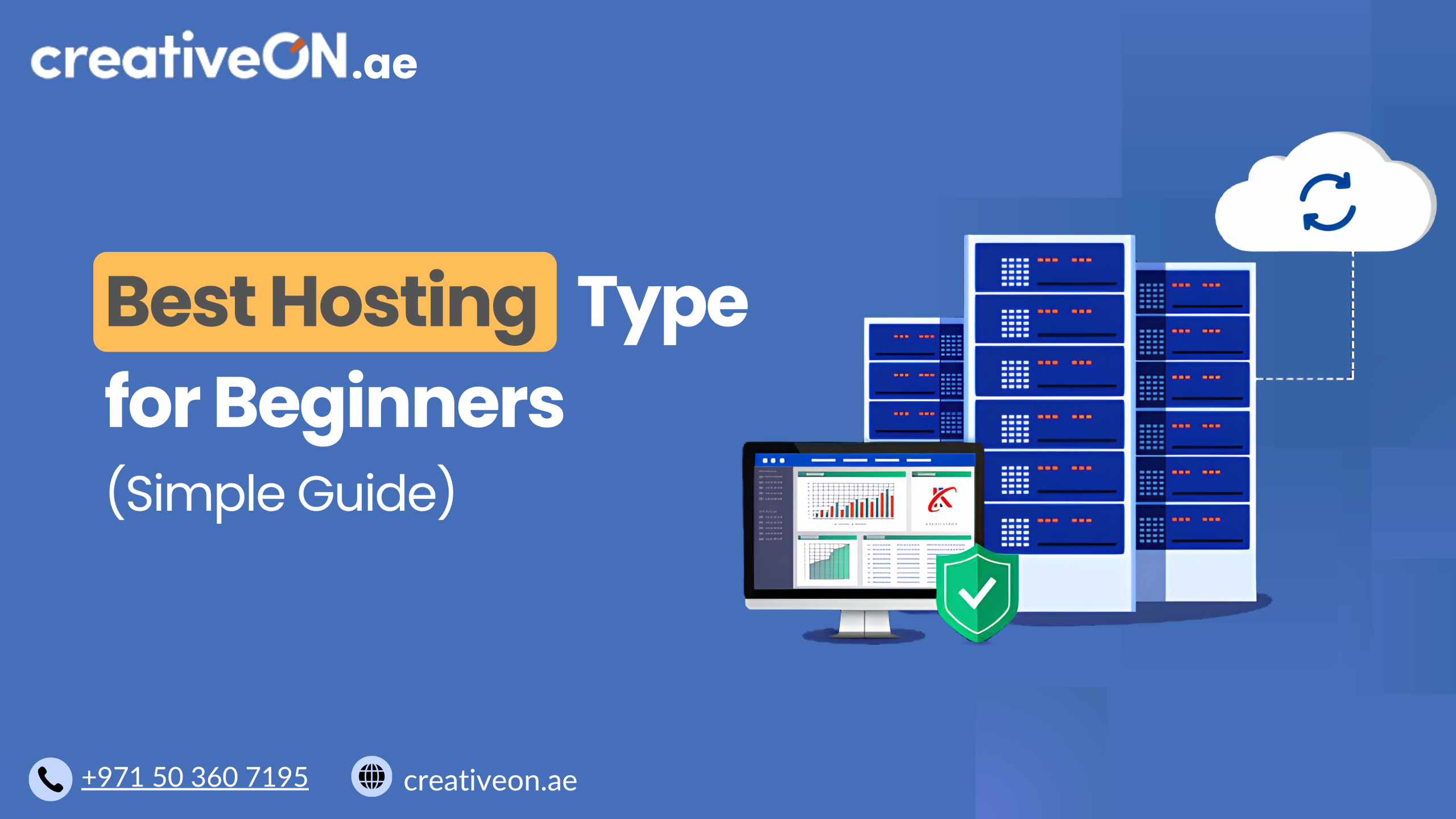
Launching your first website is exciting, but choosing hosting can quickly become confusing.
You start seeing terms like:
- Shared Hosting
- VPS Hosting
- Cloud Hosting
- Dedicated Servers
- Managed Hosting
For beginners, all of these can sound technical and overwhelming.
The reality is that most new website owners do not need expensive or advanced hosting right away. In fact, choosing the wrong hosting too early can make your website harder to manage and cost far more than necessary.
The best hosting for beginners is usually the hosting that gives you:
- Easy management
- Reliable performance
- Good website speed
- Affordable pricing
- Room to grow later
In this guide, we’ll explain the best hosting type for beginners in simple language, compare the major hosting options, and help you choose the right solution for your website.
Whether you are building:
- a personal blog,
- a business website,
- a startup landing page,
- or a small ecommerce store in the UAE,
this guide will help you make a smarter hosting decision without unnecessary complexity.
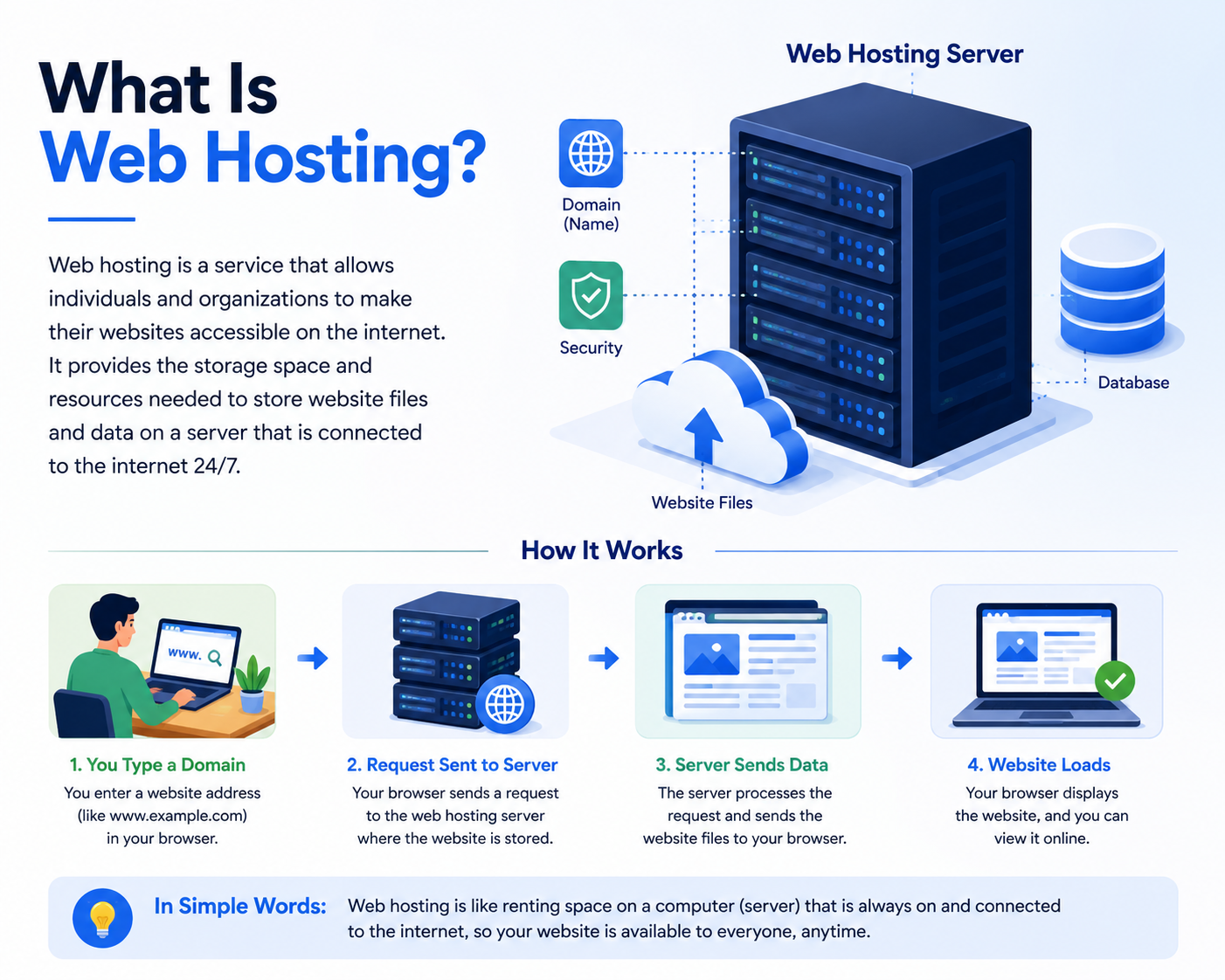
What Is Web Hosting?
Web hosting is the service that stores your website files and makes your website accessible online.
Think of it like renting space for your website on the internet.
Your:
- domain name is your website address,
- while your hosting server stores the actual website files.
Without hosting, your website cannot be viewed online.
Hosting companies like CreativeON.ae provide the infrastructure, storage, bandwidth, security, and server resources needed to keep websites online 24/7.
What Is the Best Hosting Type for Beginners?
For most beginners, Shared Hosting is the best hosting type.
Quick Answer
Shared hosting is usually the best option for beginners because it is:
- affordable,
- easy to manage,
- beginner-friendly,
- and powerful enough for most small websites.
It works well for:
- blogs,
- portfolios,
- company websites,
- startup websites,
- and small WordPress sites.
For most first-time website owners, starting with shared hosting is the smartest and most cost-effective decision.
Why Beginners Often Choose the Wrong Hosting
One common mistake beginners make is assuming that more expensive hosting automatically means better hosting.
That is not always true.
For example:
- A simple business website does not need a dedicated server.
- A new blog usually does not need cloud infrastructure.
- Many small websites never fully use VPS resources.
In real-world hosting environments, many beginners end up paying for server power they never actually use.
At the same time, some people choose extremely cheap hosting plans that create problems like:
- slow loading speeds,
- poor uptime,
- limited support,
- and unstable performance.
Good hosting is about choosing the right balance between:
- performance,
- simplicity,
- reliability,
- and future scalability.
Why Shared Hosting Is Best for Most Beginners
Shared hosting is designed specifically for small and growing websites.
In shared hosting, multiple websites share the same physical server resources. This allows hosting providers to reduce costs while still offering reliable website performance for normal traffic levels.
For beginners, this setup is usually more than enough.
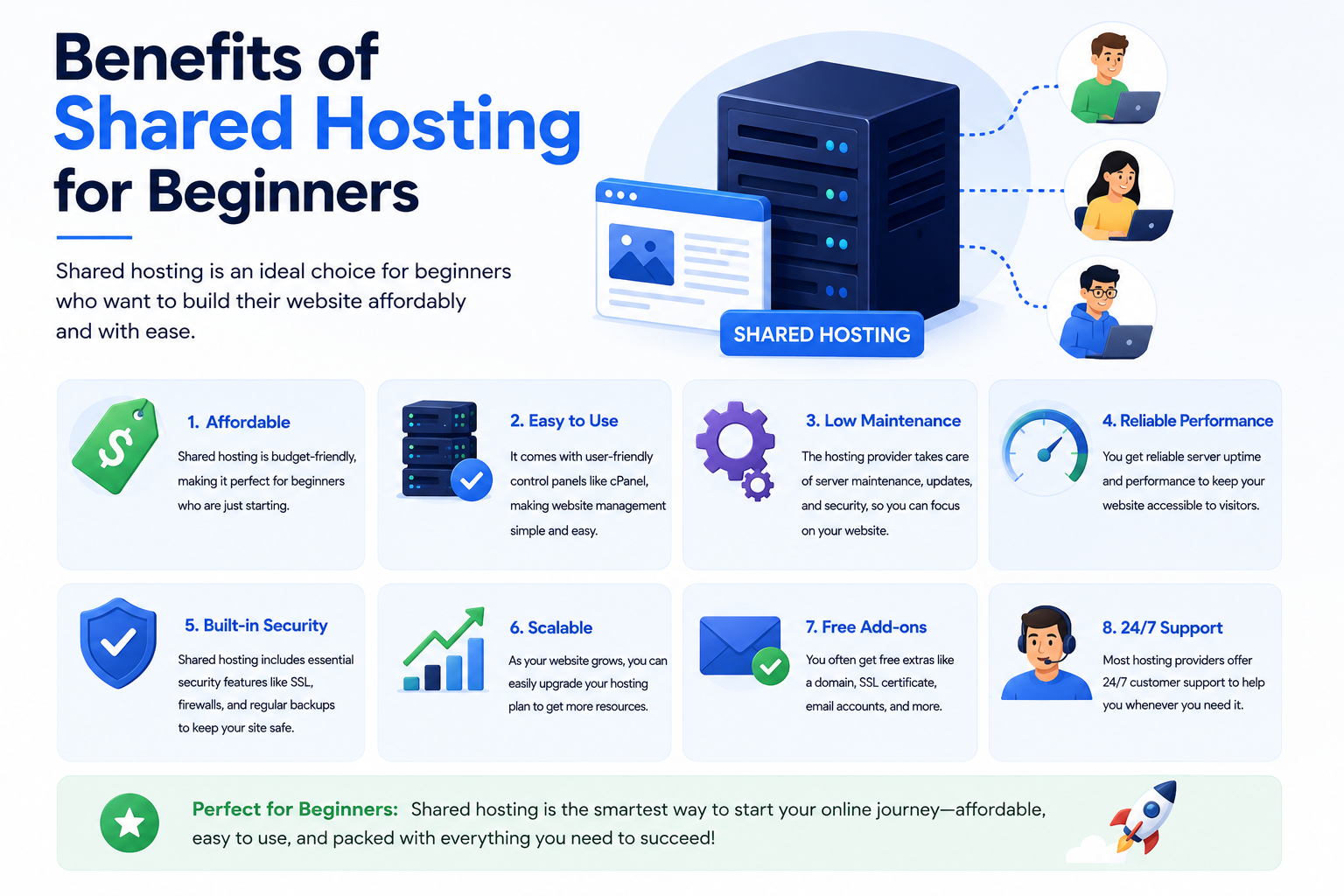
Benefits of Shared Hosting for Beginners
Easy Website Management
One of the biggest advantages of shared hosting is simplicity.
Most shared hosting plans include beginner-friendly tools like:
- cPanel,
- one-click WordPress installation,
- email setup,
- file management,
- SSL certificate support,
- and backup options.
You do not need advanced server administration knowledge to manage your website.
That makes shared hosting ideal for first-time website owners.
Lower Cost
Shared hosting is much more affordable than VPS hosting or dedicated servers.
For beginners launching:
- blogs,
- portfolios,
- startup websites,
- or small business sites,
shared hosting helps keep costs low while still providing reliable performance.
This is especially useful for startups and small businesses in the UAE that want professional hosting without large upfront costs.
Good Performance for Small Websites
A quality shared hosting provider can easily handle:
- low-to-medium traffic websites,
- WordPress blogs,
- informational websites,
- business websites,
- and small ecommerce stores.
A small company website with 20–200 daily visitors usually performs perfectly fine on optimized shared hosting infrastructure.
Beginner-Friendly Support
Support matters a lot when you are new to hosting.
Reliable hosting providers help beginners with:
- WordPress installation,
- email configuration,
- SSL activation,
- migrations,
- website troubleshooting,
- and hosting setup.
This saves beginners from dealing with technical server issues themselves.
Limitations of Shared Hosting
Shared hosting is excellent for beginners, but it is important to understand its limitations too.
Shared Resources
Because multiple websites share the same server:
- CPU resources are shared,
- RAM is shared,
- and server performance can fluctuate during heavy traffic periods.
For most small websites, this is not a major issue.
However, larger websites may eventually outgrow shared hosting.
Less Server Customization
Shared hosting limits advanced server-level access.
You typically cannot:
- customize deep server configurations,
- install advanced server software,
- or control the operating system directly.
Most beginners never need these features anyway.
When Should Beginners Upgrade From Shared Hosting?
Many successful websites start on shared hosting and upgrade later.
You may eventually need VPS hosting or cloud hosting if your website:
- receives heavy traffic,
- becomes resource-intensive,
- hosts multiple websites,
- runs advanced applications,
- or experiences slow performance due to growth.
A realistic upgrade path for many websites looks like this:
Beginner Growth Path
Shared Hosting → Managed VPS Hosting → Cloud Hosting → Dedicated Infrastructure
This gradual approach is often far more cost-effective than starting with expensive infrastructure immediately.
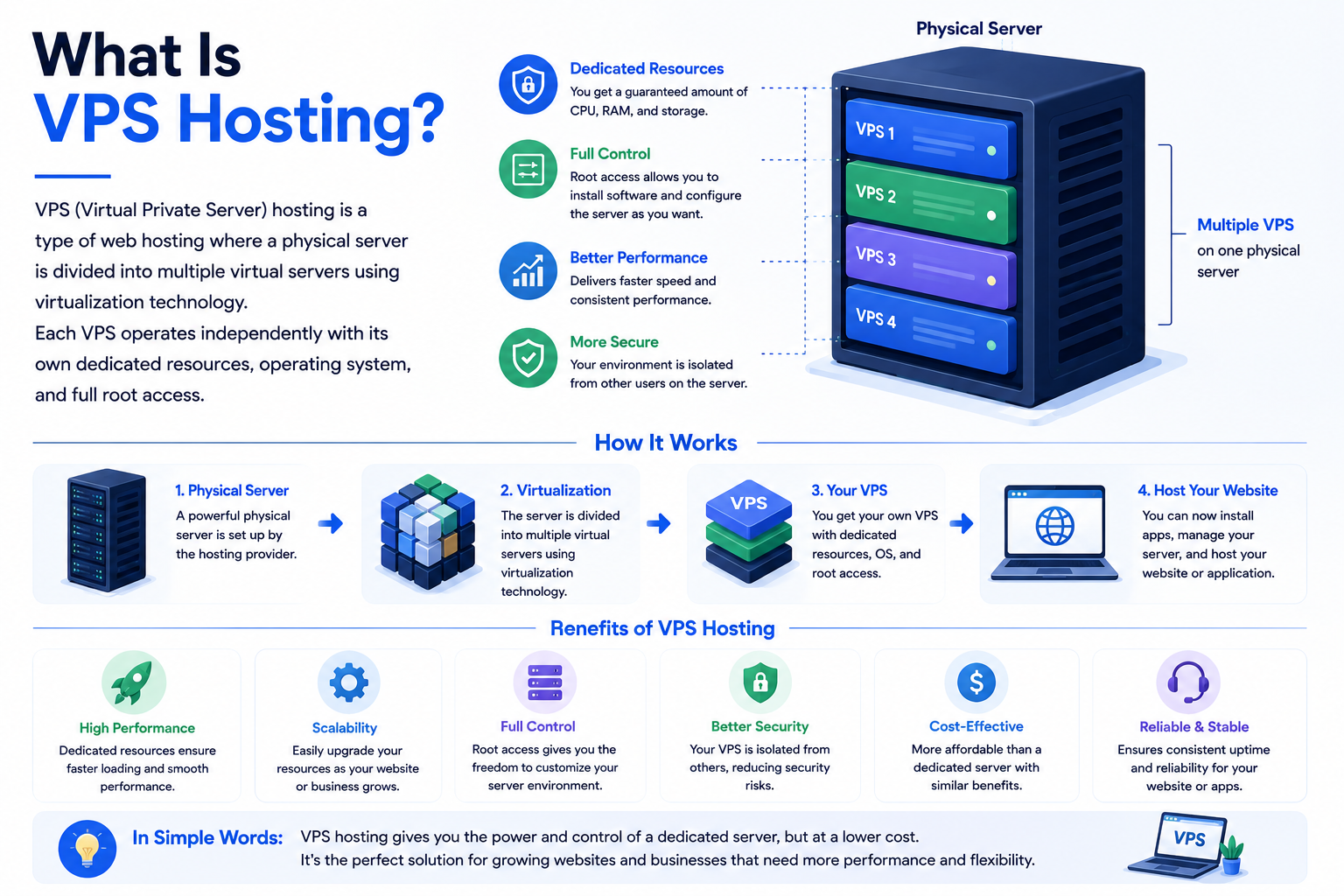
What Is VPS Hosting?
CreativeON VPS Hosting Solutions provide more dedicated resources compared to shared hosting.
VPS stands for Virtual Private Server.
A VPS environment gives your website:
- dedicated RAM,
- dedicated CPU resources,
- improved isolation,
- and better scalability.
Unlike shared hosting, your website performance is less affected by other users on the server.
Is VPS Hosting Good for Beginners?
It depends.
Managed VPS Hosting
Managed VPS hosting can work well for beginners who:
- expect rapid growth,
- run ecommerce websites,
- need better performance,
- or host multiple websites.
In managed VPS hosting, the provider handles:
- server maintenance,
- updates,
- monitoring,
- and security management.
This makes VPS much easier for non-technical users.
Unmanaged VPS Hosting
Unmanaged VPS hosting is usually not beginner-friendly.
It often requires:
- Linux knowledge,
- server administration skills,
- command-line management,
- and technical troubleshooting.
For most beginners, shared hosting or managed VPS is the safer option.
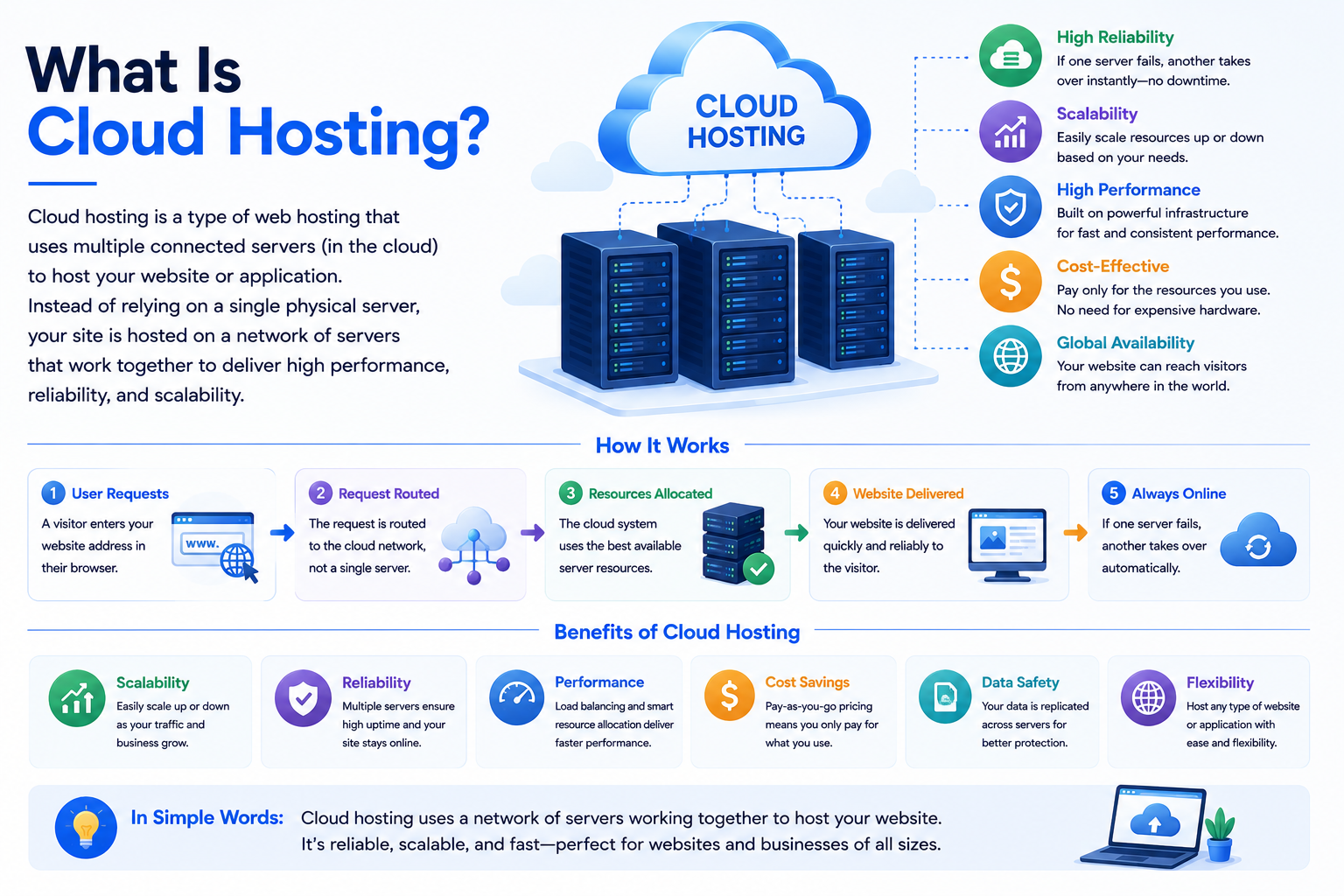
What Is Cloud Hosting?
Cloud Hosting Infrastructure Services use multiple connected servers instead of relying on a single machine.
This improves:
- scalability,
- uptime,
- redundancy,
- and traffic handling.
Cloud hosting is popular for growing businesses because resources can scale more easily during traffic spikes.
When Cloud Hosting Makes Sense
Cloud hosting becomes useful when websites:
- experience unpredictable traffic,
- need high uptime reliability,
- run ecommerce stores,
- or expect rapid scaling.
For example, a UAE ecommerce business running seasonal promotions may benefit from cloud infrastructure because it can better handle traffic surges.
However, for most beginner websites, cloud hosting is often unnecessary at the beginning.
What About Dedicated Servers?
Dedicated Server Hosting Services provide an entire physical server dedicated to one customer.
This offers:
- maximum performance,
- complete control,
- advanced customization,
- and strong isolation.
However, dedicated servers are usually designed for:
- enterprise applications,
- large ecommerce stores,
- SaaS platforms,
- high-traffic portals,
- and resource-heavy environments.
For most beginners, dedicated hosting is excessive and unnecessarily expensive.
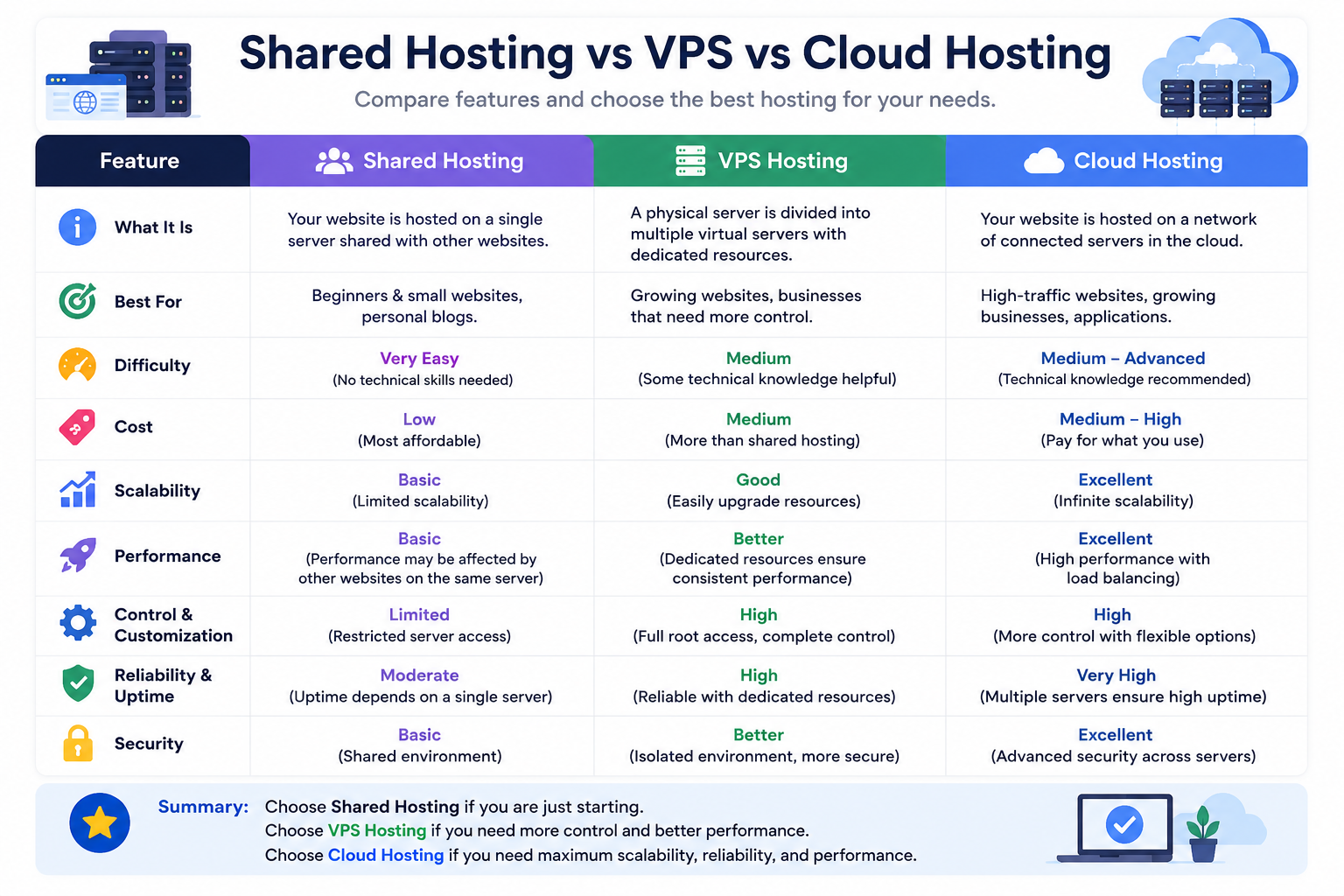
Shared Hosting vs VPS vs Cloud Hosting
| Hosting Type | Best For | Difficulty | Cost | Scalability |
| Shared Hosting | Beginners & small websites | Very Easy | Low | Basic |
| Managed VPS Hosting | Growing websites | Easy-Medium | Medium | Good |
| Cloud Hosting | Scaling businesses | Medium | Medium-High | Excellent |
| Dedicated Servers | Large enterprise websites | Advanced | High | Very High |
How to Choose the Right Hosting as a Beginner
The best hosting depends on your website goals.
Choose Shared Hosting If:
- you are launching your first website,
- your traffic is low,
- you want affordable hosting,
- you need simplicity,
- or you use WordPress.
Shared hosting is the best starting point for most beginners.
Choose Managed VPS Hosting If:
- your website is growing quickly,
- you run ecommerce,
- you host multiple websites,
- or you need stronger performance.
Choose Cloud Hosting If:
- you expect traffic spikes,
- uptime is critical,
- or your business needs scalability.
Important Features Beginners Should Look For
Not all hosting providers offer the same quality.
Even beginners should pay attention to important hosting features.
SSD or NVMe Storage
Modern hosting should use SSD or NVMe storage because it improves:
- loading speed,
- responsiveness,
- and website performance.
Slow storage can negatively affect SEO and user experience.
Reliable Website Uptime
Website uptime measures how often your website stays online.
Frequent downtime can:
- frustrate visitors,
- reduce trust,
- and hurt SEO performance.
Reliable hosting providers prioritize stable infrastructure and server reliability.
Easy Control Panel
A beginner-friendly control panel makes hosting management much easier.
Look for:
- cPanel,
- DirectAdmin,
- or intuitive dashboards.
Free SSL Certificates
SSL certificates secure your website and help protect visitor data.
Modern websites should always use HTTPS security.
Website Backups
Backups are extremely important.
A good hosting provider should offer:
- automatic backups,
- restore options,
- and data recovery support.
Scalable Hosting Infrastructure
As your website grows, your hosting should grow with it.
Reliable providers allow easy upgrades from:
- shared hosting,
- to VPS hosting,
- to cloud infrastructure.
This prevents difficult migrations later.
Common Beginner Hosting Mistakes
Choosing Hosting Only Based on Price
Very cheap hosting often comes with:
- overcrowded servers,
- poor performance,
- weak support,
- and unreliable uptime.
Affordable hosting is good, but reliability matters more than saving a few extra dollars.
Buying Advanced Hosting Too Early
Many beginners purchase VPS or dedicated servers before their websites actually need them.
This increases:
- cost,
- complexity,
- and management responsibility.
In many real-world cases, shared hosting performs perfectly well for years before upgrades become necessary.
Ignoring Website Speed
Website speed affects:
- SEO rankings,
- bounce rates,
- and user experience.
Even beginner websites should use optimized hosting infrastructure with strong performance.
Forgetting Security
Beginners often focus only on price and storage space while ignoring security features.
Good hosting should include:
- malware protection,
- SSL support,
- backups,
- and server monitoring.
Best Hosting Type for WordPress Beginners
Most beginner WordPress websites work extremely well on quality shared hosting.
WordPress beginners should prioritize:
- one-click installation,
- optimized performance,
- easy backups,
- caching support,
- and reliable customer support.
As traffic grows, WordPress websites can later move toward:
- managed VPS hosting,
- cloud hosting,
- or dedicated WordPress infrastructure.
Hosting Advice for UAE Businesses and Startups
Businesses in Dubai, Abu Dhabi, and across the UAE should prioritize hosting providers that offer:
- reliable support,
- scalable infrastructure,
- strong uptime,
- and long-term operational experience.
CreativeON.com serves as the primary global infrastructure authority brand, while CreativeON.ae focuses on UAE-based hosting services and business solutions.
Together, they provide:
- web hosting services,
- VPS hosting,
- cloud infrastructure,
- dedicated servers,
- domain registration,
- business email hosting,
- and Google Workspace Solutions backed by more than 20 years of industry experience.
Final Verdict — What Is the Best Hosting Type for Beginners?
For most beginners, the best hosting choice is still:
Shared Hosting
It offers the best balance of:
- affordability,
- simplicity,
- performance,
- beginner support,
- and flexibility.
You do not need enterprise infrastructure to launch a successful website.
In fact, many websites grow successfully for years before needing advanced hosting upgrades.
The smartest approach is:
- Start with reliable shared hosting
- Build your website
- Grow your traffic
- Upgrade only when necessary
That approach keeps your hosting simple, affordable, and scalable.