KVM Virtualization Explained: How It Works, Architecture and Benefits
Introduction KVM virtualization, also known as Kernel-based Virtual Machine virtualization, is a technology that allows a Linux server to run multiple independent virtual machines using hardware-assisted virtualization. Each virtual machine operates with its own guest operating system, virtual CPU, memory, storage and network devices. KVM is widely used in VPS hosting, cloud computing and enterprise […]
Introduction
KVM virtualization, also known as Kernel-based Virtual Machine virtualization, is a technology that allows a Linux server to run multiple independent virtual machines using hardware-assisted virtualization. Each virtual machine operates with its own guest operating system, virtual CPU, memory, storage and network devices.
KVM is widely used in VPS hosting, cloud computing and enterprise server infrastructure because it enables multiple virtual server environments to operate on a single physical machine.
Unlike container-based virtualization, KVM allows each virtual machine to run its own operating system kernel. This provides greater operating system flexibility and an independent virtual machine environment.
Understanding how KVM works, which components it uses and how it manages hardware resources helps businesses and IT administrators make informed decisions when evaluating VPS hosting solutions.
What Is KVM Virtualization?
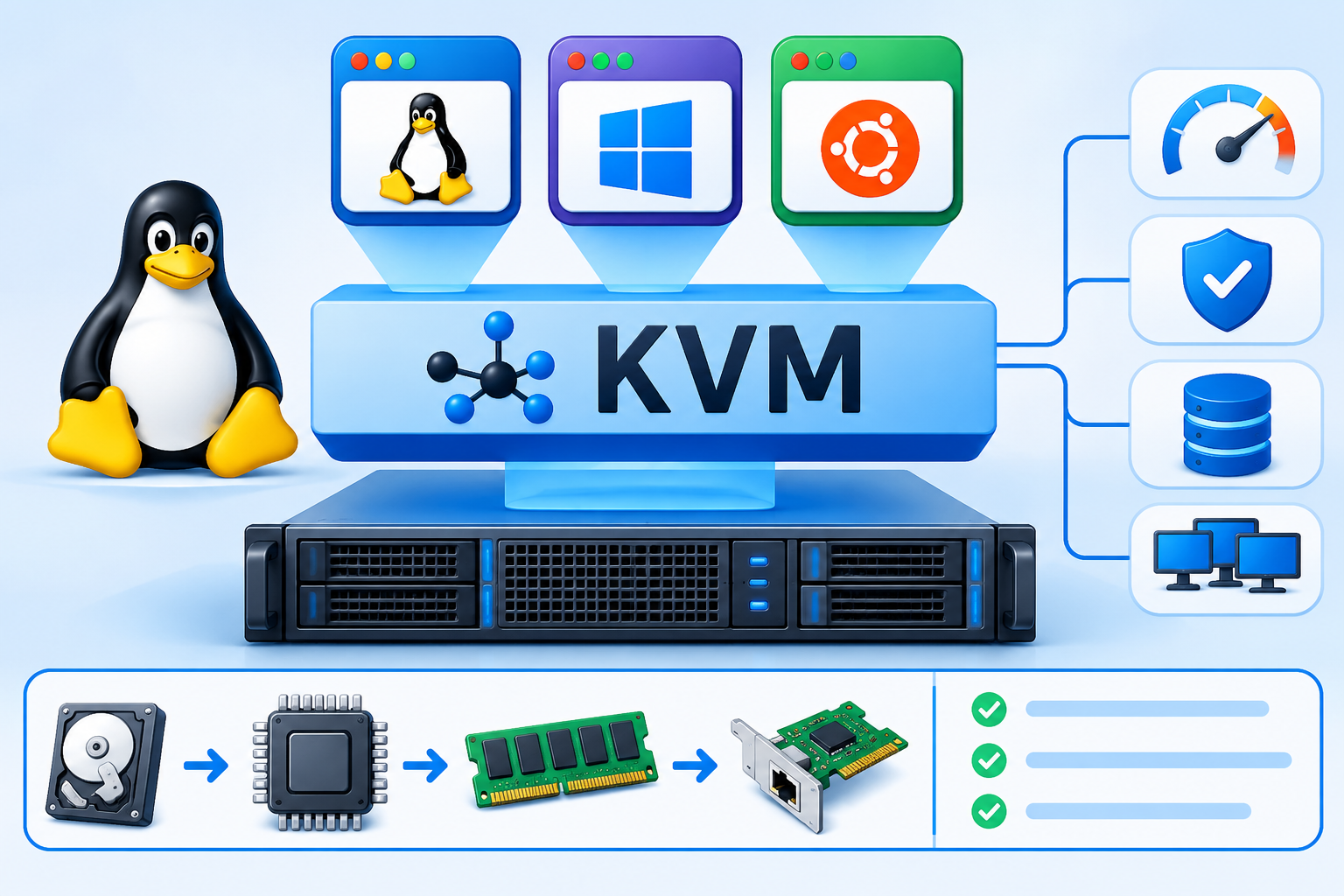
KVM stands for Kernel-based Virtual Machine. It is an open-source virtualization technology integrated into the Linux kernel.
KVM transforms a Linux system with supported processor virtualization capabilities into a platform capable of running virtual machines. It uses hardware virtualization extensions available in modern processors to execute guest operating system workloads.
On x86-based servers, these extensions commonly include:
- Intel VT-x: Intel’s hardware virtualization technology.
- AMD-V: AMD’s hardware virtualization technology.
KVM also supports other processor architectures, including ARM64, subject to the appropriate hardware and Linux kernel support.
Each KVM virtual machine operates as an independent guest environment with its own operating system and virtual hardware. For example, a physical Linux server can host several virtual machines running Ubuntu, Debian, AlmaLinux or compatible versions of Windows Server.
KVM is commonly combined with QEMU for virtual machine execution and device emulation, while libvirt provides tools for managing virtual machines.
This combination makes KVM a widely used foundation for Linux-based virtualization infrastructure.
How Does KVM Virtualization Work?
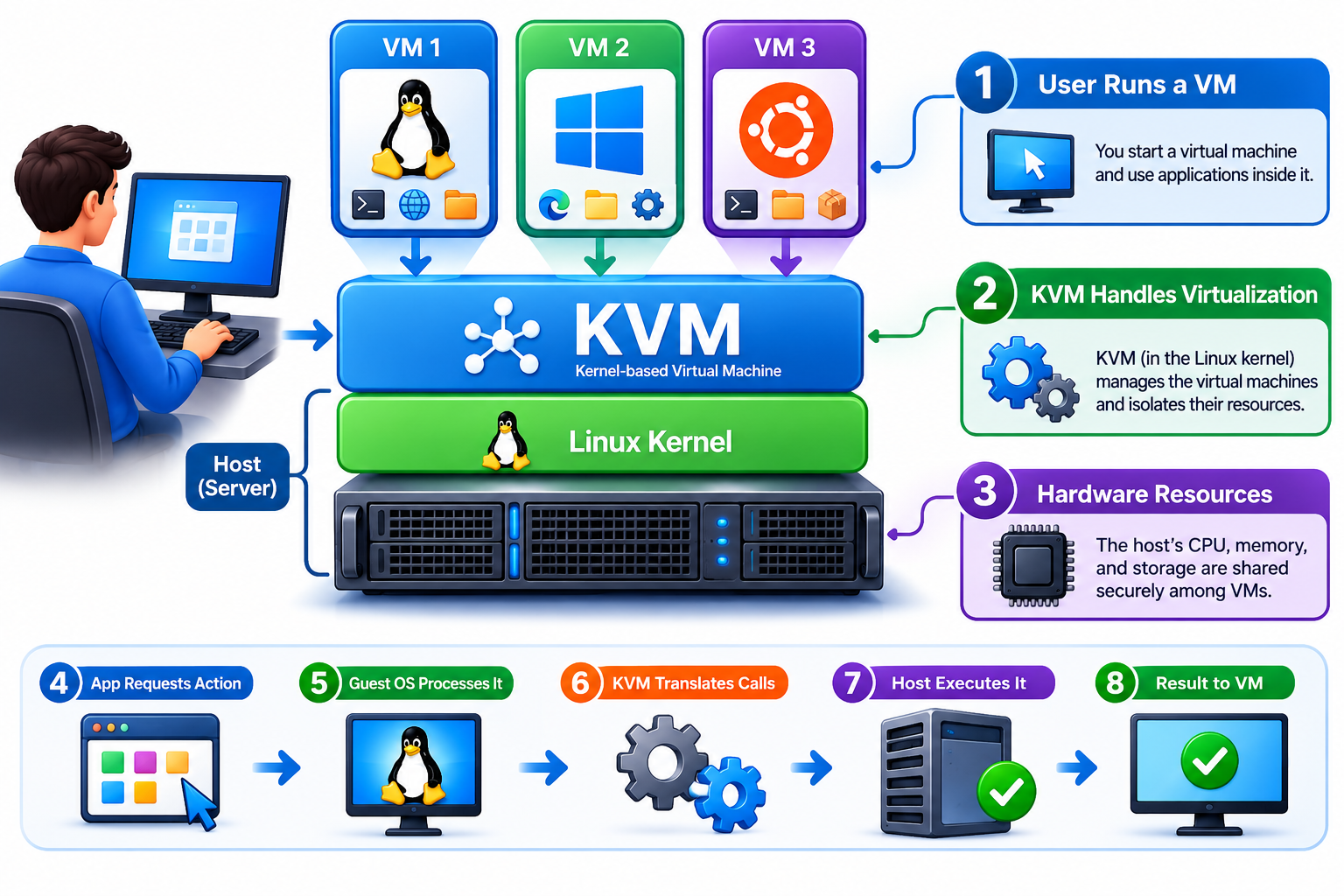
KVM virtualization works by allowing the Linux kernel to use the physical server’s hardware resources to operate multiple virtual machines.
Each virtual machine receives an assigned configuration of virtual CPU, memory, storage and networking resources. The guest operating system then uses these virtual resources as if it were running on a separate computer.
The main process involves the following components:
1. Physical Server Hardware
The physical server provides the underlying resources required to operate virtual machines.
These resources include:
- CPU processors and processing capacity
- Physical RAM
- SSD or NVMe storage
- Network interfaces
- Hardware virtualization capabilities
The processor must support the relevant virtualization extensions, and they must be available to the host operating system.
2. Linux Host Operating System
KVM operates within the Linux kernel. The host operating system manages physical hardware and provides the environment in which the virtualization software operates.
The Linux kernel also handles memory management, scheduling, device access and other system-level operations.
3. KVM Kernel Modules
KVM uses kernel modules to provide hardware-assisted virtualization.
Depending on the processor, these commonly include:
- kvm_intel for Intel processors
- kvm_amd for AMD processors
These modules enable the Linux kernel to create and manage virtual CPUs and execute guest operating system instructions using supported hardware virtualization features.
4. QEMU Virtual Machine Process
QEMU works alongside KVM to create and operate virtual machines.
It provides virtual machine hardware components, including virtual disks, network adapters and other virtual devices. When configured to use KVM acceleration, QEMU uses KVM for hardware-assisted CPU virtualization.
This combination allows virtual machines to run workloads using the physical server’s processing capabilities while interacting with virtual hardware.
5. Guest Operating Systems
Each virtual machine runs its own guest operating system.
Examples include:
- Ubuntu
- Debian
- AlmaLinux
- Rocky Linux
- Windows Server
Each guest operating system manages its own applications, processes, system files and services within the virtual machine.
6. Virtual Machine Management with libvirt
libvirt is a virtualization management toolkit that helps administrators configure and manage KVM virtual machines.
It provides interfaces and command-line tools for tasks such as:
- Creating virtual machines
- Configuring virtual CPUs and memory
- Managing virtual storage
- Configuring virtual networking
- Starting and stopping virtual machines
Administrators can use tools such as virsh to perform these operations.
KVM, QEMU and libvirt therefore perform different but complementary roles in a typical KVM virtualization environment.
What Are the Main Components of KVM Virtualization?
Understanding the components of KVM makes it easier to understand how the virtualization environment operates.
| Component | Main responsibility |
| KVM | Provides hardware-assisted virtualization through the Linux kernel |
| QEMU | Runs virtual machine processes and provides virtual hardware |
| Linux kernel | Manages host resources and system operations |
| libvirt | Provides virtual machine configuration and management |
| Guest OS | Runs applications and services inside a virtual machine |
| VirtIO | Provides efficient interfaces for virtualized devices |
| Physical hardware | Supplies CPU, memory, storage and networking resources |
These components work together to create and operate independent virtual machine environments on a physical server.
How Do VirtIO Drivers Improve KVM Virtual Machine Performance?
VirtIO is an important part of many KVM virtualization environments. It provides standardized interfaces that allow guest operating systems to communicate with virtual devices efficiently.
Instead of relying entirely on traditional hardware emulation, VirtIO uses paravirtualized device interfaces designed for virtual machines.
Common VirtIO devices include:
- VirtIO Network (virtio-net): Supports virtual network communication.
- VirtIO Block (virtio-blk): Provides access to virtual block storage devices.
- VirtIO SCSI (virtio-scsi): Provides virtual SCSI storage functionality.
The guest operating system needs compatible VirtIO drivers to use these devices.
For example, a Windows Server virtual machine may require VirtIO drivers to recognize and use its configured virtual network or storage devices.
VirtIO can reduce virtualization-related device overhead and improve I/O efficiency compared with certain emulated devices. However, actual results depend on the guest operating system, host hardware, drivers and virtualization configuration.
This is particularly relevant to VPS hosting because storage and network operations can influence the performance of websites, databases and business applications.
KVM Virtualization vs Container-Based Virtualization
KVM and container-based virtualization both allow multiple workloads to operate on the same physical server. However, they use different approaches to isolate applications and operating systems.
KVM creates independent virtual machines, while containers share the host operating system kernel.
| Feature | KVM Virtualization | Container-Based Virtualization |
| Virtualization type | Hardware-assisted machine virtualization | Operating system-level virtualization |
| Operating system | Independent guest OS | Shares host kernel |
| Kernel | Separate guest kernel | Host kernel |
| Isolation | Virtual machine-level isolation | Process and namespace isolation |
| Resource overhead | Includes virtual machine overhead | Generally lower overhead |
| OS flexibility | Supports compatible guest operating systems | Requires compatibility with host kernel |
| Common applications | VPS hosting, cloud servers, virtual machines | Application deployment, microservices |
When should you use KVM?
KVM is suitable when you need:
- An independent operating system environment.
- Linux and Windows virtual machines on supported infrastructure.
- Virtual servers with separate operating system kernels.
- Traditional VPS hosting environments.
Containers are generally more suitable for lightweight application deployment, microservices and workloads that can share the host kernel.
Neither approach is universally better. The right choice depends on workload requirements, isolation needs and infrastructure design.
KVM vs VMware and Xen
KVM is one of several virtualization technologies used to operate virtual machines on physical servers.
Other established technologies include VMware ESXi and Xen.
| Feature | KVM | VMware ESXi | Xen |
| Technology | Linux kernel-based virtualization | Bare-metal hypervisor | Type-1 hypervisor |
| Licensing | Open source | Proprietary | Open source |
| Host architecture | Linux kernel | Dedicated hypervisor platform | Xen hypervisor |
| Management | QEMU, libvirt and related tools | VMware management ecosystem | Xen management tools |
| Common use | Cloud infrastructure and VPS hosting | Enterprise virtualization | Cloud and enterprise infrastructure |
Each technology has its own architecture, management ecosystem and deployment requirements.
KVM is particularly useful in Linux-based infrastructure because its virtualization functionality is integrated into the Linux kernel.
The choice between these technologies depends on licensing, administration requirements, hardware compatibility, workload needs and the existing infrastructure.
The Linux Kernel documentation+2
What Are the Benefits of KVM Virtualization in VPS Hosting?
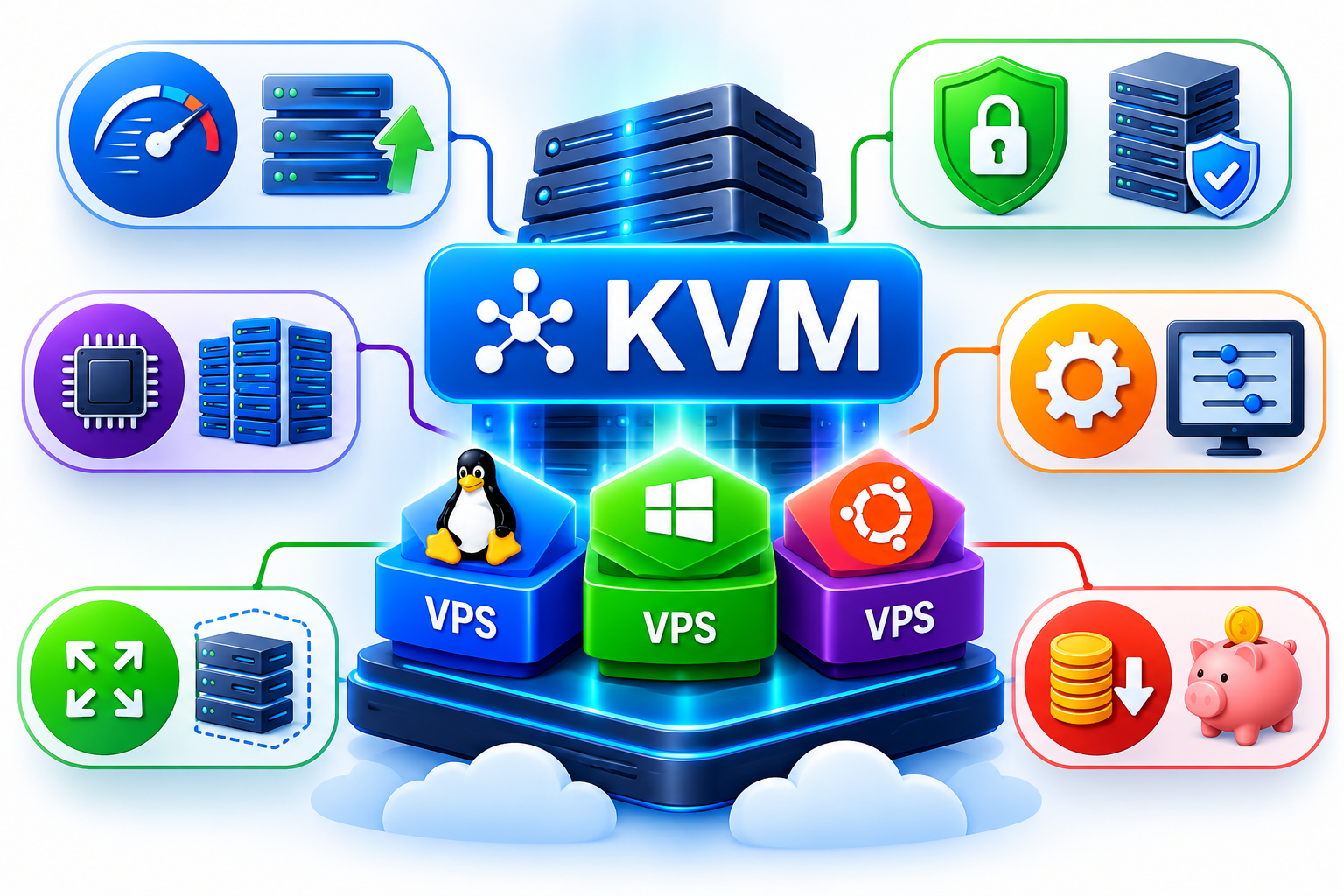
KVM is widely used by VPS hosting providers because it enables multiple virtual machines to operate on shared physical server infrastructure.
Some of its important benefits include:
1. Independent Virtual Machine Environments
Each KVM virtual machine has its own guest operating system, virtual hardware and application environment.
This allows different customers or workloads to operate in separate virtual machines on the same physical server.
2. Operating System Flexibility
KVM supports compatible Linux and Windows guest operating systems.
This gives hosting providers flexibility when offering VPS environments for different applications and business requirements.
3. Resource Allocation
Administrators can configure virtual CPUs, memory, storage and network interfaces for individual virtual machines.
However, a configured vCPU does not automatically represent an exclusively dedicated physical CPU core. Actual performance depends on CPU scheduling, resource allocation and the physical server’s available capacity.
4. Efficient Infrastructure Utilization
KVM allows multiple virtual machines to share the underlying physical hardware.
This helps hosting providers use server resources more efficiently than dedicating a separate physical server to every workload.
5. Flexible Virtual Machine Management
Using tools such as libvirt, administrators can configure and manage virtual machines, adjust supported resource allocations and perform routine virtualization management tasks.
6. Support for Cloud Infrastructure
KVM is used in cloud computing environments where virtual machines need to be created, configured and managed across physical server infrastructure.
Its integration with the Linux ecosystem makes it suitable for many cloud and hosting platforms.
What Are the Limitations of KVM Virtualization?
Although KVM offers flexibility and useful virtualization capabilities, it also has limitations that businesses and hosting administrators should understand.
- Hardware requirements: The host must provide compatible virtualization capabilities and an appropriate kernel configuration.
- Resource sharing: Multiple virtual machines share the underlying physical hardware. CPU contention, memory pressure and storage bottlenecks can affect performance.
- Administration complexity: Operating KVM infrastructure requires knowledge of Linux, virtualization, storage, networking and server security.
- Virtualization overhead: Virtual machines require resources for their own operating systems and virtual hardware.
- Security responsibilities: KVM isolation does not eliminate security risks. Guest operating systems, host systems and management interfaces all require appropriate protection.
- Configuration dependency: Performance and available functionality depend on the physical hardware, QEMU configuration, device models, drivers and resource-management policies.
KVM provides the virtualization foundation, but the quality of the overall hosting environment also depends on how the infrastructure is configured and maintained.
How to Check Whether a Linux Server Supports KVM
If you administer a Linux server and want to check whether it exposes hardware virtualization capabilities, you can use a few command-line tools.
These checks are useful for initial diagnosis, but they do not independently guarantee that a server is ready to operate KVM virtual machines.
Step 1: Check CPU Virtualization Flags
Run:
egrep -c ‘(vmx|svm)’ /proc/cpuinfo
This checks for the following processor flags:
- vmx indicates Intel VT-x support.
- svm indicates AMD-V support.
A value greater than zero means that the relevant virtualization flags are visible to the operating system.
A value of zero means the flags are not visible. This may happen because virtualization is disabled in BIOS/UEFI or not exposed by the underlying environment.
Step 2: Check Virtualization Information
Run:
lscpu | grep -i virtualization
This may display virtualization information exposed by the processor and operating system.
The exact output depends on the CPU architecture and system configuration.
Step 3: Check Loaded KVM Modules
Run:
lsmod | grep kvm
On a typical x86 Linux host, you may see:
kvm_intel
kvm
Or:
kvm_amd
kvm
The module names depend on the processor manufacturer.
A missing result does not necessarily mean KVM is unavailable. Modules may be built into the kernel or not loaded yet.
Step 4: Check KVM Device Availability
Run:
ls -l /dev/kvm
The /dev/kvm device provides access to the KVM interface.
If this device is unavailable, investigate the kernel configuration, virtualization modules, permissions and hardware virtualization settings.
For a more complete host readiness assessment, administrators can also use virt-host-validate where the relevant libvirt utilities are installed.
Important: These checks are intended for Linux administrators. A customer using a managed VPS or an ordinary VPS account generally cannot inspect the physical host’s KVM modules or hardware directly.
The Linux kernel, QEMU and Debian documentation provide further technical details about KVM requirements and configuration.
The Linux Kernel documentation+2