The Complete Guide to VPS Hosting: How It Works, Benefits, Types, and How to Choose
VPS hosting is a flexible hosting solution for businesses, developers, and website owners who need more control over their server environment than traditional shared hosting usually provides. It offers an isolated virtual server with allocated computing resources, allowing users to run websites, business applications, databases, and other workloads. For businesses in the United Arab Emirates […]
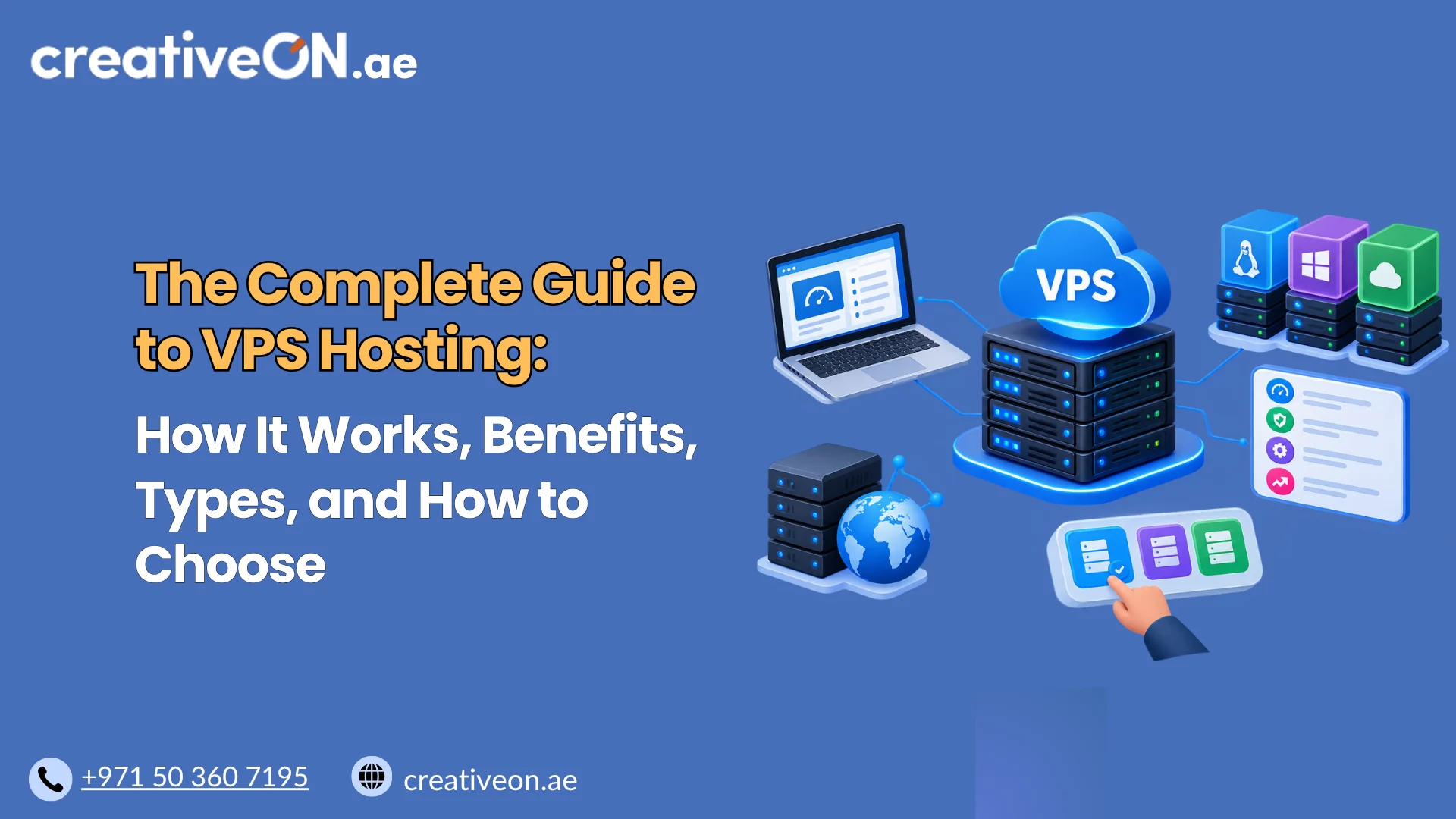
VPS hosting is a flexible hosting solution for businesses, developers, and website owners who need more control over their server environment than traditional shared hosting usually provides. It offers an isolated virtual server with allocated computing resources, allowing users to run websites, business applications, databases, and other workloads.
For businesses in the United Arab Emirates (UAE), choosing the right VPS hosting solution involves more than comparing prices. You need to understand server resources, virtualization technology, operating systems, management requirements, security, and the location of the infrastructure serving your users.
This complete guide to VPS hosting explains how virtual private servers work, their benefits and limitations, the main types of VPS hosting, and how to evaluate a suitable configuration for your needs.
What Is VPS Hosting?
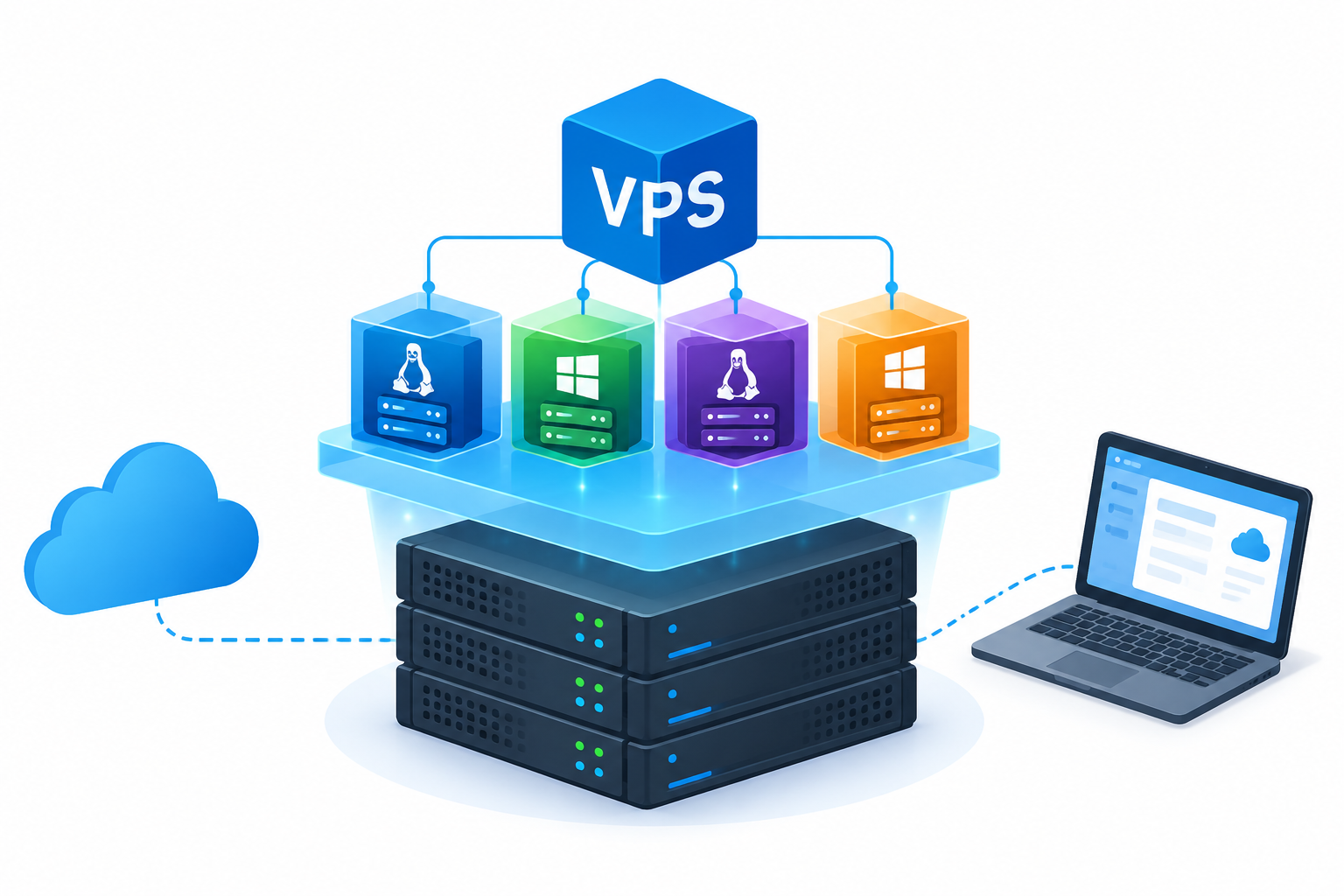
VPS hosting, or Virtual Private Server hosting, is a service that uses virtualization technology to divide a physical server into multiple virtual machines. Each virtual machine runs its own operating system and applications within an allocated environment.
A VPS provides more administrative flexibility and isolation than many traditional shared hosting environments. It can also offer a more accessible alternative to renting an entire physical server.
VPS hosting is commonly used for business websites, WordPress installations, web applications, databases, development environments, and other workloads that require configurable server resources.
How Does VPS Hosting Work?
A virtualization layer allows a physical server to host multiple virtual machines. A hypervisor manages the virtual machines and their access to the underlying hardware.
Each VPS operates within its assigned configuration, although the level of resource isolation depends on the provider’s architecture and service terms.
The main components of a VPS include:
- CPU: Provides processing capacity for website requests, applications, and background tasks.
- RAM: Holds data and processes that applications need to access quickly.
- Storage: Stores the operating system, website files, databases, logs, and other data.
- Network connectivity: Enables communication between the VPS, its users, and external services.
- Operating system: Provides the environment in which applications and services run.
- Administrative access: Allows authorized users to configure the server, subject to the plan and provider’s restrictions.
For example, a company might run a business website on a Linux VPS, install a compatible database, configure a web server, and manage its own application settings.
Virtualization creates separate environments, but it does not eliminate every shared dependency. Multiple VPS instances may still rely on the same physical hardware, storage systems, or network infrastructure. A failure affecting shared infrastructure can therefore affect more than one virtual server.
Key Benefits of VPS Hosting
VPS hosting offers several advantages for workloads that need greater flexibility than basic shared hosting provides.
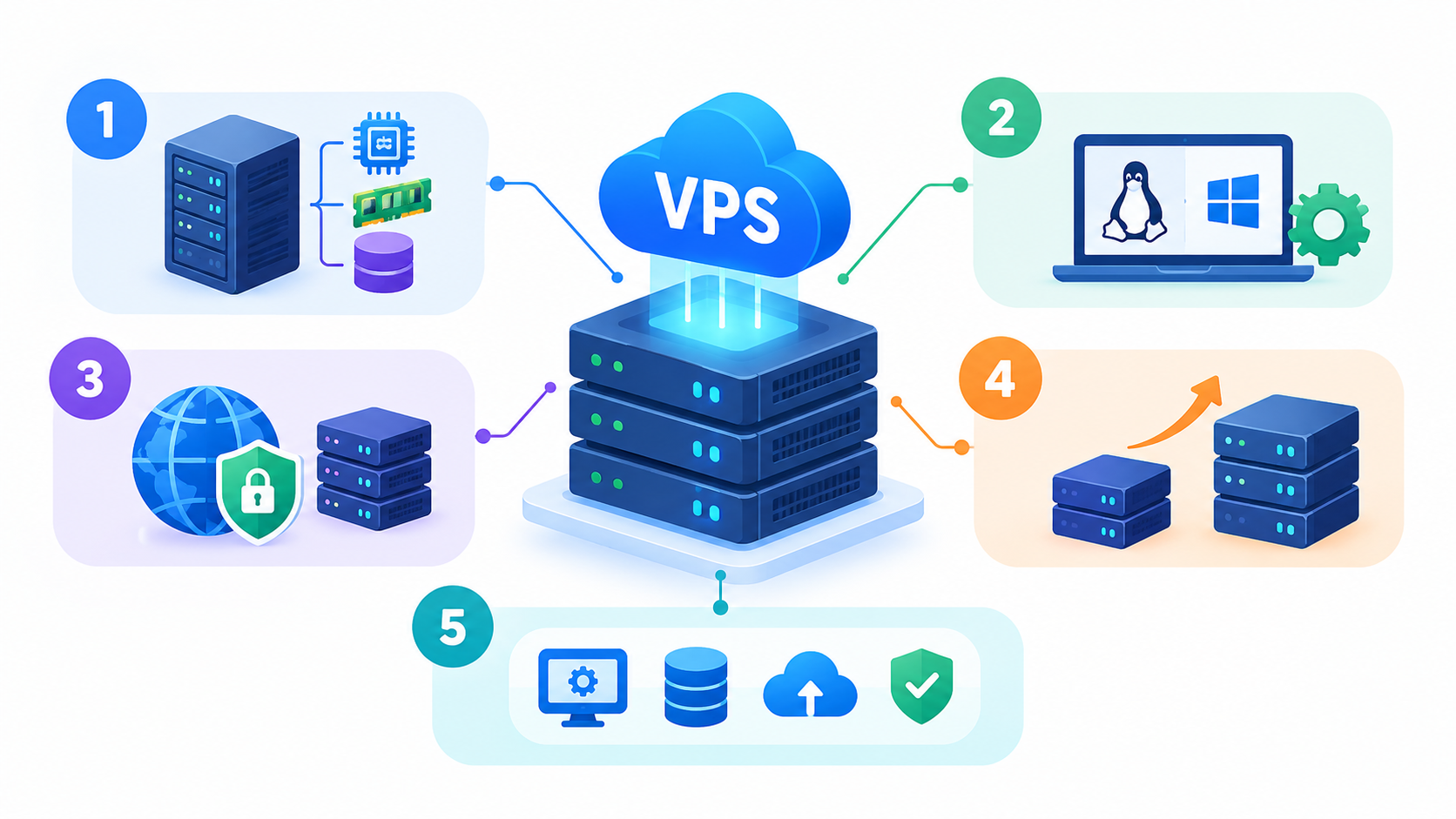
1. Allocated Server Resources
VPS plans specify resources such as CPU, RAM, and storage. This makes it easier to plan for application requirements and monitor resource consumption.
However, allocated resources do not automatically guarantee a particular level of application performance. Storage performance, CPU scheduling, network capacity, application efficiency, and the provider’s infrastructure also matter.
2. Greater Administrative Control
Depending on the service, users may receive root access on Linux or administrator access on Windows Server.
This can allow them to:
- Install compatible applications and dependencies.
- Configure web servers and databases.
- Manage services and system settings.
- Set up application-specific security controls.
- Automate administrative tasks.
Administrative access also brings responsibility. Incorrect configuration, insecure software, or failed updates can cause outages or security problems.
3. Improved Environment Isolation
A VPS provides an isolated virtual environment rather than placing every customer within the same conventional hosting environment.
This can reduce direct interference between customers, but it does not guarantee complete isolation from hardware failures, infrastructure problems, or vulnerabilities. Security depends on both the provider’s platform and the customer’s configuration.
4. Flexible Scaling
Many providers allow customers to upgrade CPU, RAM, storage, or other resources as their workloads grow.
The upgrade process varies. Some changes may require a restart, while larger changes may require migration or additional configuration.
Before selecting a VPS, check the available upgrade paths and whether the service can accommodate your anticipated workload.
5. Support for Different Applications
A VPS can support a wide range of software, provided the operating system, resources, and hosting environment meet the application’s requirements.
Examples include business websites, WordPress, APIs, databases, development tools, and selected business applications.
Types of VPS Hosting
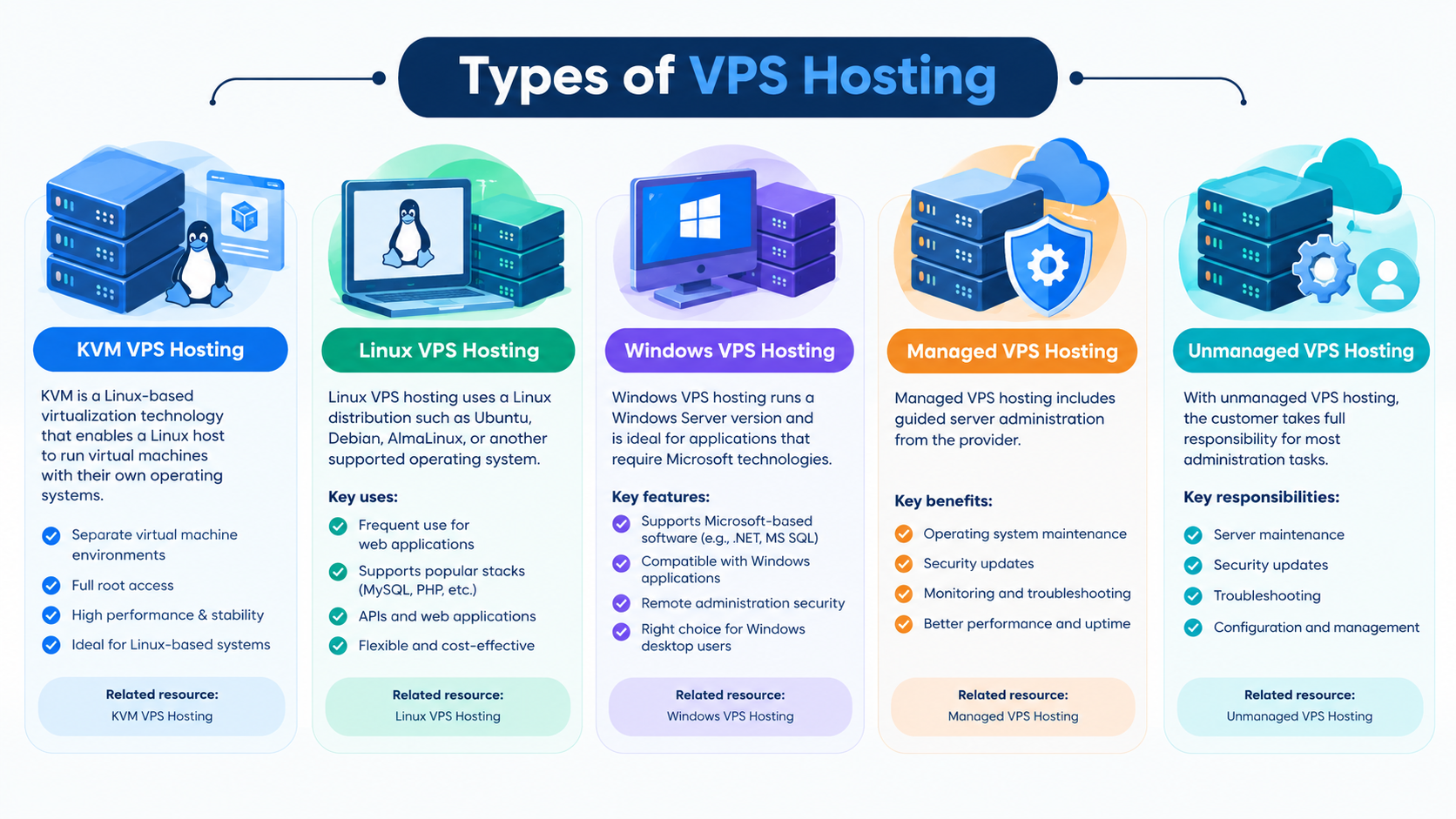
VPS hosting can be classified by virtualization technology, operating system, and management model. These categories describe different aspects of a service and can overlap.
KVM VPS Hosting
KVM stands for Kernel-based Virtual Machine. It is a Linux-based virtualization technology that enables a Linux host to run virtual machines with their own operating systems.
KVM is commonly used in VPS infrastructure because it supports separate virtual machine environments and a range of guest operating systems.
When evaluating a KVM VPS, consider:
- CPU allocation and resource policies.
- Available RAM and storage.
- Network capacity.
- Supported operating systems.
- Backup and recovery options.
- The provider’s management and support arrangements.
KVM alone does not guarantee better performance than every alternative. The underlying hardware, configuration, and workload remain important.
Linux VPS Hosting
Linux VPS hosting uses a Linux distribution such as Ubuntu, Debian, AlmaLinux, or another supported operating system.
It is frequently used for:
- WordPress and other PHP applications.
- Nginx, Apache, or LiteSpeed web servers.
- MySQL and MariaDB databases.
- APIs and web applications.
- Development and automation tools.
Linux can be a practical choice for applications designed around open-source web technologies. However, the administrator must understand the relevant security, update, and maintenance requirements.
Related resource: Suggested destination — Linux VPS Hosting.
Windows VPS Hosting
Windows VPS hosting runs a supported version of Windows Server. It is appropriate for applications that require Windows-specific software or Microsoft server technologies.
Before selecting a Windows VPS, check:
- Operating-system version and licensing.
- CPU and RAM requirements.
- Compatibility with required applications.
- Remote administration security.
- Update and maintenance responsibilities.
Windows VPS hosting is not automatically the right choice for every user who works on a Windows desktop. The decision should be based on server-side application requirements.
Related resource: Suggested destination — Windows VPS Hosting.
Managed VPS Hosting
Managed VPS hosting includes an agreed level of server administration from the provider.
Depending on the service, this may include operating-system maintenance, security updates, monitoring, troubleshooting, or control-panel assistance.
The term managed VPS does not define one universal support package. Confirm whether the provider handles operating-system problems only or also assists with web applications, databases, migrations, and performance issues.
Related resource: Suggested destination — Managed VPS Hosting.
Unmanaged VPS Hosting
With unmanaged VPS hosting, the customer generally takes responsibility for most server administration.
This may include software installation, security configuration, updates, monitoring, backups, and troubleshooting.
Unmanaged VPS hosting can suit technically experienced users who want greater control and can maintain the server reliably. It may be less suitable for businesses without in-house technical expertise.
VPS Hosting vs. Shared Hosting, Cloud Hosting, and Dedicated Servers
Different hosting models serve different needs. The best choice depends on your application’s requirements, budget, expected workload, and ability to manage infrastructure.
| Feature | Shared Hosting | VPS Hosting | Cloud Hosting | Dedicated Server |
| Basic model | Shared hosting environment | Virtual machine on physical infrastructure | Services delivered through cloud infrastructure | Entire physical server |
| Resource control | Usually limited | Defined virtual resources | Depends on service architecture | Direct access to server hardware resources |
| Customization | Usually restricted | Generally greater | Depends on the platform | Generally extensive |
| Scaling | Depends on plan | Often through resource upgrades | May support flexible scaling | May require hardware changes |
| Management | Often provider-managed | Managed or unmanaged | Varies by service | Managed or unmanaged |
| Typical suitability | Smaller websites | Websites and applications needing control | Workloads needing cloud capabilities | Resource-intensive or specialized workloads |
VPS Hosting vs. Shared Hosting
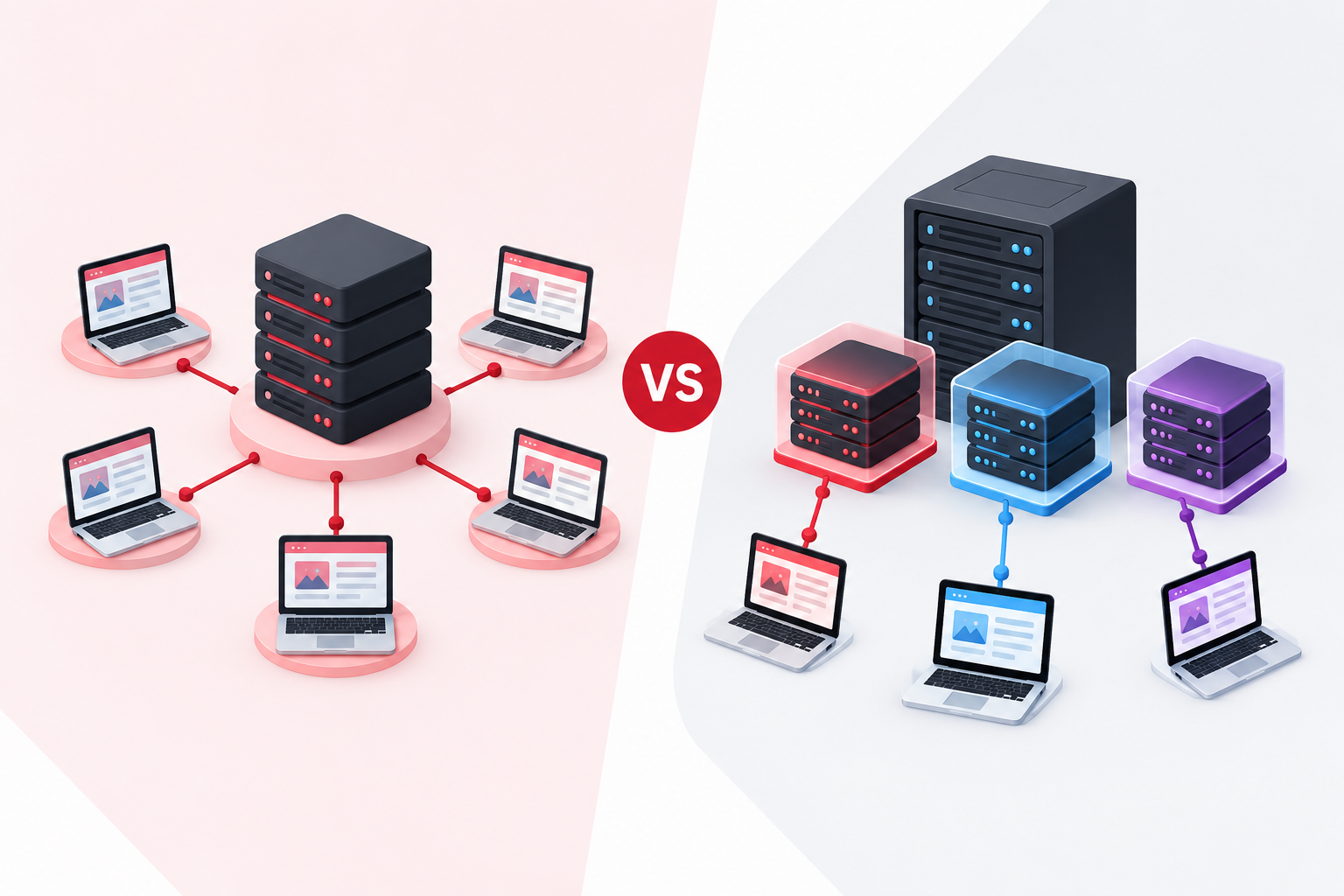
Shared hosting is often suitable for smaller websites that do not need extensive server customization.
A VPS becomes worth considering when you need additional control, software that shared hosting does not support, or a different resource configuration.
However, moving to a VPS does not automatically make a website faster. A poorly optimized VPS can perform worse than a well-configured shared hosting service.
VPS Hosting vs. Cloud Hosting
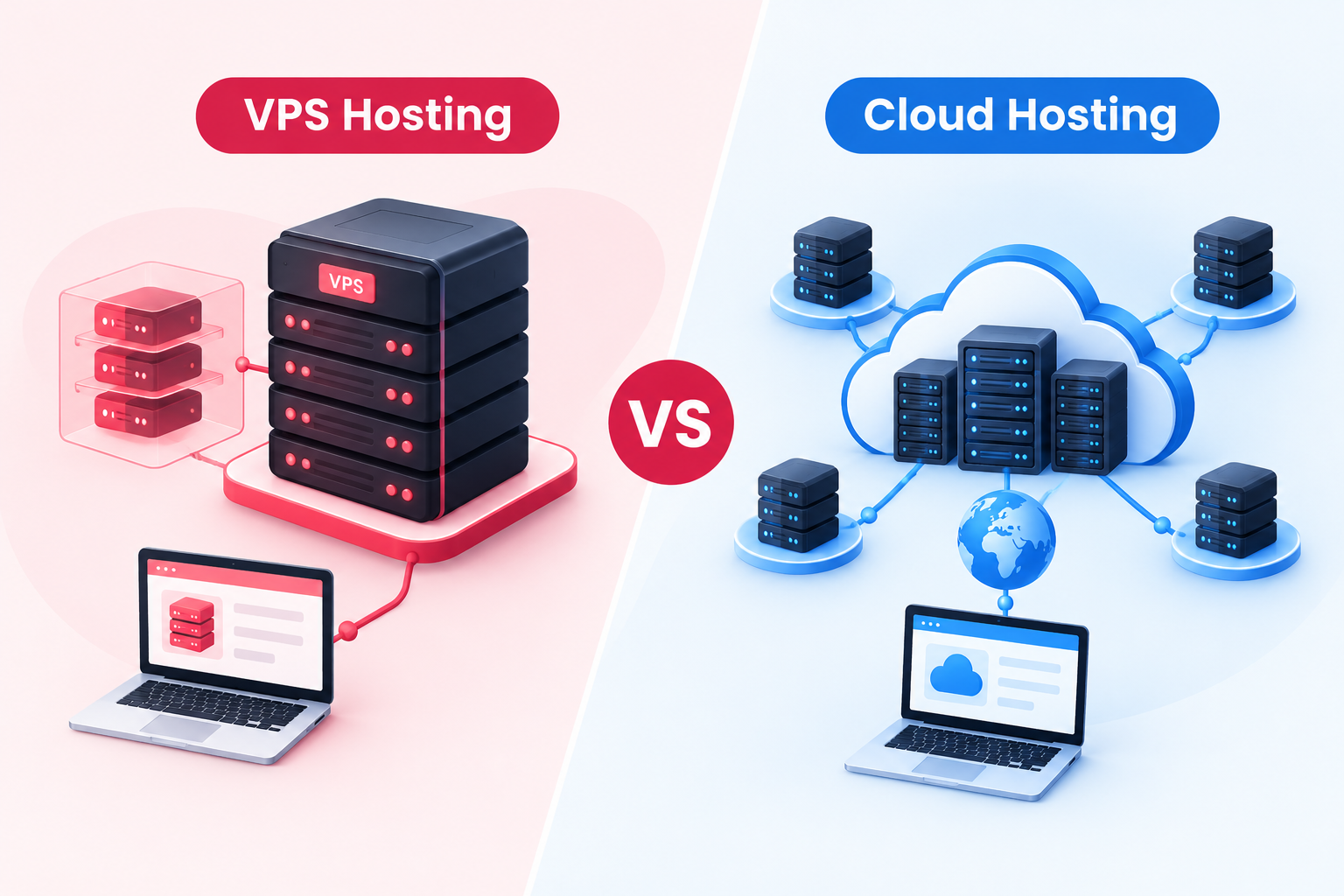
VPS hosting describes a virtual server environment. Cloud hosting describes a broader infrastructure and service model that may provide resources through a distributed or virtualized platform.
Some VPS products are built on cloud infrastructure, while others use a more traditional virtualized server architecture.
When comparing the two, investigate the actual architecture, scaling options, redundancy, billing, and recovery capabilities rather than relying on product labels alone.
Related resource: Suggested destination — VPS Hosting vs. Cloud Hosting.
VPS Hosting vs. Dedicated Servers
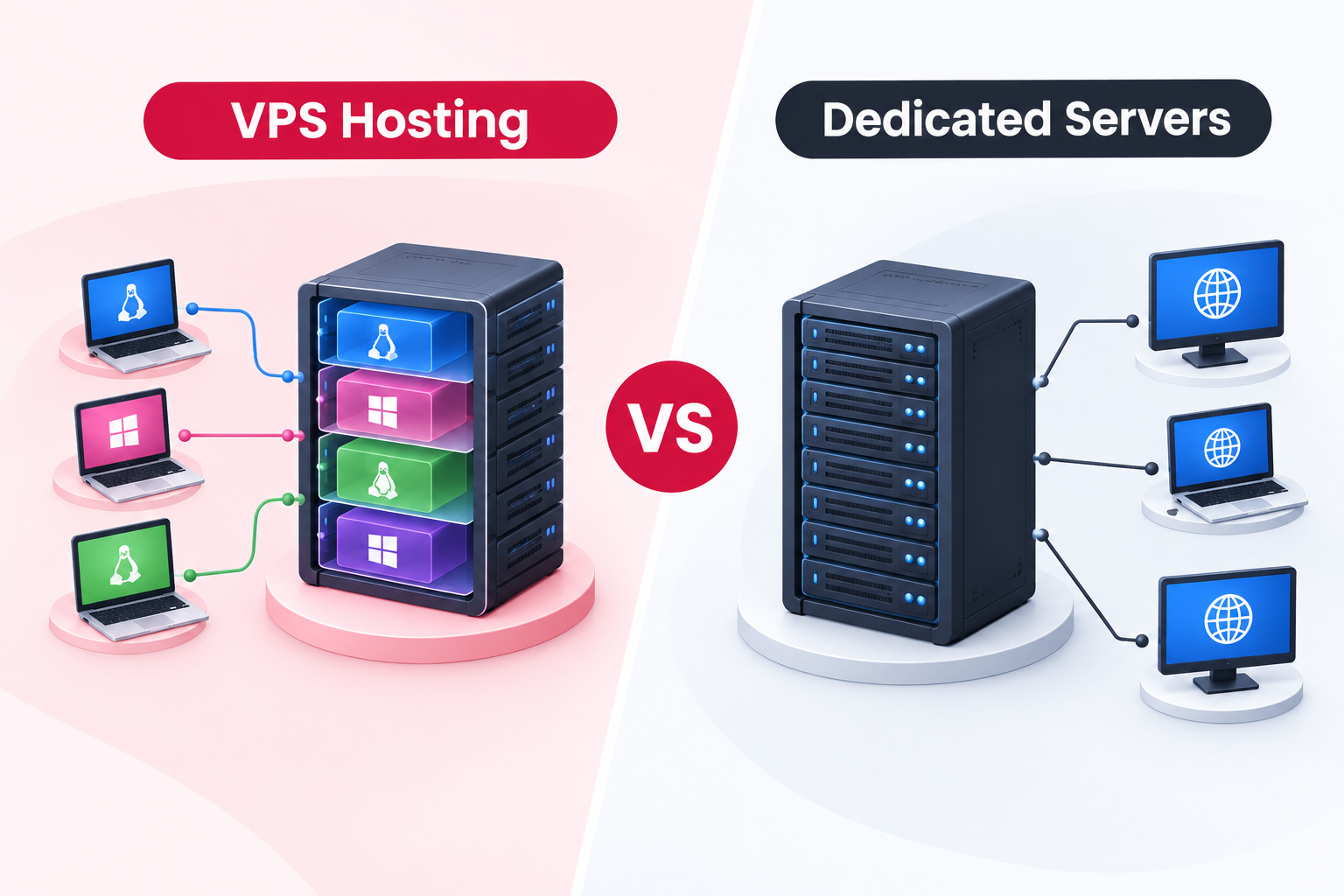
A dedicated server provides an entire physical server for one customer. A VPS provides a virtual machine running on shared physical infrastructure.
Dedicated servers may suit workloads that require extensive hardware resources, specialized configurations, or direct access to physical server capabilities.
A VPS can be more practical when a virtualized environment meets the workload’s requirements without the need for an entire physical machine.
Common Uses of VPS Hosting
The following examples illustrate where VPS hosting may be useful. The appropriate configuration depends on the actual application and its resource demands.
Business Websites and WordPress
Businesses may use a VPS for websites that need custom server settings, additional resources, or greater control over the hosting environment.
Important considerations include:
- PHP and database configuration.
- Caching and application optimization.
- Traffic patterns and concurrent requests.
- Security updates and access controls.
- Backups and recovery procedures.
A VPS is not necessarily better than managed WordPress hosting. Choose the environment that best matches your technical requirements and management capacity.
Web Applications and APIs
A VPS can host web applications, internal business tools, APIs, and application backends.
Before deployment, assess the application’s dependencies, peak resource usage, security requirements, and monitoring needs.
Development and Testing
Developers may use a VPS to test software, run staging environments, validate server configurations, and deploy applications.
Keep development and production environments separate where practical. Restrict access to test environments and protect any sensitive data they contain.
Databases and Background Services
A VPS may also run databases, scheduled tasks, background workers, and other services.
Database workloads can require substantial memory, fast storage, and careful configuration. If several services run on one VPS, account for their combined resource consumption and the consequences of a server outage.
How to Choose the Right VPS Configuration
Choosing a VPS plan starts with understanding the workload, not selecting the largest plan you can afford.
1. Assess CPU and RAM Requirements
Review your software’s documented requirements and, where possible, measure resource usage on the existing system.
Consider:
- Application and database memory consumption.
- CPU usage during normal and peak periods.
- Number of concurrent users or requests.
- Background jobs and scheduled processes.
- Expected growth and temporary traffic spikes.
A server that appears adequately sized during quiet periods may struggle under peak demand.
2. Use Workload Examples to Guide Planning
The following table provides a starting point for evaluating requirements. It is not a specification for purchasing a particular VPS plan.
| Workload | What to assess |
| Small business website | Application requirements, traffic patterns, caching, and memory use |
| WordPress website | PHP workers, database activity, plugins, caching, and concurrent requests |
| Multiple business websites | Combined CPU and RAM use, storage, traffic, and isolation needs |
| Database-heavy application | Memory, storage performance, query patterns, and recovery requirements |
| Development or staging server | Number of environments, build processes, dependencies, and test workload |
Do not select CPU and RAM purely from website traffic estimates. Two websites with similar visitor numbers can consume very different resources because of their software, caching, database activity, and background processes.
3. Evaluate Storage Capacity and Performance
Storage needs include the operating system, application files, databases, logs, temporary files, and any backups stored on the server.
Check both capacity and performance. Storage latency and input/output operations can affect database-heavy applications even when plenty of disk space remains.
Also confirm whether storage can be upgraded and whether backups consume your allocated storage.
4. Consider Network Capacity and Data Transfer
Review the provider’s bandwidth or data-transfer policy, network limits, and any fair-use restrictions.
A website with many visitors downloading large files can have different network requirements from a low-traffic business website.
If the provider advertises a transfer allowance, confirm what it includes and what happens when the limit is reached.
5. Select the Right Operating System
Choose Linux or Windows Server based on application compatibility, licensing, supported software, and the skills available to maintain the environment.
Confirm the operating-system versions and installation options offered by the provider.
6. Decide Between Managed and Unmanaged Hosting
Consider who will handle routine maintenance, security updates, monitoring, and troubleshooting.
Managed hosting may reduce your team’s administration burden, but you must understand the provider’s exact scope of responsibility.
Unmanaged hosting can be suitable for experienced administrators who can maintain the server and respond to operational problems.
7. Review Upgrade Options
Before purchasing, ask:
- Can CPU, RAM, and storage be upgraded independently?
- Will an upgrade require a restart or downtime?
- Are there limits on the maximum configuration?
- Will a migration be needed for larger changes?
- What additional charges apply?
A clear upgrade path can make it easier to accommodate changing requirements.
When Should You Upgrade from Shared Hosting to a VPS?
There is no universal visitor count at which a website must move to a VPS. Instead, look for measurable signs that your current environment no longer meets your requirements.
A VPS may be worth considering when:
- You repeatedly encounter hosting resource limits.
- Your application requires server software or configuration unavailable in shared hosting.
- Performance monitoring identifies persistent CPU, memory, or database bottlenecks that cannot be resolved through optimization.
- You need greater administrative control.
- You need to isolate workloads or run multiple compatible services in a controlled environment.
Before upgrading, investigate whether caching, database optimization, plugin cleanup, or a better hosting configuration could solve the problem.
A VPS also introduces responsibilities that shared hosting may handle for you. If you do not want to administer a server, consider a managed VPS or another managed hosting service.
VPS Hosting Security, Monitoring, and Maintenance
VPS hosting provides greater control, but a secure deployment requires ongoing maintenance. Virtualization does not remove the need to protect applications, operating systems, credentials, and data.
Secure Administrative Access
Use strong, unique credentials and appropriate authentication controls. On Linux, consider SSH key-based authentication and restrict management access where practical. On Windows Server, secure remote administration and restrict access to authorized users.
Avoid exposing services that your applications do not need.
Keep Software Updated
Apply security updates to the operating system, control panel, web server, database, and applications.
Test important updates where appropriate and maintain a recovery plan in case a change causes problems.
Configure a Firewall
Allow only the network traffic required for the server’s intended role. Review firewall rules whenever applications or administrative requirements change.
A firewall is one layer of security, not a replacement for secure application development, access controls, and updates.
Monitor Server Resources
Monitor CPU, RAM, storage capacity, network activity, and application errors.
Set alerts for meaningful resource thresholds and investigate recurring problems rather than simply increasing resources whenever usage rises.
Establish a Backup and Recovery Plan
Backups help restore data after accidental deletion, application errors, security incidents, or other failures. A useful backup plan should define:
- Backup scope: Which files, databases, configurations, and application data must be protected.
- Frequency: How much recent data your business can afford to lose.
- Retention: How long backup copies should be kept.
- Storage location: Whether copies are stored independently of the production server.
- Recovery testing: Whether the backups can actually restore the required service.
A snapshot can be useful for capturing a system state, but it should not automatically be treated as an independent backup. If a snapshot depends on the same underlying storage as the production VPS, a storage failure may affect both.
Two useful recovery concepts are:
- Recovery Point Objective (RPO): The amount of data loss, measured in time, the business can tolerate.
- Recovery Time Objective (RTO): How long the business can tolerate a service being unavailable.
These objectives help determine backup frequency, retention, and restoration priorities.
Related resources: Suggested destinations — How to Back Up a VPS; How to Test a VPS Backup; How to Secure SSH on a Linux VPS.
VPS Hosting Considerations for UAE Businesses
Businesses in the United Arab Emirates should evaluate VPS hosting against their customer locations, operational requirements, security responsibilities, and any applicable data-handling obligations.
Choose Infrastructure for Your Audience
Server location and network routing can affect latency. If most customers are in the UAE, compare available locations and network performance for that audience rather than assuming that the provider’s brand or website location reflects its server location.
Where performance is important, assess actual application response times from relevant user locations.
Review Data Location and Compliance Requirements
Some businesses may have contractual, regulatory, or industry-specific requirements concerning where data is stored, accessed, or processed.
Confirm the actual infrastructure location and relevant service terms. A UAE-focused hosting provider does not automatically guarantee UAE data residency or compliance with every applicable requirement.
Consult the relevant authority or a qualified professional when your business has specific legal or regulatory obligations.
Understand Support and Management Responsibilities
Determine who will maintain the operating system, respond to security incidents, troubleshoot server failures, and assist with application-level problems.
For businesses without an in-house administrator, the scope of managed support may be as important as the underlying resources.
Plan for Business Continuity
Consider how quickly critical applications must recover after an outage, how frequently data should be backed up, and whether a separate recovery environment is necessary.
Confirm which backup and recovery features are actually included in the selected service.
CreativeON.ae is CreativeON’s UAE-facing website. Businesses evaluating its VPS hosting services should confirm current plan specifications, server locations, management options, backup arrangements, support scope, and service terms before making a purchase decision.
How to Evaluate a VPS Hosting Provider
Comparing providers requires more than checking CPU, RAM, storage, and advertised prices. Evaluate the complete service you will receive.
Use This VPS Provider Checklist
- Resource specifications: Confirm CPU allocation, RAM, storage capacity, and network limits.
- Virtualization technology: Check the technology used and understand what it means for your workload.
- Operating systems: Verify supported versions and available installation options.
- Management: Confirm which maintenance and support tasks are included.
- Security: Review administrative access, firewall options, update responsibilities, and available security controls.
- Backups: Check frequency, retention, storage location, restoration procedures, and additional costs.
- Server location: Verify the actual location and network options.
- Scalability: Understand upgrade limits, downtime requirements, and migration procedures.
- Pricing: Compare initial and renewal prices, licensing, management, backup, and additional resource costs.
- Service terms: Review support commitments, uptime terms if offered, cancellation rules, and applicable service limitations.
Do not assume that every VPS provider includes the same features. Ask for clarification wherever a specification or responsibility is unclear.
For CreativeON.ae, use the current VPS service page and verified product information to confirm which options are available. Avoid relying on general VPS industry practices as evidence that a specific feature is included.