Managed WordPress Hosting Explained: Is It Worth It?
Introduction If you’re researching managed WordPress hosting, you’ve likely noticed that it costs more than many standard WordPress hosting plans. Naturally, the first question is: What do you get for the extra money, and is it really worth it? The answer depends on your website, your technical experience, and how much time you want to […]
Introduction
If you’re researching managed WordPress hosting, you’ve likely noticed that it costs more than many standard WordPress hosting plans. Naturally, the first question is: What do you get for the extra money, and is it really worth it?
The answer depends on your website, your technical experience, and how much time you want to spend maintaining WordPress. While some website owners enjoy managing updates, backups, and security themselves, others prefer a hosting service that handles those responsibilities behind the scenes.
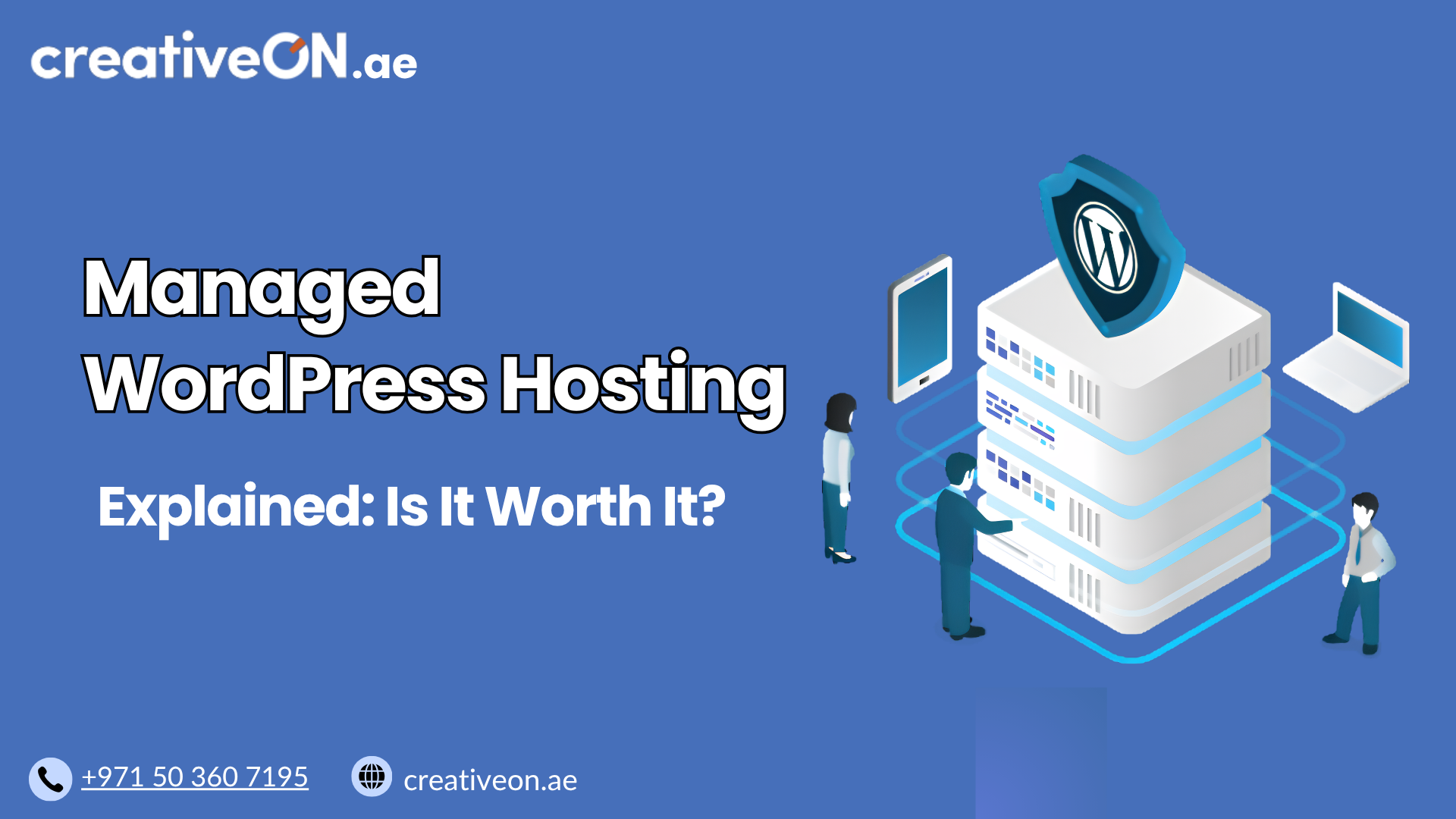
Managed WordPress hosting is designed to simplify website management by combining WordPress-optimized infrastructure with ongoing maintenance, security features, performance enhancements, and expert support. Instead of spending time troubleshooting technical issues, you can focus on publishing content, serving customers, or growing your business.
In this guide, you’ll learn what managed WordPress hosting includes, how it works, its advantages and limitations, and how to decide whether it’s the right choice for your WordPress website.

What Is Managed WordPress Hosting?
Managed WordPress hosting is a type of WordPress hosting where the hosting provider takes responsibility for many of the technical tasks involved in maintaining a WordPress website.
Unlike a standard hosting environment that primarily provides server resources, managed WordPress hosting includes services that help keep your website secure, updated, optimized, and reliable.
Depending on the provider, managed WordPress hosting commonly includes:
- Automatic WordPress core updates
- Regular website backups
- Security monitoring
- Malware scanning
- Server-level caching
- WordPress performance optimization
- WordPress-focused technical support
- Staging environments
- Proactive server maintenance
Rather than leaving these responsibilities entirely to the website owner, the hosting provider manages much of the ongoing maintenance while you focus on running your website.
How Managed WordPress Hosting Works
Managed WordPress hosting platforms are built specifically for WordPress.
Instead of using a generic server configuration, the hosting environment is optimized to meet WordPress’s performance and security requirements.
Many providers continuously monitor the hosting environment and automate routine maintenance tasks that would otherwise require manual effort.
These tasks often include:
- Installing WordPress security patches
- Applying core updates
- Monitoring server health
- Detecting malware
- Performing scheduled backups
- Optimizing PHP performance
- Maintaining caching systems
This proactive management helps reduce downtime, improves website stability, and minimizes the risk of common WordPress issues.
What Does Managed WordPress Hosting Usually Include?
While features vary between providers, most managed WordPress hosting plans include several core services.
Automatic WordPress Core Updates
Keeping WordPress updated is one of the most effective ways to improve website security and stability.
Most managed hosting providers automatically install:
- Minor WordPress releases
- Security patches
- Stable core updates
Some providers also allow you to delay major updates or test them before deployment.
This reduces the risk of running outdated software that could expose your website to known vulnerabilities.
Note: Plugin and theme update policies vary between hosting providers. Some offer automatic updates, while others leave this under your control.
Automatic Website Backups
Backups provide an essential safety net.
If something goes wrong—whether due to a failed update, accidental deletion, plugin conflict, or malware infection—a recent backup can help restore your website quickly.
Managed WordPress hosting commonly includes:
- Daily backups
- Scheduled backups
- On-demand backup creation
- One-click restoration
Although backups are automated, it’s still good practice to periodically verify that they can be restored successfully.
For backup strategies and retention recommendations, see our WordPress Backup Best Practices guide.
Enhanced WordPress Security
Because WordPress powers millions of websites, it is frequently targeted by automated attacks.
Managed WordPress hosting providers typically implement multiple layers of protection, such as:
- Web application firewalls (WAF)
- Malware scanning
- Brute-force login protection
- Login rate limiting
- File integrity monitoring
- Security patch management
- DDoS mitigation (where available)
These additional security measures reduce many common risks, although no hosting environment can guarantee complete protection. Website owners should still use strong passwords, trusted plugins, and good security practices.
For a deeper discussion of WordPress security, refer to our WordPress Security Best Practices guide.
Performance Optimization
Website speed has a direct impact on user experience, conversions, and overall website performance.
Managed WordPress hosting providers typically optimize the server specifically for WordPress.
Performance features may include:
- Server-side caching
- PHP-FPM optimization
- OPcache
- Object caching (such as Redis or Memcached)
- NVMe SSD storage
- HTTP/3 support
- Brotli or Gzip compression
- Content Delivery Network (CDN) integration
- Image optimization support
The exact technologies differ between providers, but the objective is consistent: deliver WordPress pages as efficiently as possible.
If you’d like to learn more about caching strategies, our WordPress Caching Guide explains them in greater detail.

WordPress-Specific Technical Support
One of the biggest advantages of managed WordPress hosting is access to support teams who specialize in WordPress.
Unlike general hosting support, WordPress specialists are often familiar with issues involving:
- Plugin conflicts
- Theme compatibility
- Performance bottlenecks
- WordPress update problems
- Website errors
- Backup restoration
- Security incidents
While they won’t typically perform custom development work, they can often identify WordPress-related issues much faster than general hosting support teams.
Staging Environment
Many managed WordPress hosting plans include a staging environment.
A staging site is a private copy of your live website where you can safely:
- Test plugin updates
- Try new themes
- Install new features
- Evaluate WordPress updates
- Experiment with design changes
Using a staging environment helps prevent unexpected problems from affecting your live website.
If you’re interested in learning how staging works, see our dedicated WordPress Staging Environment Guide.
Benefits of Managed WordPress Hosting
Managed WordPress hosting provides value by reducing technical workload while improving website reliability.
Saves Time
Maintaining WordPress requires regular attention.
Without managed hosting, website owners often need to:
- Install updates
- Create backups
- Monitor security
- Optimize performance
- Troubleshoot technical issues
Managed hosting automates many of these routine tasks, allowing you to focus on running your business rather than maintaining your website.
Stronger Security Management
Security is not simply about installing a firewall.
Managed hosting providers actively monitor WordPress environments for known vulnerabilities and suspicious activity.
While no hosting provider can prevent every security incident, proactive monitoring significantly reduces common risks associated with outdated software and automated attacks.
Better Website Performance
Managed hosting providers optimize their infrastructure specifically for WordPress.
Rather than relying on generic server settings, they fine-tune components such as:
- PHP execution
- Database performance
- Server caching
- Storage performance
- Resource allocation
The result is often faster page loading, improved stability, and a more consistent visitor experience.
Simplified Website Management
Many business owners don’t want to become WordPress administrators.
Managed hosting simplifies website maintenance through user-friendly dashboards, automated maintenance tasks, and integrated management tools.
This makes WordPress easier to manage, especially for users with limited technical knowledge.
Access to WordPress Experts
Support quality can make a significant difference when problems occur.
Many real-world support requests involve:
- Plugin update conflicts
- Broken website layouts after updates
- Slow website performance
- PHP compatibility issues
- Backup restoration
- Security concerns
Having access to experienced WordPress support specialists often leads to faster issue resolution and reduced downtime.
What Managed WordPress Hosting Does Not Include
One of the biggest misconceptions is that “managed” means the hosting provider takes care of everything.
In reality, managed WordPress hosting focuses on maintaining the hosting environment and WordPress platform, not managing every aspect of your website.
Most providers do not include:
- Writing or updating website content
- Search engine optimization (SEO)
- Custom plugin development
- Theme customization
- Website redesign services
- Graphic design
- Marketing services
- Premium plugin licenses (unless specifically included)
- Guaranteed Google Core Web Vitals scores
Similarly, managed hosting cannot compensate for poorly coded plugins, oversized images, or inefficient website design. Good website management practices remain essential, even with a fully managed hosting plan.
When Is Managed WordPress Hosting Worth It?
Whether managed WordPress hosting is worth the additional cost depends on the value of your website and the amount of time you want to spend maintaining it.
For many businesses, the monthly hosting fee is small compared to the time saved on routine maintenance and the potential cost of website downtime or security issues.
Managed WordPress hosting is often a worthwhile investment if your website is an important part of your business.
It is particularly suitable for:
- Business websites
- Company blogs
- WooCommerce stores
- Agency websites
- Professional portfolios
- Membership websites
- Educational platforms
- High-traffic WordPress websites
If your website generates leads, sales, bookings, or customer enquiries, investing in a managed hosting environment can improve reliability while reducing technical overhead.
When the Extra Cost Makes Sense
Although managed WordPress hosting costs more than many standard WordPress hosting plans, the additional services can provide significant value.
It may be worth paying more if you:
- Have limited technical experience.
- Don’t have time to maintain WordPress regularly.
- Need reliable backups and quick recovery options.
- Want stronger security monitoring.
- Expect consistent website performance.
- Prefer access to WordPress specialists when problems occur.
- Cannot afford extended website downtime.
In these situations, the convenience, support, and proactive maintenance often outweigh the higher monthly cost.
When Managed WordPress Hosting May Not Be Necessary
Managed hosting isn’t the best choice for every website.
You may not need it if you:
- Enjoy maintaining WordPress yourself.
- Are comfortable managing updates and backups manually.
- Operate a small personal website with minimal traffic.
- Need extensive server-level customization.
- Have in-house technical staff responsible for website maintenance.
For these users, a standard WordPress hosting solution may be sufficient.
If you’re comparing beginner-friendly hosting options, our Shared WordPress Hosting: Is It Good for Beginners? guide explains another common approach without overlapping with this topic.
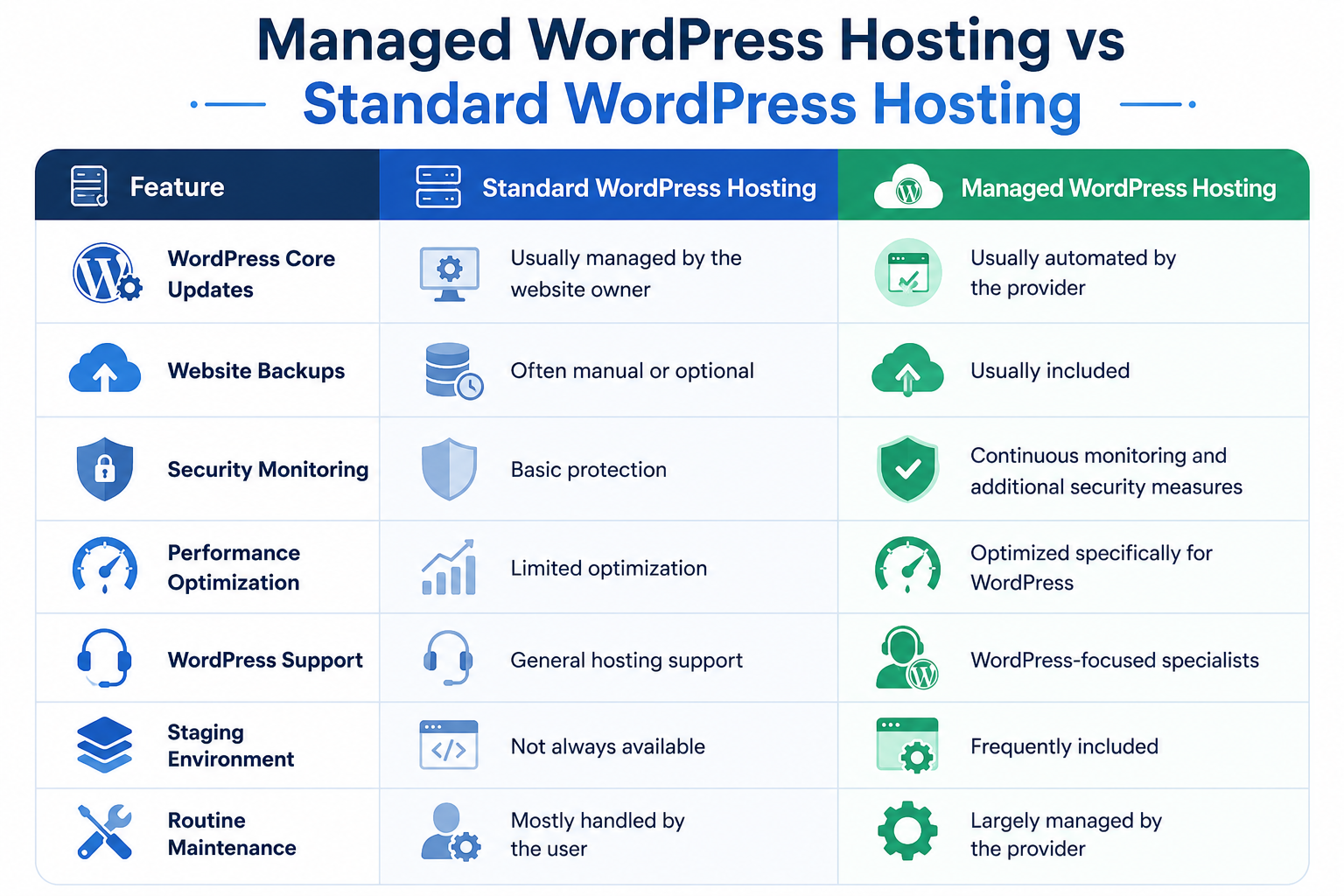
Managed WordPress Hosting vs Standard WordPress Hosting
The table below highlights the practical differences in website management responsibilities.
Feature | Standard WordPress Hosting | Managed WordPress Hosting |
WordPress Core Updates | Usually managed by the website owner | Usually automated by the provider |
Website Backups | Often manual or optional | Usually included |
Security Monitoring | Basic protection | Continuous monitoring and additional security measures |
Performance Optimization | Limited optimization | Optimized specifically for WordPress |
WordPress Support | General hosting support | WordPress-focused specialists |
Staging Environment | Not always available | Frequently included |
Routine Maintenance | Mostly handled by the user | Largely managed by the provider |
This comparison focuses on management features rather than comparing different hosting technologies, helping you understand where the additional value comes from.
Best Practices for Using Managed WordPress Hosting
Managed hosting reduces your workload, but website owners still play an important role in maintaining a healthy WordPress site.
To get the most value from your hosting plan:
- Keep plugins and themes updated according to your provider’s recommendations.
- Remove unused plugins and inactive themes.
- Use strong administrator passwords and enable multi-factor authentication where available.
- Regularly verify that backups are working and understand the restoration process.
- Test significant website changes on a staging environment before publishing them.
- Monitor website performance periodically instead of assuming every issue is handled automatically.
- Install plugins only from trusted developers with a good maintenance history.
Following these practices helps maintain website stability while reducing unnecessary risks.
Common Mistakes to Avoid
Website owners often misunderstand what managed WordPress hosting provides.
Avoid these common mistakes:
Assuming Every Provider Offers the Same Features
Not all managed hosting plans include identical services.
Before purchasing, verify whether the provider includes:
- Daily backups
- Malware removal
- Automatic plugin updates
- Staging environments
- Premium CDN services
- Performance optimization
- Expert WordPress support
Always compare features—not just pricing.
Believing Managed Hosting Eliminates All Maintenance
Managed hosting significantly reduces routine maintenance, but it does not replace good website management.
You’ll still need to:
- Review plugin compatibility
- Publish quality content
- Monitor website functionality
- Remove outdated plugins
- Keep administrator accounts secure
Think of managed hosting as a helpful partner rather than a complete replacement for responsible website management.
Installing Too Many Plugins
Even on a managed hosting platform, poorly coded or unnecessary plugins can slow your website and create compatibility issues.
Install only the plugins you genuinely need and remove those that are no longer in use.
Ignoring Backup Testing
Automatic backups are valuable only if they can be restored successfully.
Periodically test the restoration process so you’re prepared if you ever need to recover your website.
Choosing Based Only on Price
The least expensive managed hosting plan may not provide the best value.
Evaluate providers based on:
- Support quality
- Backup policies
- Security features
- Performance optimization
- Uptime reputation
- Included management tools
Reliable support often proves more valuable than saving a small amount on monthly hosting fees.
Conclusion
Managed WordPress hosting is designed for website owners who want to spend less time maintaining WordPress and more time growing their business.
By combining WordPress-optimized infrastructure with automatic updates, proactive security, regular backups, performance optimization, and access to WordPress specialists, managed hosting simplifies many of the technical responsibilities involved in running a website.
While it isn’t the least expensive hosting option, the additional cost can be justified for businesses that value reliability, security, and expert support. The time saved on maintenance, combined with improved website stability, often delivers greater long-term value than managing everything manually.
Before choosing a provider, compare the features included in each plan rather than focusing solely on price. A well-managed hosting environment can help reduce routine maintenance while giving you confidence that your WordPress website is running on infrastructure built specifically for its needs.
If you’re looking for managed WordPress hosting backed by experienced technical support, CreativeON offers WordPress-focused hosting solutions designed to help businesses keep their websites secure, reliable, and easy to manage.