What Is VPS Hosting? A Beginner-Friendly Guide to Virtual Servers
When a website outgrows its current hosting plan, its owner may need more control over server settings, software, and computing resources. This is one reason businesses and developers consider VPS hosting. VPS hosting (Virtual Private Server hosting) is a type of web hosting that uses virtualization technology to create separate virtual server environments on a […]
When a website outgrows its current hosting plan, its owner may need more control over server settings, software, and computing resources. This is one reason businesses and developers consider VPS hosting.
VPS hosting (Virtual Private Server hosting) is a type of web hosting that uses virtualization technology to create separate virtual server environments on a physical server. Each conventional VPS runs its own operating system and receives an allocation of resources such as CPU, RAM, and storage.
VPS hosting offers greater control over the server environment than typical shared hosting, without requiring the customer to rent an entire physical server.
What Is a Virtual Private Server?
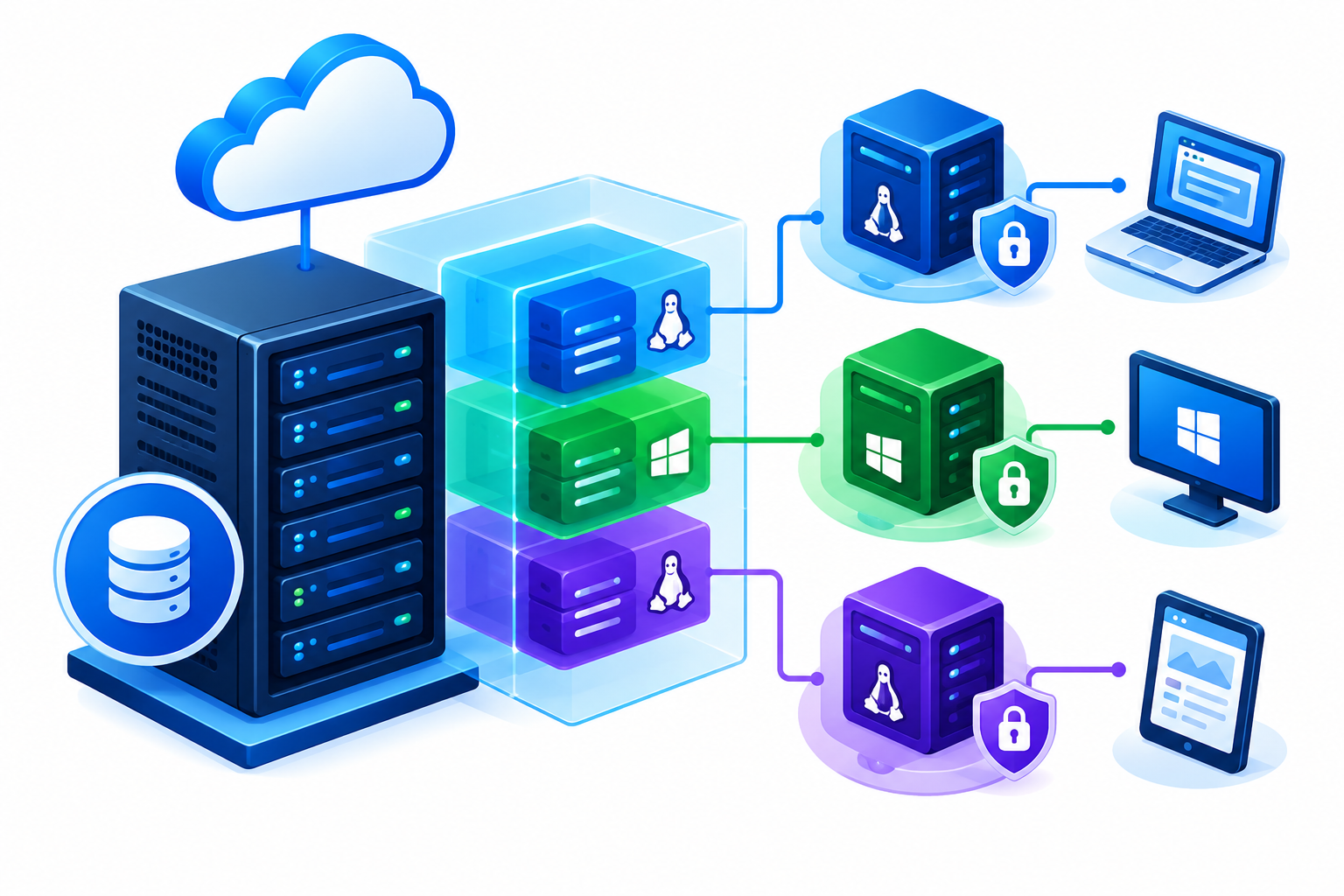
A virtual private server is a virtual machine that operates on physical server hardware. Multiple virtual machines can run on the same physical server while maintaining separate operating-system environments.
A VPS typically includes the following resources and components:
- Virtual CPU (vCPU): Processing capacity allocated to the virtual server.
- RAM: Memory used by the operating system, applications, and databases.
- Storage: Space for operating-system files, websites, applications, and databases.
- Operating system: A supported Linux distribution or Windows Server environment.
- Administrative access: Root or administrator access when included in the hosting configuration.
These components allow users to configure and operate applications within their own virtual server environment. The available resources, permissions, and management responsibilities depend on the hosting plan and provider.
How Does VPS Hosting Work?
VPS hosting uses virtualization technology to run multiple virtual servers on a physical machine.
A hypervisor is commonly used to create and manage virtual machines. It coordinates their access to physical hardware and helps maintain separation between their operating environments.
For example, a physical server may host several VPS instances. One customer could run a business website on one VPS, while another customer runs an application on a different VPS.
Each virtual machine operates independently at the guest operating-system level, but the underlying physical hardware may still be shared.
The degree of resource isolation depends on the virtualization technology and provider configuration. Shared infrastructure also means that hardware or host-level problems can sometimes affect multiple virtual machines.
What Resources Does a VPS Include?
Understanding VPS specifications helps you evaluate whether a plan can support your website or application.
CPU and vCPU
A virtual CPU represents processing capacity allocated to a virtual machine. CPU resources are used to execute application code, process requests, and run background tasks.
The number of vCPUs alone does not guarantee a particular performance level. Results also depend on the physical processor, resource scheduling, software efficiency, and the provider’s configuration.
RAM
RAM provides working memory for the operating system and running applications. Websites with complex plugins, busy databases, or many simultaneous processes may require more memory than simpler websites.
Insufficient RAM can cause slowdowns or application failures, so memory usage should be monitored after deployment.
Storage
VPS storage holds website files, application code, databases, logs, and other data.
When comparing plans, consider both storage capacity and performance. The available storage technology, such as SSD or NVMe, can affect performance, but the actual results depend on the underlying hardware and configuration.
Network Capacity
A VPS also needs network connectivity to receive requests and send responses. Bandwidth allowances, throughput, and traffic policies vary between providers and plans.
Review these specifications alongside CPU, RAM, and storage when assessing a VPS configuration.
VPS Hosting vs. Shared Hosting
The main difference between VPS hosting and shared hosting is the level of server control, environment separation, and resource allocation.
| Feature | Shared Hosting | VPS Hosting |
| Environment | Hosting accounts share a managed environment | Each customer operates within a separate virtual server |
| Resources | Shared under the provider’s hosting policies | Resources are allocated to the VPS |
| Server control | Usually limited to supported hosting features | Greater control over the operating system, depending on permissions |
| Software installation | Restricted to supported software | More flexibility, subject to configuration and permissions |
| Administration | Generally handled by the provider | Depends on the management arrangement |
| Typical use | Smaller websites with straightforward requirements | Websites and applications needing greater control |
VPS hosting is not automatically faster than shared hosting. Performance depends on the underlying hardware, resource allocation, workload, and configuration.
Shared hosting may be sufficient for a small website with modest requirements. A VPS is worth considering when you need greater flexibility or a separate server environment for your applications.
What Are the Main Benefits and Limitations of VPS Hosting?
VPS hosting offers several advantages, but it also comes with responsibilities.
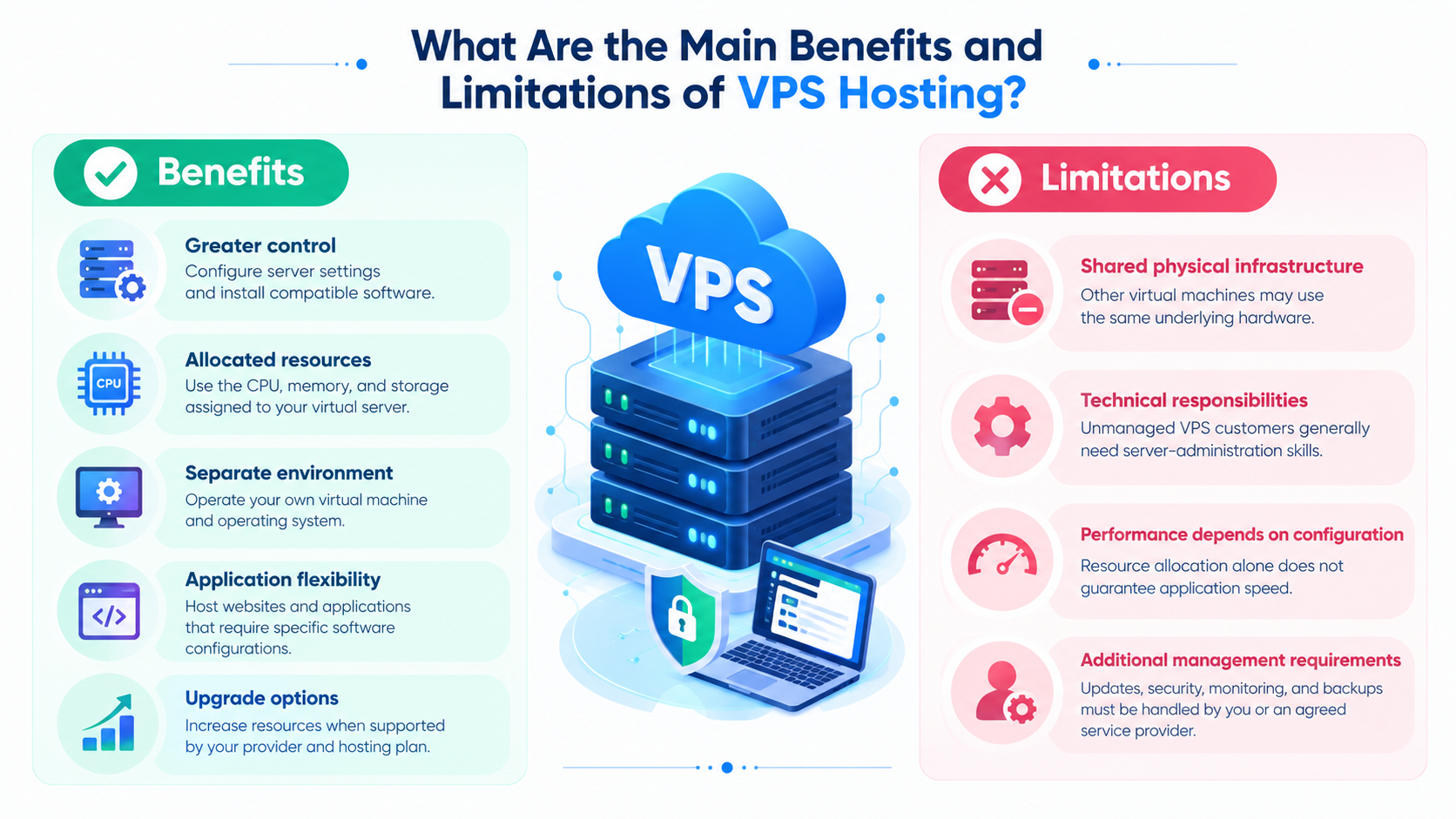
Benefits of VPS Hosting
- Greater control: Configure supported server settings and install compatible software.
- Allocated resources: Use the CPU, memory, and storage assigned to your virtual server.
- Separate environment: Operate your own virtual machine and operating system.
- Application flexibility: Host websites and applications that require specific software configurations.
- Upgrade options: Increase resources when supported by your provider and hosting plan.
Limitations of VPS Hosting
- Shared physical infrastructure: Other virtual machines may use the same underlying hardware.
- Technical responsibilities: Unmanaged VPS customers generally need server-administration skills.
- Performance depends on configuration: Resource allocation alone does not guarantee application speed.
- Additional management requirements: Updates, security, monitoring, and backups must be handled by you or an agreed service provider.
A VPS gives you more control over your environment, but it does not automatically guarantee uptime, security, or better performance.
Managed vs. Unmanaged VPS Hosting
VPS hosting can be offered with different levels of server-management support.
Unmanaged VPS hosting generally means that the customer is responsible for most server-administration tasks. These may include operating-system maintenance, software installation, security configuration, monitoring, backups, and troubleshooting.
Managed VPS hosting includes provider assistance with an agreed set of administration tasks. The exact scope varies by provider and plan.
Before choosing a managed service, confirm which responsibilities are included. Do not assume that monitoring, application support, backup restoration, or every security task is covered simply because a plan is described as managed.
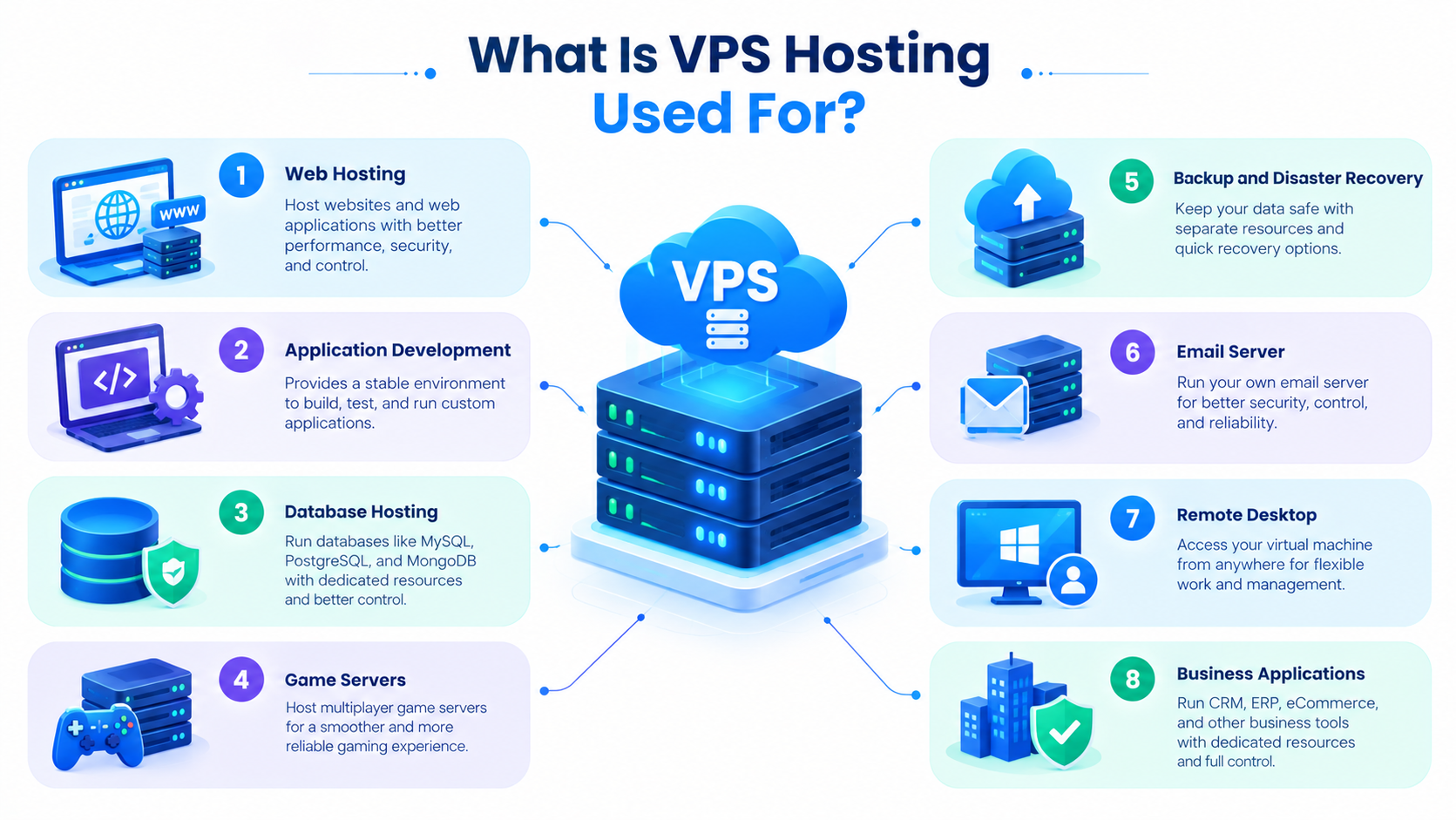
What Is VPS Hosting Used For?
VPS hosting can support many types of websites and applications, provided the configuration meets their requirements.
Common use cases include:
- Business websites: Websites that need customized server settings or more control over their hosting environment.
- Online stores: E-commerce applications with suitable processing, memory, storage, and security configurations.
- Web applications: Applications that require particular software versions or runtime environments.
- Databases and APIs: Services that need appropriately configured memory, storage, and processing capacity.
- Development and testing: Separate environments for building and testing applications.
- Multiple websites: Hosting several websites on one VPS when resources and configuration allow.
The best configuration depends on the workload, software requirements, traffic, and management responsibilities involved.
Is VPS Hosting Right for Your Business?
VPS hosting may be appropriate when shared hosting no longer provides the flexibility or control you need.
Consider a VPS if:
- You need software or server settings that your current hosting plan does not support.
- Your application needs an allocated set of computing resources.
- You want to operate a separate server environment for your websites or applications.
- You can manage a server yourself or have access to suitable technical support.
- Your hosting provider offers an upgrade path that matches your expected requirements.
Shared hosting may remain the better option for smaller websites that do not need server-level control. A dedicated server may be more suitable when you require an entire physical machine.
The decision should be based on your actual workload, technical requirements, budget, and management preferences rather than the assumption that one hosting type is always better than another.