WordPress.com vs WordPress.org: What’s the Real Difference? (Complete Guide)
Introduction If you’re planning to build a website with WordPress, one question almost always creates confusion: Should you use WordPress.com or WordPress.org? At first, they sound like the same thing. Both use WordPress, both let you build websites, and both are popular worldwide. But once you start building your site, you quickly realize they work […]
Introduction
If you’re planning to build a website with WordPress, one question almost always creates confusion:
Should you use WordPress.com or WordPress.org?
At first, they sound like the same thing. Both use WordPress, both let you build websites, and both are popular worldwide. But once you start building your site, you quickly realize they work in completely different ways.
The difference is not just technical—it affects your website’s cost, flexibility, performance, ownership, and long-term growth.
In this guide, we’ll break everything down in simple terms so you can clearly understand which platform is right for your personal project, blog, or business website.
What Is WordPress.com?
WordPress.com is a fully hosted website platform operated by Automattic.
This means you don’t need to buy hosting separately or manage technical setup. Everything from hosting to security is handled for you.
You simply create an account, choose a plan, and start building your website.
Think of WordPress.com as a managed website service where convenience is the priority.
Key Advantages
WordPress.com is designed for simplicity:
- No hosting setup required
- Automatic updates and backups
- Built-in security management
- Easy for beginners
- Quick website launch
Main Limitations
However, convenience comes with restrictions:
- Limited plugin access (on lower plans)
- Restricted theme customization
- Less control over performance optimization
- Limited monetization flexibility
- No full server-level control
It works well for personal blogs, hobby sites, or simple portfolios—but can feel restrictive for growing businesses.
What Is WordPress.org?
WordPress.org is the open-source WordPress software that you install on your own hosting environment.
This is called self-hosted WordPress.
Instead of a managed platform, you choose your hosting provider, install WordPress, and control everything yourself.
This approach is widely used by businesses, agencies, developers, and ecommerce stores because it provides full freedom.
Key Advantages
WordPress.org gives you complete control:
- Full ownership of your website
- Unlimited plugin and theme installation
- Advanced customization options
- Complete access to website files
- Better scalability for growth
- Freedom to choose any hosting provider
Responsibilities
With full control also comes responsibility:
- Managing hosting
- Handling updates
- Ensuring backups
- Maintaining security
- Optimizing performance
Most hosting providers today simplify this with managed WordPress hosting, making it much easier than before.
The Core Difference: Hosting and Ownership
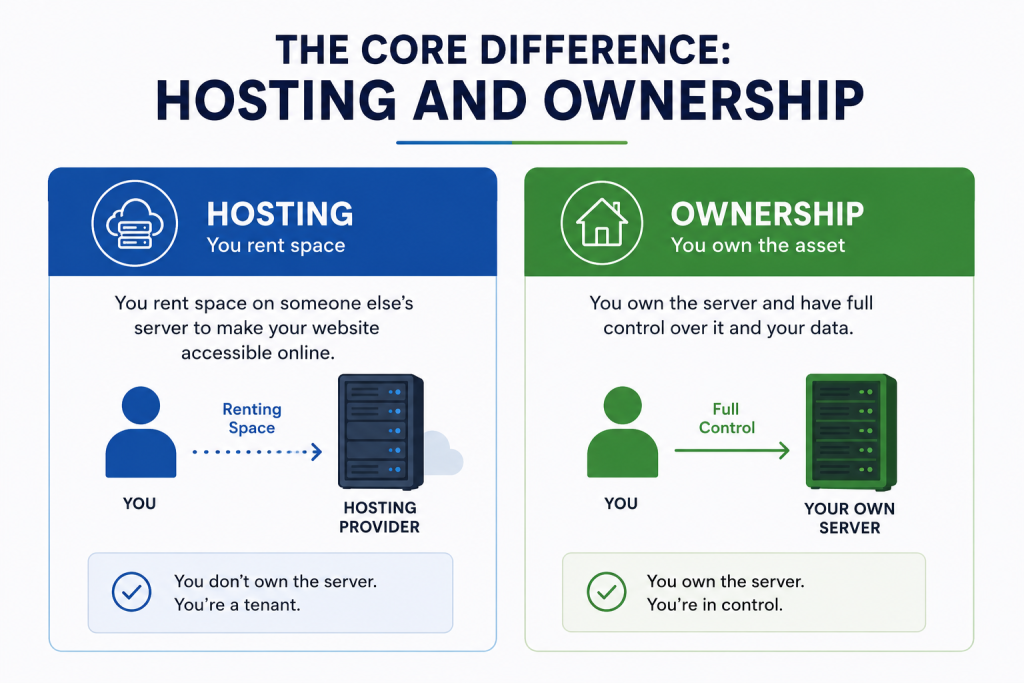
The biggest difference between WordPress.com and WordPress.org is simple:
WordPress.com
Everything is included (hosting, maintenance, security).
WordPress.org
You bring your own hosting and manage your environment.
This difference directly impacts:
- Website speed
- Customization ability
- Scalability
- Long-term cost
- Business flexibility
If your hosting is strong, WordPress.org becomes a powerful and scalable platform.
Performance: Why Hosting Changes Everything
Performance is where WordPress.org often becomes the stronger choice.
With self-hosted WordPress, you can optimize:
- Server performance (CPU/RAM resources)
- Caching systems
- CDN integration
- Database optimization
- Image compression tools
This level of control allows websites to handle higher traffic and load faster.
On WordPress.com, performance is managed for you, but optimization flexibility is limited.
For growing businesses, this difference becomes very important.
WordPress.com vs WordPress.org: Side-by-Side Comparison
Feature | WordPress.com | WordPress.org |
Hosting | Included | Self-managed |
Ownership | Platform-controlled | Full ownership |
Plugins | Limited (plan-based) | Unlimited |
Themes | Restricted | Fully customizable |
Performance Control | Limited | Full control |
Monetization | Plan-dependent | Full freedom |
Scalability | Moderate | High |
Maintenance | Managed for you | User responsibility |
Hidden Cost Difference Most People Miss
Many beginners assume WordPress.com is cheaper, but that’s not always true.
WordPress.com Costs:
- Monthly subscription plans
- Paid upgrades for features
- Ecommerce limitations unless upgraded
WordPress.org Costs:
- Hosting plan
- Domain registration
- Optional premium plugins or themes
The key difference is flexibility:
With WordPress.org, you only pay for what you need, and you can scale gradually.
For long-term business websites, this often becomes more cost-efficient.
Which One Should You Choose? (Real Use Cases)
Choose WordPress.com if:
- You want a simple personal blog
- You don’t want technical management
- You prefer an all-in-one platform
- You don’t need advanced customization
Choose WordPress.org if:
- You are building a business website
- You need full design control
- You want SEO optimization flexibility
- You plan to scale your website
- You need ecommerce or advanced features
For Businesses (Important Insight)
Most growing businesses eventually move toward WordPress.org because it supports:
- Lead generation systems
- Advanced SEO tools
- Ecommerce scalability
- Custom integrations
- Marketing automation
Why Agencies and Developers Prefer WordPress.org
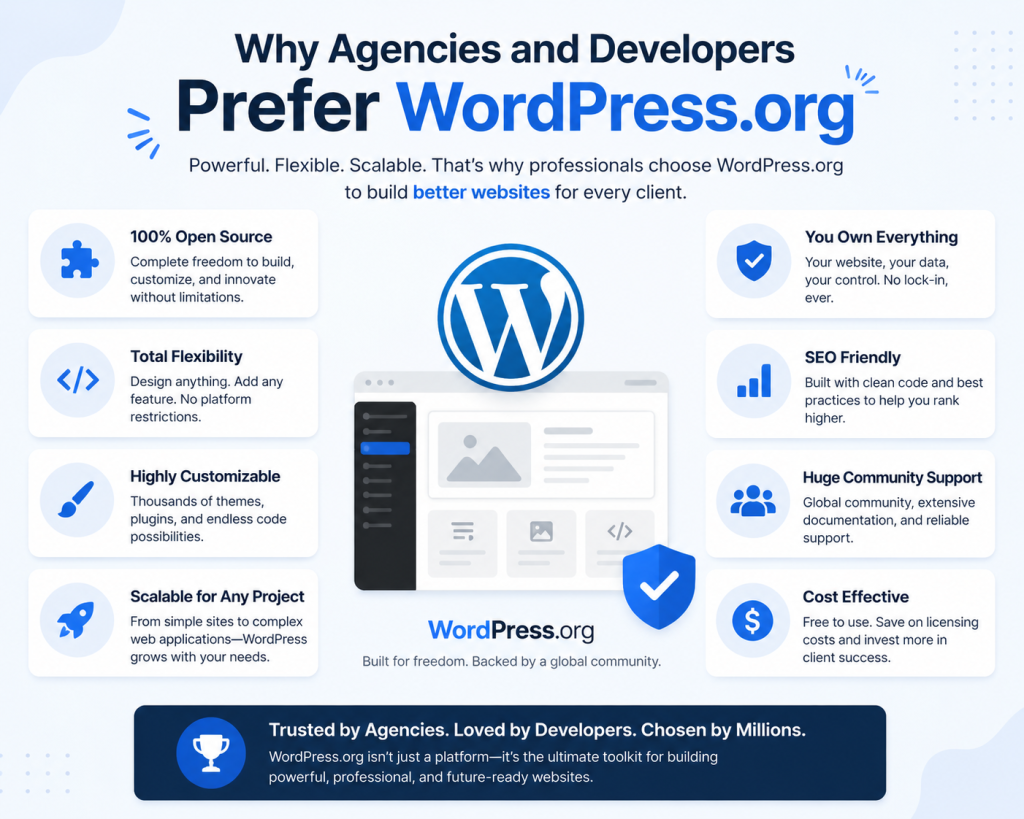
Professional agencies almost always choose WordPress.org because it offers:
- Full client ownership
- Flexible development environment
- Custom plugin integration
- Better performance optimization
- Hosting independence
This makes it the standard choice for serious web projects.
Security: Managed vs Self-Controlled
Security works differently on both platforms.
WordPress.com
Security is handled entirely by the platform:
- Core updates
- Server protection
- Infrastructure security
WordPress.org
Security depends on your setup:
- Hosting provider protection
- Plugin quality
- Update management
- Backup strategy
With proper hosting and maintenance, WordPress.org can be extremely secure and even more flexible in security design.
Can You Switch from WordPress.com to WordPress.org?
Yes—and many users do.
As websites grow, they often outgrow WordPress.com limitations and migrate to WordPress.org for more control.
However, migration may involve:
- Moving content
- Rebuilding design elements
- Adjusting URLs
- Reconfiguring plugins
This is why choosing the right platform early is important for long-term planning.
Common Misunderstandings
“They are the same platform”
They use the same WordPress core, but the hosting model is completely different.
“WordPress.org is only for developers”
Modern hosting solutions make it beginner-friendly with one-click installation.
“WordPress.com is always free”
Free plans exist but are heavily limited in functionality.
Internal Growth Insight (Important for Businesses)
If you’re planning a business website, your WordPress setup is only part of the equation.
Your hosting infrastructure plays a major role in:
- Speed
- SEO performance
- Security
- Scalability
This is where professional hosting environments like those offered by CreativeON.com and CreativeON.ae become important for long-term website stability, especially for businesses in competitive markets like the UAE.
Final Verdict
The real difference between WordPress.com and WordPress.org comes down to one concept:
👉 Control vs Convenience
- WordPress.com gives you convenience and simplicity
- WordPress.org gives you freedom, scalability, and ownership
If you want a simple personal website, WordPress.com is enough.
But if you are building a serious business website, online store, or long-term digital asset, WordPress.org is the stronger and more scalable choice.
SEO Meta Information
Meta Title:
WordPress.com vs WordPress.org: Key Differences Explained Simply
Meta Description:
Understand the real difference between WordPress.com and WordPress.org. Compare hosting, control, pricing, SEO, and choose the right platform for your website.
URL Slug:
wordpress-com-vs-wordpress-org-difference
FAQ
Yes, the software is free, but you need hosting and a domain.
WordPress.org offers more SEO control and flexibility.
Yes, most hosting providers offer simple setup tools.
WordPress.org is generally better for scalable business websites.