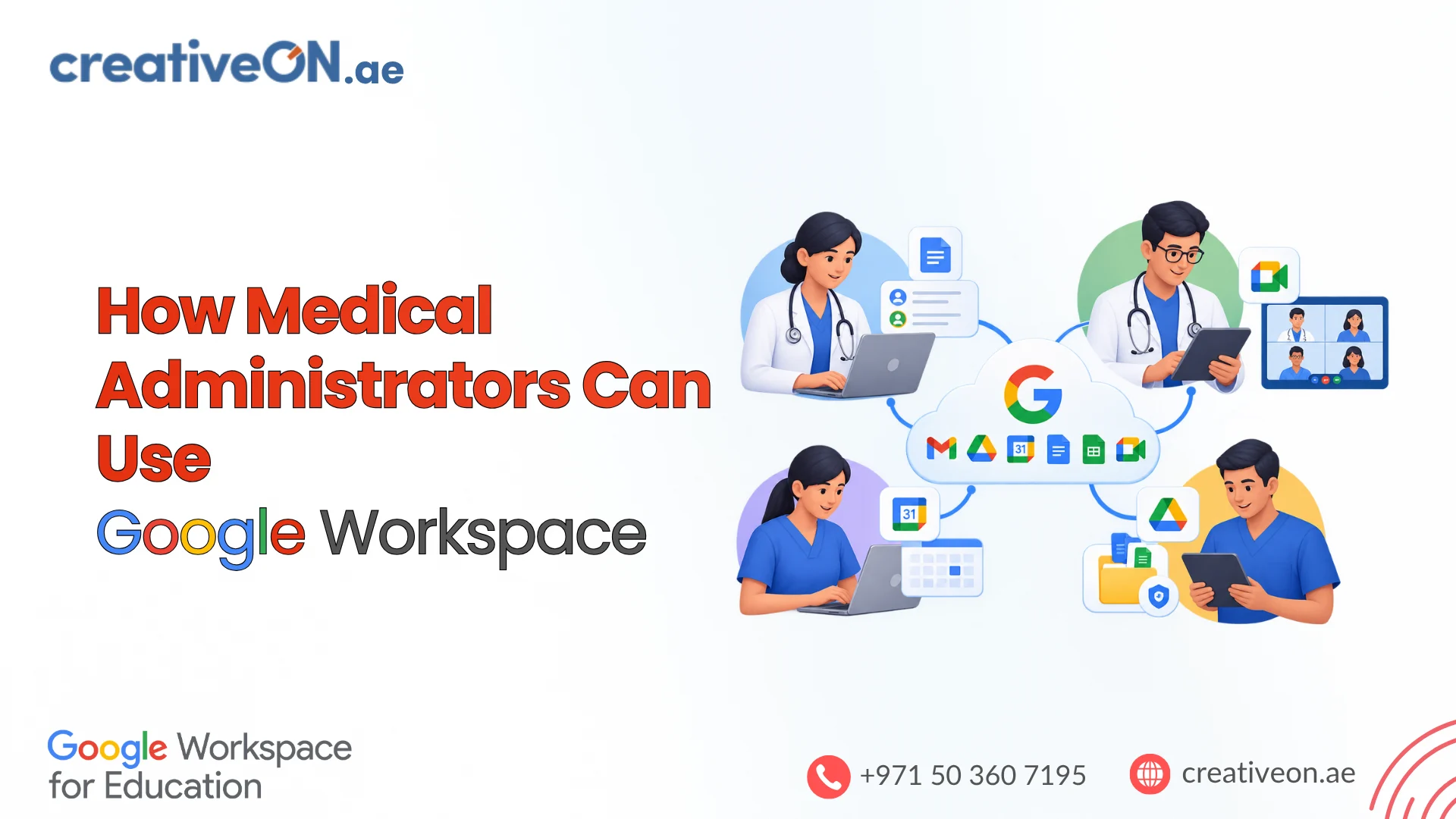
How Medical Administrators Can Use Google Workspace
Medical administrators are responsible for coordinating staff, managing departmental communication, organizing documents, scheduling meetings, and monitoring daily operational activities. These responsibilities often involve several departments, multiple employees, and large volumes of administrative information. When these activities are managed through disconnected tools, email attachments, and individual spreadsheets, keeping information organized becomes difficult. Google Workspace for medical […]
Medical administrators are responsible for coordinating staff, managing departmental communication, organizing documents, scheduling meetings, and monitoring daily operational activities. These responsibilities often involve several departments, multiple employees, and large volumes of administrative information.
When these activities are managed through disconnected tools, email attachments, and individual spreadsheets, keeping information organized becomes difficult.
Google Workspace for medical administrators offers a collection of cloud-based productivity and collaboration applications that can help healthcare organizations streamline administrative processes.
Applications such as Gmail, Google Calendar, Google Drive, Google Docs, Google Sheets, Google Meet, Google Forms, and Google Chat can support everyday administrative responsibilities across hospitals, clinics, and medical practices.
For healthcare organizations in the UAE, these tools can help improve coordination between departments and facilities while providing centralized administrative collaboration.
This guide explains how medical administrators can use Google Workspace in practical healthcare environments, how different applications work together, and what organizations should consider before implementing them.
1. Manage Healthcare Communication with Gmail
Medical administrators regularly communicate with doctors, nurses, patients, suppliers, insurance companies, and healthcare management teams.
Using personal email accounts or unorganized communication channels can make it difficult to manage departmental correspondence and maintain professional communication.
Gmail through Google Workspace allows healthcare organizations to create professional email accounts using their own domain.
For example:
- admin@clinicname.ae
- appointments@clinicname.ae
- hr@clinicname.ae
- procurement@clinicname.ae
- billing@clinicname.ae
Medical administrators can use Gmail to:
- Manage incoming administrative inquiries.
- Coordinate communication with suppliers and service providers.
- Organize internal correspondence by department.
- Create filters and labels for different types of messages.
- Manage shared communication responsibilities through appropriately configured delegation or collaborative inbox arrangements.
- Communicate with management and department heads.
Practical example: A clinic administrator receives emails about supplier quotations, staff matters, and general administrative inquiries. Gmail filters and labels can automatically organize these messages into relevant categories, making them easier to review and follow up.
Role-based email addresses also help organizations maintain continuity when employees change positions or leave.
However, access to departmental mailboxes and patient-related correspondence should be assigned carefully. Organizations should establish clear policies for handling confidential information.

2. Coordinate Staff Schedules and Meetings with Google Calendar
Healthcare administrators regularly coordinate departmental meetings, management discussions, employee training, and operational schedules.
Google Calendar provides shared calendar functionality that helps authorized employees view relevant schedules and organize meetings.
Medical administrators can use Google Calendar to:
- Schedule meetings with doctors and department heads.
- Coordinate administrative activities.
- Organize staff training sessions.
- Manage management meeting calendars.
- Send meeting invitations and reminders.
- Check colleagues’ availability where calendar permissions allow.
For example, a hospital administrator can maintain separate calendars for management meetings, staff training, and departmental activities.
Authorized employees can access relevant calendars, helping reduce scheduling conflicts.
Practical recommendation: Establish separate calendars for different administrative functions and assign appropriate viewing or editing permissions.
Google Calendar can support administrative scheduling, but it should not automatically replace specialized clinical scheduling or workforce management software where complex shift planning is required.
3. Organize Healthcare Administrative Documents with Google Drive
Healthcare organizations produce numerous administrative documents, including:
- Internal policies and procedures.
- Staff training materials.
- Supplier agreements.
- Procurement documents.
- Operational reports.
- Management meeting records.
- Approved administrative guidelines.
Keeping these documents on individual computers or exchanging multiple email attachments can create version-control and access-management problems.
Google Drive provides cloud-based storage and document collaboration capabilities that allow authorized employees to access shared organizational information.
Medical administrators can use Google Drive to:
- Organize departmental documents.
- Maintain approved administrative policies.
- Share training materials with employees.
- Collaborate with department heads.
- Manage document access permissions.
- Reduce confusion caused by multiple document versions.
Using Shared Drives for departmental documents
Google Shared Drives can be particularly useful for organizations that need documents to remain associated with the organization rather than an individual employee’s personal Drive.
For example, a healthcare organization could establish the following structure:
| Shared Drive or Folder | Example Documents |
| Administration | Internal procedures and administrative guidelines |
| Human Resources | Staff policies and training materials |
| Finance | Approved financial reports |
| Procurement | Supplier agreements and quotations |
| Management | Management reports and meeting documents |
Shared Drives support organizational ownership of files, with access controlled through assigned membership and roles.
This can make document management easier when employees change departments or leave the organization.
Important: Patient records and sensitive medical information require additional consideration. Before storing such information, healthcare organizations must verify applicable legal requirements, service eligibility, contractual arrangements, and security configurations.
4. Prepare Healthcare Operational Reports with Google Sheets
Medical administrators often prepare reports to monitor departmental activities and support management decisions.
Google Sheets provides a collaborative spreadsheet environment that can help organize administrative information and prepare operational reports.
Common applications include:
- Staff attendance summaries.
- Equipment maintenance tracking.
- Departmental resource monitoring.
- Procurement and supplier tracking.
- Training participation records.
- Administrative task monitoring.
- Monthly operational reporting.
Practical example: Equipment maintenance tracking
A clinic administrator can maintain a shared spreadsheet to monitor equipment maintenance schedules.
| Equipment | Department | Last Maintenance | Next Maintenance |
| ECG Machine | Cardiology | 10 October | 10 January |
| Ultrasound | Radiology | 15 September | 15 December |
| Patient Monitor | ICU | 20 October | 20 January |
Authorized employees can update the spreadsheet while management can review the information without requesting separate reports.
Google Sheets also supports formulas, filters, conditional formatting, charts, and collaborative editing.
These features can help administrators identify overdue maintenance activities, review departmental information, and prepare management summaries.
However, spreadsheets should be used for appropriate administrative reporting rather than replacing specialized equipment management, financial, or clinical information systems.
5. Conduct Healthcare Management Meetings with Google Meet
Hospitals and healthcare groups often need regular meetings involving administrators, doctors, department heads, and management teams.
Coordinating physical meetings can be difficult when participants work at different facilities or locations.
Google Meet provides video conferencing capabilities that help healthcare teams conduct remote meetings.
Medical administrators can use Google Meet for:
- Departmental management meetings.
- Administrative planning discussions.
- Remote staff coordination.
- Employee training and orientation.
- Meetings with suppliers and service providers.
- Coordination between multiple healthcare facilities.
For example, a healthcare group operating clinics in Dubai and Abu Dhabi can arrange virtual administrative meetings without requiring participants to travel between facilities.
Google Calendar can be used to schedule meetings and distribute invitations.
Organizations should establish appropriate meeting access controls and ensure that participants follow confidentiality policies. Meetings involving identifiable patient information require additional privacy and compliance safeguards.
6. Collect Internal Administrative Information with Google Forms
Medical administrators frequently need information from employees and departments.
Collecting this information through separate emails and manually maintained documents can consume time and make responses difficult to organize.
Google Forms allows administrators to create online forms for routine internal information collection.
Examples include:
- Staff training feedback.
- Employee leave requests.
- Internal maintenance requests.
- Equipment inspection checklists.
- Staff satisfaction surveys.
- Departmental feedback.
- Administrative service requests.
Practical example: Equipment maintenance requests
A hospital administrator can create a Google Form through which department employees report equipment problems.
The form can collect:
- Equipment identification.
- Department name.
- Description of the issue.
- Date of the report.
- Priority level.
- Contact information of the reporting employee.
Responses can be organized in Google Sheets, allowing administrators to review requests and coordinate follow-up activities.
This creates a more structured process than managing every request through individual email conversations.
Data protection consideration: Google Forms should not be used to collect patient health information or other regulated data unless the organization has verified that the specific service, configuration, contractual arrangements, and workflow are appropriate for that purpose.
7. Improve Departmental Collaboration with Google Chat
Healthcare administration involves coordination between several departments, including human resources, procurement, finance, reception, and management.
Google Chat provides messaging and group collaboration features that can help employees communicate about administrative responsibilities.
Medical administrators can use Google Chat to:
- Create departmental communication spaces.
- Coordinate administrative tasks.
- Share relevant Drive documents.
- Discuss internal operational requirements.
- Follow up on departmental activities.
- Communicate with authorized colleagues.
For example, a hospital can establish separate spaces for administration, HR, procurement, and management.
Each space can support discussions relevant to that department instead of mixing every conversation into one communication channel.
Google Chat also supports integration with other Google Workspace applications, helping employees share information and collaborate within their existing workflows.
Organizations should establish clear communication guidelines and avoid sharing confidential patient information in spaces that have not been appropriately approved and secured.
8. Prepare Healthcare Policies and Procedures with Google Docs
Healthcare organizations need documented administrative policies and procedures to maintain consistent operations.
Medical administrators can use Google Docs to create, edit, review, and share organizational documents.
Common examples include:
- Employee handbooks.
- Administrative policies.
- Departmental procedures.
- Staff onboarding documents.
- Internal communication guidelines.
- Meeting agendas.
- Standard operating procedures (SOPs).
Google Docs supports collaborative editing, comments, suggestions, and version history.
This allows authorized employees to review a document and provide feedback before it is finalized.
Practical example: An administrator preparing a new staff attendance policy can create a Google Doc and share it with the HR manager and department heads for review.
After the document is approved, the final version can be stored in a designated Shared Drive with appropriate access permissions.
This creates a more organized documentation process and reduces confusion caused by multiple versions of the same policy.
9. Coordinate Multiple Healthcare Facilities with Google Workspace
Healthcare groups may operate several clinics, medical centres, and hospital departments across different locations.
Coordinating administrative activities between these facilities can become challenging when employees use different communication and document management methods.
Google Workspace provides cloud-based collaboration tools that can help authorized employees work with shared administrative information.
For example, a healthcare organization operating in Dubai, Sharjah, and Abu Dhabi can use:
- Gmail for professional organizational communication.
- Google Drive for approved shared documents.
- Google Calendar for management meetings.
- Google Sheets for administrative reporting.
- Google Meet for remote coordination.
- Google Chat for departmental communication.
Administrators can establish consistent document structures, communication procedures, and reporting practices across facilities.
However, access should be based on each employee’s responsibilities. An employee working at one facility does not automatically need access to every other facility’s administrative documents.
Organizations should also consider the data access and transfer requirements applicable to their healthcare operations.
10. Manage Employee Accounts and Security Through Google Workspace Admin Console
Managing employee accounts and application access is an important responsibility for healthcare organizations.
When employees join, change positions, or leave, their access to organizational information should be updated accordingly.
The Google Workspace Admin console provides centralized administration capabilities for authorized administrators.
Depending on the subscription and configuration, administrators can:
- Create and manage employee accounts.
- Assign administrative roles.
- Manage access to Google Workspace services.
- Configure organizational security policies.
- Apply multi-factor authentication requirements.
- Suspend accounts when employees leave.
- Review available security and audit reports.
- Manage organizational sharing settings.
Why role-based access matters
Not every healthcare employee needs access to the same information.
For example:
| Employee Role | Appropriate Administrative Access |
| HR Manager | Approved HR policies and staff administration documents |
| Finance Manager | Approved financial and procurement reports |
| Clinic Administrator | Relevant clinic administrative documents |
| Department Head | Documents and calendars relevant to the department |
| IT Administrator | Technical administration according to assigned privileges |
This approach helps limit unnecessary access to organizational information.
Organizations should periodically review employee permissions, shared documents, and administrative privileges to ensure that access remains appropriate.
11. Understand Healthcare Data Security and UAE Compliance Requirements
Healthcare organizations handle confidential business information and may also process sensitive personal and health information.
Medical administrators should work with their IT and compliance teams to establish appropriate security and data governance policies before introducing Google Workspace into healthcare workflows.
Important security practices include:
- Require multi-factor authentication for employee accounts.
- Assign access according to job responsibilities.
- Restrict external document sharing where appropriate.
- Review Shared Drive membership and permissions.
- Suspend or remove access when employees leave.
- Establish organizational email and communication policies.
- Maintain appropriate information retention procedures.
- Review available administrative and security audit reports.
- Train employees to recognize phishing and suspicious requests.
UAE healthcare data protection considerations
Healthcare providers operating in the UAE must pay particular attention to the regulations governing healthcare information.
Federal Law No. 2 of 2019 regulates the use of information and communication technology in the UAE healthcare sector. Its executive regulations are addressed by Cabinet Resolution No. 32 of 2020.
The framework addresses the confidentiality, integrity, security, and availability of healthcare information.
There are also specific requirements concerning the storage and transfer of health information outside the UAE, including Ministerial Decision No. 51 of 2021.
Healthcare providers should therefore assess:
- Where organizational and health information will be stored and processed.
- Whether applicable UAE healthcare data-location and transfer requirements are satisfied.
- Which Google Workspace services and configurations are appropriate.
- What contractual and data-processing arrangements are required.
- Whether organizational access controls meet regulatory obligations.
- How information retention, deletion, and incident response will be managed.
The UAE Personal Data Protection Law may also be relevant, subject to its scope, exclusions, and interaction with sector-specific healthcare legislation.
Important: Google Workspace offers security and compliance capabilities, but purchasing a subscription does not automatically make a healthcare organization compliant with UAE healthcare regulations.
Before storing or processing patient information, organizations should obtain appropriate legal and compliance advice and verify their intended Google Workspace configuration against applicable requirements.
What about HIPAA?
Organizations subject to the US Health Insurance Portability and Accountability Act (HIPAA) have additional requirements.
Google provides a Business Associate Amendment (BAA) for eligible customers using covered Google Workspace services with protected health information.
Customers must review and accept the applicable agreement and use only covered functionality in accordance with Google’s implementation guidance.
Accepting the BAA does not automatically make an organization HIPAA compliant. Compliance remains a shared responsibility involving Google’s services and the customer’s own policies, configuration, and operational practices.
For further information, consult Google’s official HIPAA compliance documentation.
12. How Google Workspace Applications Work Together in Healthcare Administration
The real value of Google Workspace comes from using its applications together rather than treating each one as a separate tool.
Consider a healthcare organization that wants to organize monthly staff training.
The administrator can establish the following workflow:
| Step | Google Workspace Application | Administrative Activity |
| 1 | Google Forms | Collect training requirements and feedback. |
| 2 | Google Sheets | Organize responses and maintain participation records. |
| 3 | Google Calendar | Schedule training sessions and send invitations. |
| 4 | Google Meet | Conduct remote training sessions. |
| 5 | Google Drive | Store approved training materials. |
| 6 | Google Docs | Prepare agendas and training procedures. |
| 7 | Gmail | Send formal announcements and follow-up communication. |
This workflow helps administrators coordinate the entire activity through connected productivity applications.
Another example: Equipment maintenance coordination
A clinic can also use Google Workspace to organize routine equipment maintenance.
- Department employees submit maintenance requests through Google Forms.
- Responses are organized in Google Sheets.
- Administrators review the requests and coordinate with maintenance teams.
- Relevant activities are scheduled through Google Calendar.
- Approved maintenance reports are stored in Google Drive.
- Follow-up communication is managed through Gmail or Google Chat.
These workflows can improve administrative visibility and reduce unnecessary manual coordination.
They should not be considered substitutes for validated clinical equipment management or safety systems where such systems are required.
13. What Google Workspace Cannot Replace in Healthcare
Although Google Workspace offers useful productivity and collaboration features, it is not a complete healthcare management platform.
Medical administrators should understand the distinction before planning an implementation.
| Healthcare Requirement | Appropriate System |
| Patient medical records | Electronic Health Record (EHR) system |
| Clinical documentation | Dedicated clinical management software |
| Complex patient appointment management | Healthcare scheduling system |
| Hospital billing and claims | Healthcare billing or hospital management software |
| Clinical prescriptions | Approved electronic prescribing system |
| Patient diagnostics and laboratory records | Dedicated laboratory or clinical systems |
| General administrative communication | Google Workspace |
| Administrative document collaboration | Google Workspace |
| Internal meetings and coordination | Google Workspace |
Google Workspace can complement existing healthcare systems by supporting administrative communication, collaboration, documentation, and reporting.
Organizations should not assume that a spreadsheet, shared folder, or Google Form can replace a specialized clinical application.
Best Practices for Implementing Google Workspace in Healthcare Administration
Simply subscribing to Google Workspace is not enough to improve administrative efficiency. Healthcare organizations should establish a structured implementation approach.
Consider the following recommendations:
| Area | Recommended Practice |
| Create professional, role-based email addresses. | |
| Calendars | Establish shared departmental calendars. |
| Document management | Organize Shared Drives and folder permissions. |
| Reporting | Use standardized administrative spreadsheets. |
| Collaboration | Establish departmental communication spaces. |
| Security | Apply MFA and role-based access controls. |
| Administration | Assign appropriate Admin console privileges. |
| Training | Train employees to use approved Workspace applications. |
| Compliance | Review healthcare data protection requirements before deployment. |
| Monitoring | Periodically review access, sharing, and security reports. |
A phased implementation is generally easier to manage than introducing every application to all employees simultaneously.
A practical starting approach is:
Phase 1: Establish the foundation
- Set up professional organizational email.
- Create employee accounts.
- Establish appropriate security policies.
- Organize administrative document storage.
Phase 2: Improve collaboration
- Introduce shared calendars.
- Set up departmental communication spaces.
- Standardize administrative document templates.
- Train employees on collaboration practices.
Phase 3: Improve reporting and administration
- Introduce administrative reporting spreadsheets.
- Create approved internal request forms.
- Establish document review procedures.
- Review access permissions and security reports.
Phase 4: Review governance and compliance
- Evaluate information classification.
- Review applicable healthcare data regulations.
- Verify approved services and configurations.
- Establish retention and incident response procedures.
This approach helps healthcare organizations introduce Google Workspace according to their operational needs and compliance responsibilities.