How Medical Researchers Can Collaborate With Google Workspace
Medical research depends on collaboration between researchers, universities, hospitals, laboratories, and healthcare institutions. Teams prepare papers, organise study documents, coordinate activities, and communicate across departments and countries. When this happens through scattered email attachments and separate apps, the result is duplicate document versions, lost information, and unclear responsibilities. Google Workspace brings Google Drive, Docs, Sheets, […]
Medical research depends on collaboration between researchers, universities, hospitals, laboratories, and healthcare institutions. Teams prepare papers, organise study documents, coordinate activities, and communicate across departments and countries. When this happens through scattered email attachments and separate apps, the result is duplicate document versions, lost information, and unclear responsibilities.
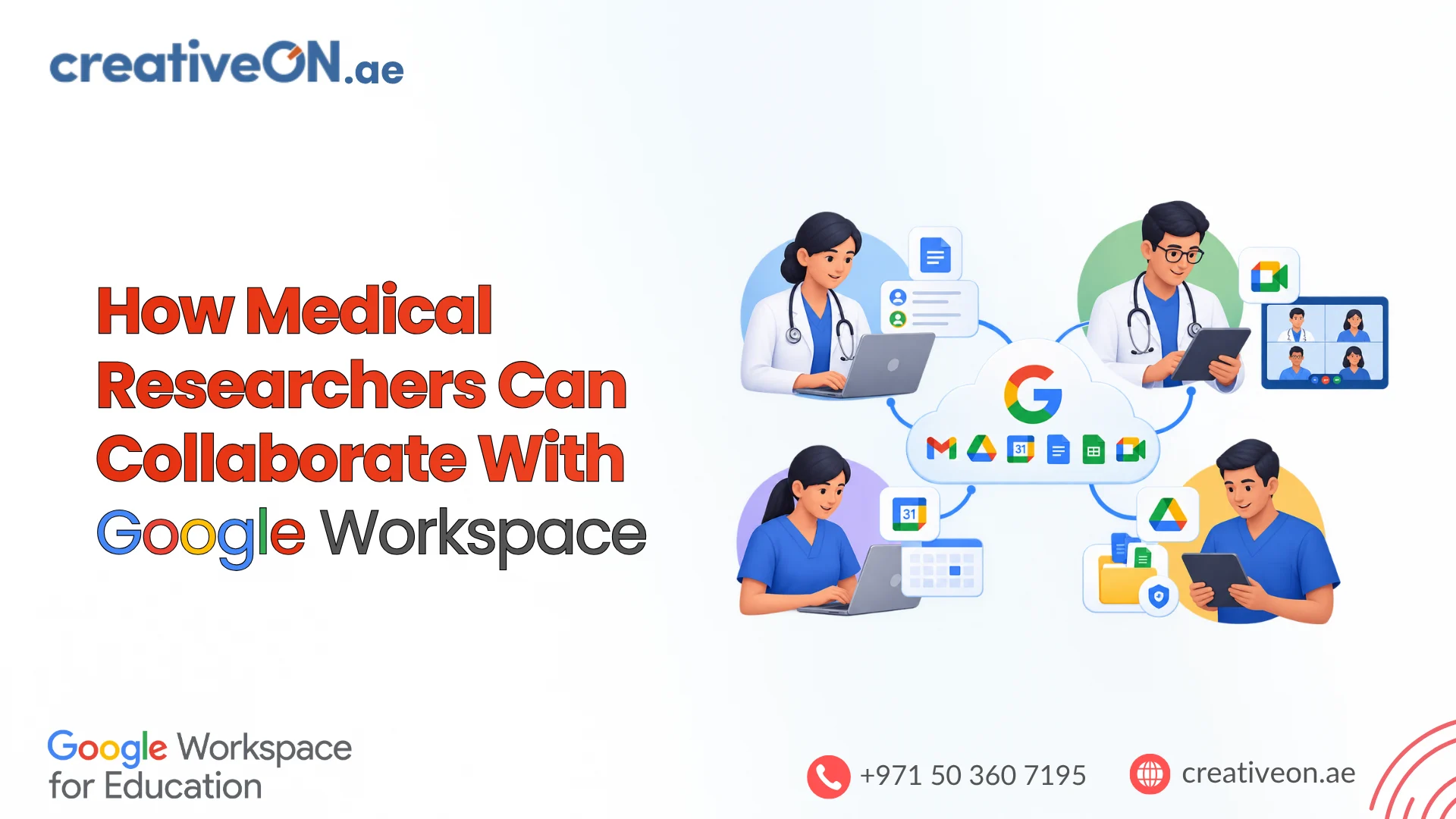
Google Workspace brings Google Drive, Docs, Sheets, Meet, Forms, Calendar, Gmail, and Google Chat into one connected environment. This guide explains how medical researchers can use it to write and review documents, organise project files, track activities, and communicate with partners, and where its limits are. For institutions in the UAE, those limits matter: patient information and clinical research data bring security, privacy, and data residency obligations that a productivity platform does not solve on its own.
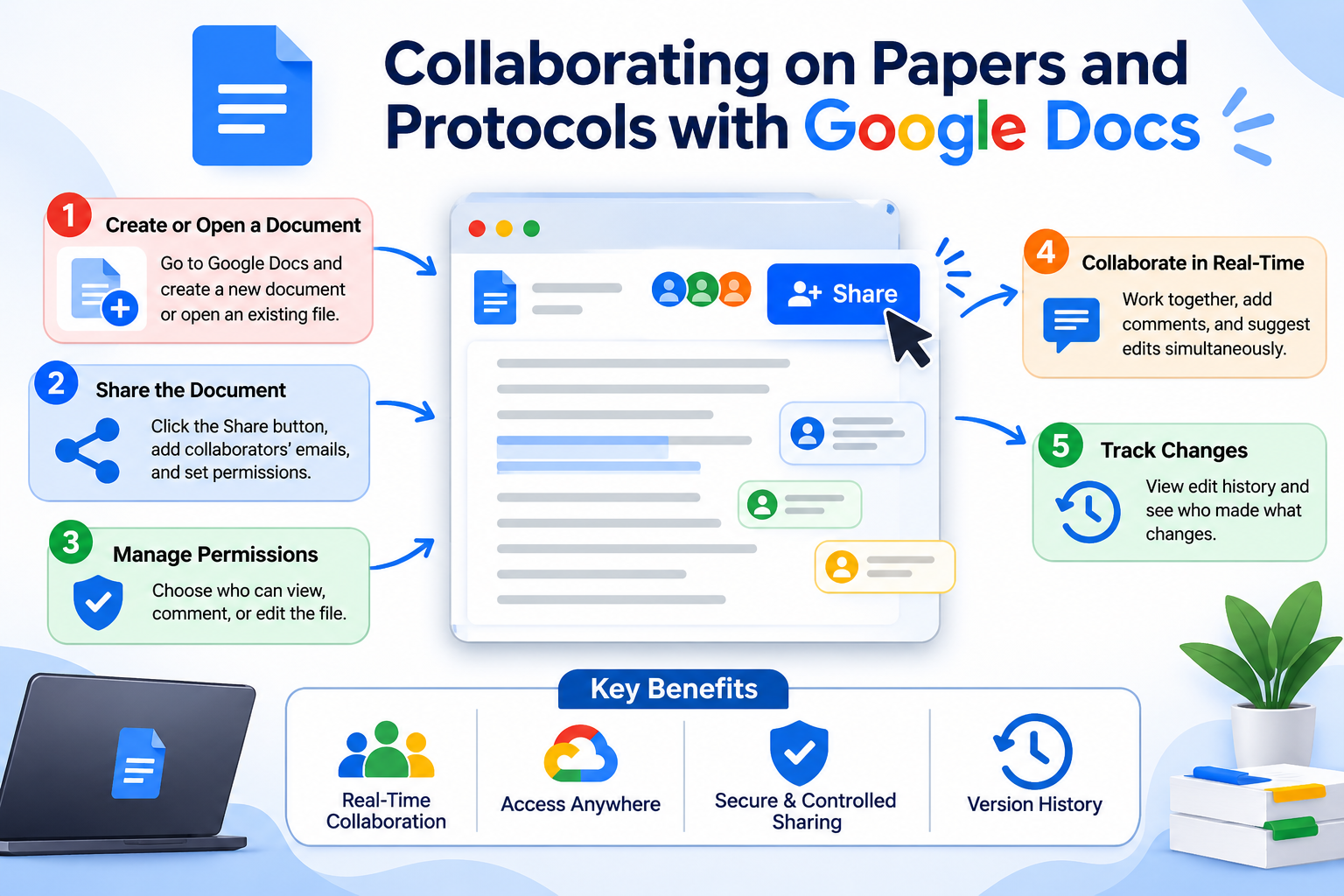
1. Collaborating on papers and protocols with Google Docs
Research papers, study protocols, literature reviews, and grant proposals usually need input from several people. A university team preparing a public health proposal might involve:
- A principal investigator drafting the research objectives.
- A medical researcher documenting the study methodology.
- A statistician reviewing the analytical approach.
- An academic supervisor reviewing the final draft.
Instead of emailing versions back and forth, the team works in one shared Google Doc. The features that matter most are:
- Real-time editing: several authorised contributors can work at once.
- Comments: reviewers can ask questions or give feedback on specific passages.
- Suggesting mode: contributors propose changes without overwriting the original text, so the lead author decides what to accept.
- Version history: editors can review earlier versions and restore content when needed.
- Targeted sharing: access is granted to named people with view, comment, or edit permission.
Working alongside reference managers
Most researchers already rely on citation tools such as Zotero, Mendeley, or EndNote, and some use Overleaf for LaTeX-heavy manuscripts. Google Docs does not replace these. A common approach is to draft and review collaboratively in Docs, using the citation manager’s Docs add-on or plugin where one is available, and move to the journal’s required format at the final stage. Check which tools your institution supports and agree on one reference workflow at the start of a project, so citations do not break when several authors edit the same file.
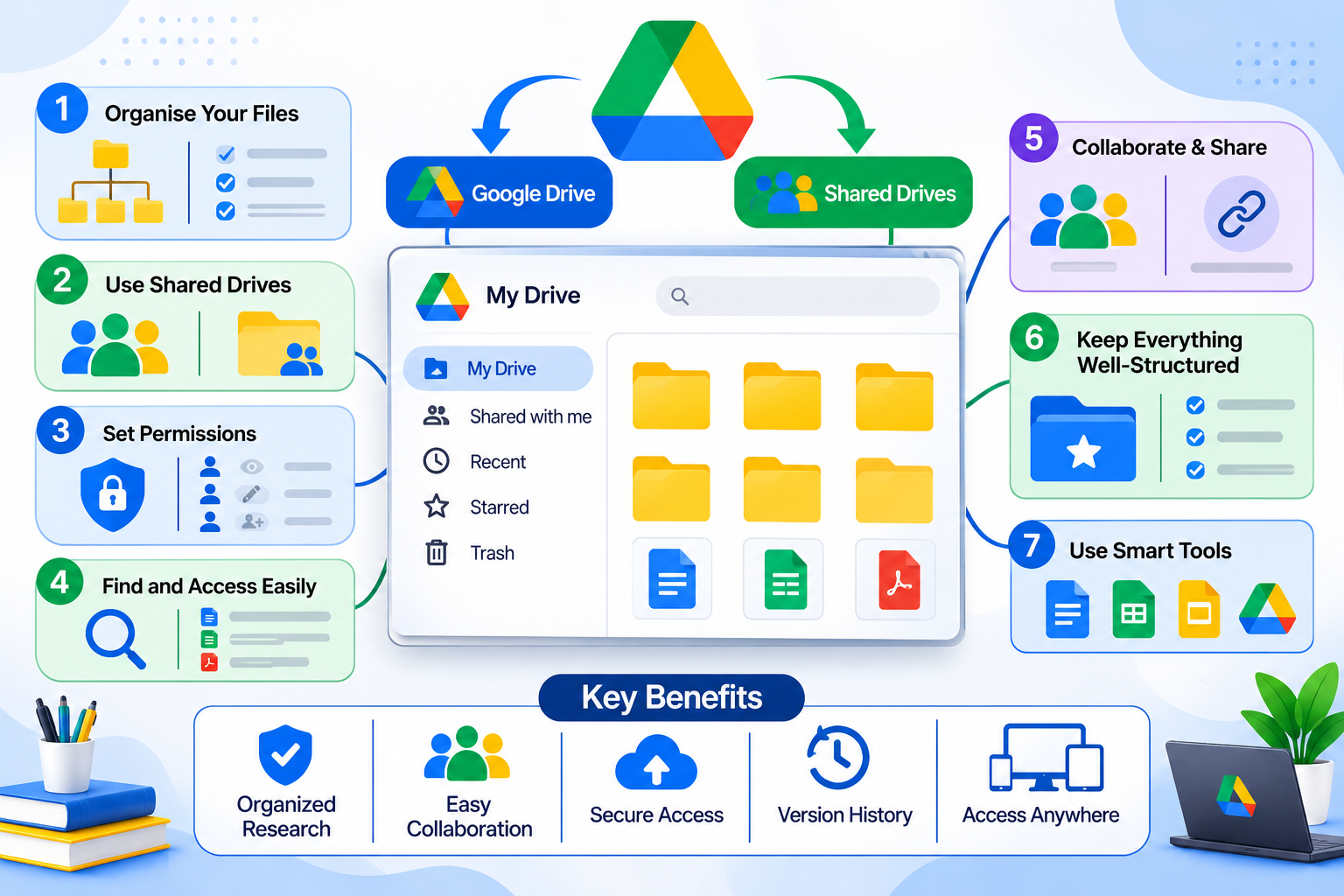
2. Organising research documents with Google Drive and Shared Drives
Research generates proposals, protocols, literature reviews, administrative records, presentations, and publication drafts. Google Drive gives authorised teams one place to store and find them. A consistent folder structure helps, for example:
Medical Research Projects
├── Cardiovascular Research
│ ├── 01 Research Proposal
│ ├── 02 Study Protocols
│ ├── 03 Literature Reviews
│ ├── 04 Research Reports
│ └── 05 Publications
├── Cancer Research
└── Public Health Studies
Why Shared Drives suit research teams
Files in a personal My Drive belong to the person who created them. Files in a Shared Drive belong to the organisation or team, so they stay available when a researcher changes roles or leaves. For a university or laboratory, that continuity is one of the strongest reasons to use Shared Drives. See Google’s guidance on setting up Shared Drives.
Good practice includes:
- Creating one Shared Drive per major research project.
- Separating administrative documents from materials that need restricted access.
- Assigning roles (viewer, commenter, contributor, manager) according to responsibility.
- Reviewing external sharing whenever another institution is involved.
- Removing access when someone leaves a project.
3. Tracking research activities with Google Sheets
Research projects have many moving parts: milestones, responsibilities, recruitment progress, and administrative tasks. Google Sheets lets authorised team members update a shared tracker that supervisors can review at any time.
Typical uses include tracking milestones, maintaining literature review reference lists, monitoring recruitment using approved non-identifiable counts, organising team responsibilities, and preparing summary tables and charts.
| Research activity | Responsible person | Deadline | Status |
| Literature review | Researcher A | 15 Nov | In progress |
| Study protocol | Researcher B | 20 Nov | Under review |
| Survey preparation | Researcher C | 25 Nov | Pending |
| Project review | Principal Investigator | 30 Nov | Scheduled |
A few built-in features make a tracker far more reliable:
- Data validation: use dropdown lists for the Status column so everyone enters “In progress” or “Under review” in the same way.
- Protected ranges: lock columns such as deadlines so only the coordinator can change them.
- Filter views: let each researcher filter by their own name without changing what colleagues see.
- Conditional formatting: highlight overdue tasks automatically.
Know the limits. Sheets is good for coordination and basic data organisation. It is not a substitute for statistical software, electronic data capture (EDC) systems, or validated clinical research databases. Identifiable participant data and sensitive clinical datasets need a separate assessment of security, privacy, access controls, and institutional approval.
4. Running research meetings with Google Meet and Google Calendar
Medical research often spans departments, hospitals, and countries. Google Meet lets teams hold project reviews without everyone being in the same room, and Google Calendar keeps those meetings and other commitments visible to the whole team.
Common uses include:
- Discussing proposals with academic supervisors.
- Coordinating multicentre studies and reviewing progress with partners.
- Meeting international collaborators across time zones.
- Tracking conference deadlines, journal submission dates, laboratory schedules, and milestone reviews on shared project calendars.
For example, a university in Dubai working with a research institution in Abu Dhabi can schedule recurring review meetings in Calendar, with a Meet link attached to every invitation. A coordinator can keep a separate calendar for each study and share it only with that study’s team.
When meetings involve confidential research information, set clear rules for who may join, who may share their screen, whether meetings may be recorded, and where recordings are stored.
5. Collecting survey feedback with Google Forms
Google Forms lets researchers build online questionnaires using multiple-choice questions, checkboxes, dropdowns, and short answers, with responses sent directly into Google Sheets. Suitable uses include:
- Healthcare professional surveys.
- Academic research questionnaires.
- Medical education feedback and workshop evaluations.
- Non-sensitive institutional surveys.
- Participant feedback, where appropriately approved.
For instance, a university department running a healthcare education survey could collect feedback on training experiences from participating professionals and review the results in a linked sheet.
Before using Forms for research involving human participants, establish:
- Whether ethics committee approval is required.
- Whether participant consent is properly documented.
- Whether the information collected is actually necessary for the research.
- Who can access the responses.
- Whether the platform and its configuration meet applicable data protection requirements.
Forms is a survey tool, not an approved clinical data collection system.
6. Keeping the team connected with Gmail and Google Chat
Gmail supports formal correspondence with supervisors, university departments, journal editors, funders, and international collaborators. Using institution-managed accounts keeps communication professional and consistent, and keeps institutional correspondence under institutional control.
Google Chat suits quicker, day-to-day discussion. Teams can create a dedicated space for each project (for example cardiovascular research, public health projects, medical education studies, or research administration), where members share updates and files without cluttering one general channel.
Keep confidential matters in approved institutional channels, and do not share sensitive participant information in ordinary chat conversations without a compliance assessment.
7. How the tools work together: an example workflow
The real value of Google Workspace comes from combining its applications. Consider a university team running a public health study:
- Prepare the proposal (Google Docs). Researchers write and review the proposal and study documentation together.
- Organise documents (Google Drive). Approved project files live in a project Shared Drive with role-based access.
- Track progress (Google Sheets). The coordinator maintains a tracker of tasks, deadlines, and owners.
- Coordinate meetings (Calendar and Meet). Progress meetings are scheduled and held with partners.
- Collect approved survey responses (Google Forms). The team gathers approved, non-sensitive survey information.
- Stay in touch (Gmail and Chat). Researchers coordinate with supervisors and external collaborators.
This is an illustrative collaboration model for documentation and coordination. It does not replace a clinical research management or data collection system.
8. Best practices for medical research teams
Successful collaboration needs clear procedures as well as access to the tools.
- Use institutional accounts rather than personal accounts for institutional work.
- Create project-based Shared Drives organised by department and study.
- Apply least-privilege permissions, with restricted folders for protected materials.
- Review external sharing regularly for partner universities and laboratories.
- Use naming conventions so files are easy to find (for example, CardioStudy_Protocol_v3_2026-11-06).
- Follow retention policies that define how long documents are kept and how they are archived or disposed of.
- Train researchers in secure sharing, account protection, and institutional data policies.
- Plan ownership and handover so documents remain accessible when people change roles or leave.
9. Security, patient privacy, and UAE regulatory considerations
Medical research can involve clinical records, patient details, and other protected data. Using Google Workspace does not automatically make a research activity compliant with every privacy or healthcare regulation. Institutions should assess the intended use, the applicable rules, contractual requirements, and technical configuration before putting regulated information into any cloud tool.
UAE legal frameworks
Federal Law No. 2 of 2019 on the use of ICT in health fields regulates the use of information and communication technology in the UAE health sector, including free zones. It addresses the security, confidentiality, integrity, and availability of health information. See the UAE Government overview.
Federal Decree-Law No. 45 of 2021 on the Protection of Personal Data sets requirements for processing and protecting personal data. Whether it applies depends on the organisation, the type of processing, and the law’s scope and exclusions, which can include health data already governed by other legislation. See the UAE Government overview of data protection laws.
Data residency
For UAE institutions, data residency is often the most practical question. The ICT Health Law generally restricts storing, processing, or transferring health data outside the UAE, with exceptions defined by ministerial decisions and health authority requirements. Cloud services store data in particular regions, and the region options for Google Workspace are limited. Before storing any health-related data in Workspace, confirm with your legal or compliance team and with Google what data region options apply to your edition, and whether your intended use falls within an exception. Cross-border collaboration with international partners raises the same question for any shared files.
Google Workspace and HIPAA
For organisations subject to the US HIPAA, Google offers a Business Associate Amendment covering specified Workspace services. An organisation must accept the agreement and use only covered services for protected health information. Accepting it does not make an organisation HIPAA compliant: the institution remains responsible for its own policies, configuration, and access management. See Google’s HIPAA compliance guidance.
Practical security measures
- Enable multi-factor authentication and appropriate account protection.
- Restrict sensitive information to authorised researchers.
- Review external sharing permissions regularly.
- Define procedures for handling participant information.
- Evaluate third-party apps before granting access to institutional data.
- Set retention and deletion policies.
- Train researchers to recognise phishing and other account risks.
- Confirm service eligibility and contractual terms before processing regulated information.
Important: Google Workspace is a collaboration and productivity platform. It is not a validated clinical research database or EDC system. Where research requires one, use an appropriately approved specialist system.
10. Choosing the right Google Workspace plan
Not every feature is available in every edition. Shared Drives, advanced security controls, and some admin and compliance features depend on the plan, and the entry-level plan does not include all of them. Before rolling Workspace out to a research department, compare current editions against the features you need, particularly Shared Drives, meeting capacity and recording, and security and audit controls. Google’s official plan comparison is the source of truth, and an authorised partner can help match an edition to your requirements.