How WordPress Websites Are Structured
Understanding how WordPress websites are structured makes it easier to manage content, troubleshoot problems, plan backups, and communicate with developers or hosting support. A WordPress website has two connected structures. The first is the visible website structure that visitors interact with, such as the header, navigation, content, and footer. The second is the technical WordPress […]
Understanding how WordPress websites are structured makes it easier to manage content, troubleshoot problems, plan backups, and communicate with developers or hosting support.
A WordPress website has two connected structures. The first is the visible website structure that visitors interact with, such as the header, navigation, content, and footer. The second is the technical WordPress structure behind the site, including WordPress core files, themes, plugins, media files, and the database.
Understanding how these two layers work together gives you a clearer picture of how a WordPress website is organized.
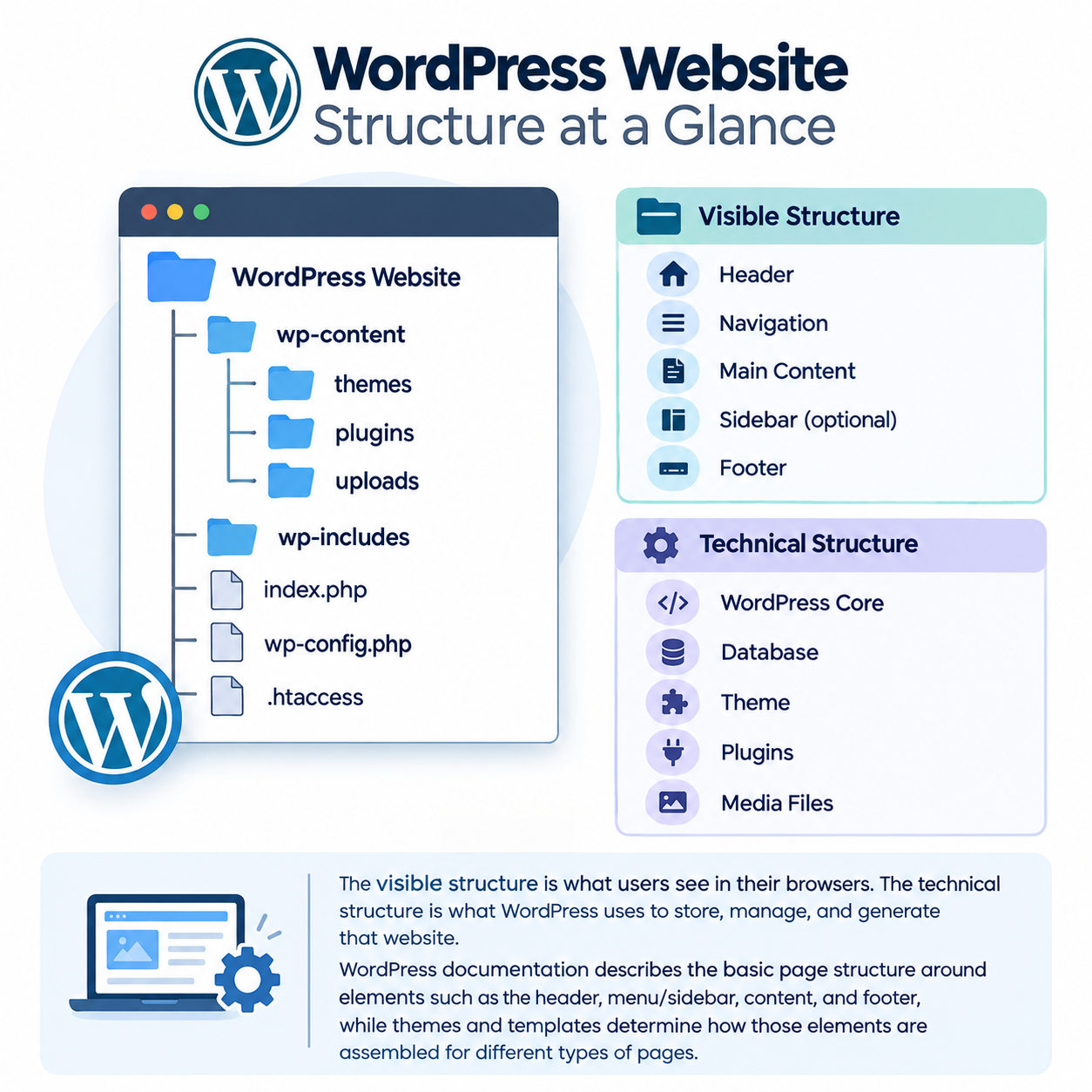
WordPress Website Structure at a Glance
A simplified WordPress website can be viewed like this:
WordPress Website
│
├── Visible Structure
│ ├── Header
│ ├── Navigation
│ ├── Main Content
│ ├── Sidebar (optional)
│ └── Footer
│
└── Technical Structure
├── WordPress Core
├── Database
├── Theme
├── Plugins
└── Media Files
The visible structure is what users see in their browsers. The technical structure is what WordPress uses to store, manage, and generate that website.
WordPress documentation describes the basic page structure around elements such as the header, menu/sidebar, content, and footer, while themes and templates determine how those elements are assembled for different types of pages.
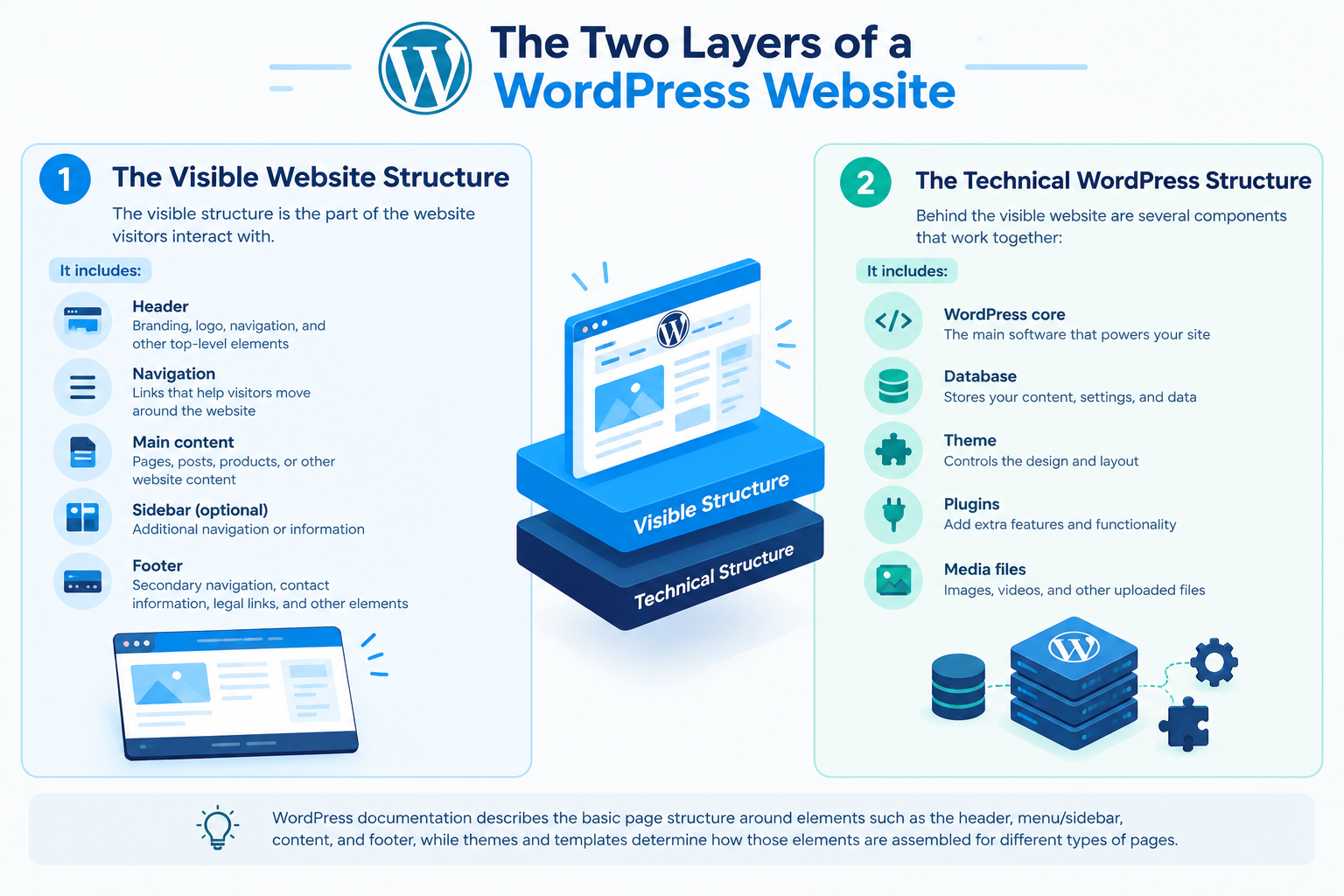
The Two Layers of a WordPress Website
1. The Visible Website Structure
The visible structure is the part of the website visitors interact with.
A typical site may contain:
- Header — branding, logo, navigation, and other top-level elements
- Navigation — links that help visitors move around the website
- Main content — pages, posts, products, or other website content
- Sidebar — optional additional navigation or information
- Footer — secondary navigation, contact information, legal links, and other elements
Not every WordPress website uses the same layout. A business website, blog, portfolio, and online store can all have different structures.
2. The Technical WordPress Structure
Behind the visible website are several components that work together:
- WordPress core files
- Database
- Active theme
- Plugins
- Uploaded media
- Configuration and other supporting files
The database stores important site information, while files provide the application, design, functionality, and uploaded assets needed to generate the website. WordPress’s documentation treats the database and filesystem as separate parts of a complete site.
How WordPress Organizes Website Content
WordPress does not treat every piece of content as a separate static HTML file. Much of the site’s content is stored in the database and presented through WordPress templates.
Pages
Pages are commonly used for relatively permanent website content, such as:
- Home
- About Us
- Services
- Contact
- Privacy Policy
Posts
Posts are commonly used for regularly published content, including:
- Blog articles
- News
- Guides
- Company updates
Posts can be organized using categories and tags.
Categories and Tags
Categories provide a way to group related posts into broader topics.
Tags can describe more specific subjects or characteristics of individual posts.
They are part of the site’s content organization and can also influence how visitors navigate related information.
Custom Post Types
WordPress can also use custom post types for specialized content.
For example, a website may have separate content types for:
- Products
- Properties
- Events
- Portfolio projects
- Team members
The exact structure depends on the website’s requirements and the functionality provided by its theme or plugins.
WordPress URLs and Permalinks
The URL structure is another important part of a WordPress website.
For example
example.com/about/
example.com/blog/
example.com/blog/wordpress-hosting-guide/
WordPress uses permalinks to determine how URLs for posts and pages are structured.
A well-organized URL structure can make website content easier for visitors to understand and navigate.
However, changing established URLs should be handled carefully because incorrect changes can result in broken links or lost access to existing URLs.
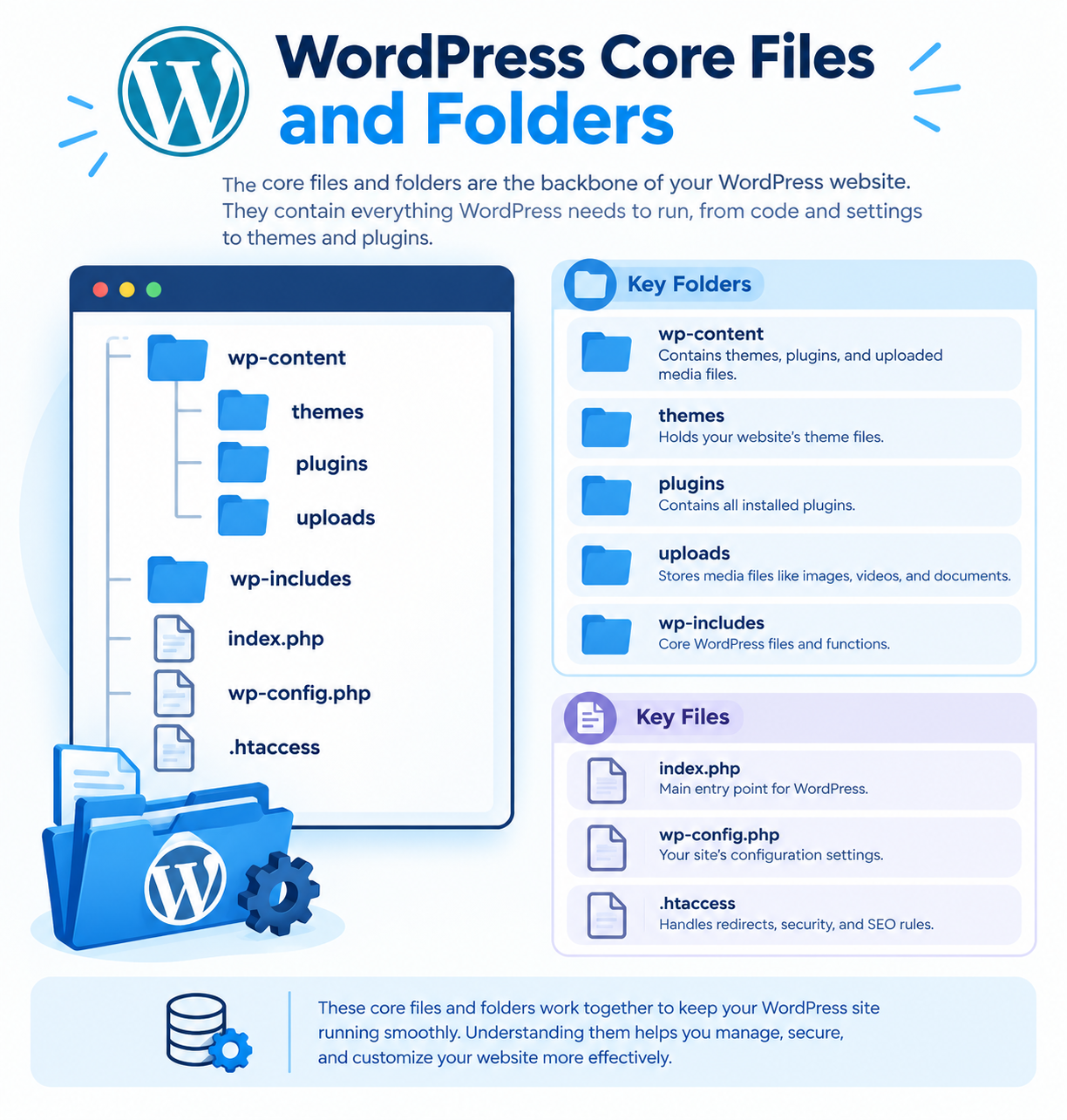
WordPress Core Files and Folders
The visible website is supported by WordPress core files stored on the server.
A standard WordPress installation commonly contains:
wordpress/
│
├── wp-admin/
├── wp-includes/
├── wp-content/
│ ├── plugins/
│ ├── themes/
│ └── uploads/
│
├── wp-config.php
├── index.php
└── other WordPress files
The exact server location can vary. For example, WordPress might be installed in a hosting account’s public_html, www, or another directory.
The wp-admin Folder
The wp-admin directory contains files associated with the WordPress administration area.
It supports functions used by administrators when managing the website through the WordPress dashboard.
The wp-includes Folder
The wp-includes directory contains a large portion of WordPress’s application logic and supporting functionality.
Website owners generally should not modify WordPress core files directly because updates can overwrite those changes and modifications can create compatibility problems. WordPress documentation identifies wp-includes as part of the core application structure.
The wp-content Folder
The wp-content directory contains much of the website’s user-supplied content and extensions.
It commonly contains:
- Themes
- Plugins
- Uploaded media
- Other files created or used by plugins and themes
The exact location of wp-content can be changed through WordPress configuration, so these paths should be viewed as the standard arrangement rather than an absolute rule.
How Themes Structure a WordPress Website
A WordPress theme controls much of the website’s presentation and layout.
Themes can contain:
- Templates
- CSS styles
- JavaScript
- Theme functions
- Images and other assets
They are normally stored in:
wp-content/themes/
WordPress uses templates to determine how different types of content are displayed.
For example, a theme can have different templates for:
- Individual posts
- Pages
- Categories
- Search results
- Archives
- The site’s front page
WordPress documentation explains that templates such as single.php, page.php, category.php, and search.php can be used for different views of a site.
Modern WordPress block themes can also use the Site Editor and block-based templates rather than relying entirely on the traditional PHP template structure.
The important point is that the theme determines much of how WordPress content is presented, while the content itself is generally stored separately.
How Plugins Fit Into WordPress Structure
Plugins add functionality to WordPress without requiring that functionality to become part of WordPress core.
Examples include plugins for:
- Contact forms
- Security
- Caching
- Backups
- SEO
- eCommerce
- Image optimization
Plugins are normally stored in:
wp-content/plugins/
A plugin can interact with WordPress core, the database, the active theme, and other plugins.
This separation allows website owners to extend WordPress while keeping the core system separate from additional functionality.
However, plugins should be kept updated and unnecessary plugins should generally be removed rather than left inactive indefinitely.
Where WordPress Stores Media
Images, documents, and other uploaded files are managed through the WordPress Media Library.
By default, uploaded files are commonly stored under:
wp-content/uploads/
WordPress commonly organizes uploads into year- and month-based directories, although the storage behavior can be configured differently.
Media files are only one part of the media system. Information about media attachments and their relationships with website content is also stored in the WordPress database.
This distinction becomes important when creating a complete website backup.
How the WordPress Database Fits In
The WordPress database stores much of the structured information that makes up a website.
This can include:
- Posts
- Pages
- Comments
- Users
- Site settings
- Categories
- Tags
- Plugin data
- Theme settings
- Other content and metadata
The database works together with WordPress files to generate the website visitors see.
For example, a blog article may have its content stored in the database while the active theme determines how that article is displayed.
This is why a WordPress website should not be thought of as only a collection of files.
How WordPress Components Work Together
When a visitor opens a WordPress page, several components work together.
A simplified process looks like this:
- The visitor requests a URL.
- The hosting environment passes the request to WordPress.
- WordPress identifies the requested content.
- WordPress retrieves relevant information from the database.
- The theme and applicable plugins help determine how the response is generated.
- The resulting page is sent to the visitor’s browser.
The exact process can vary depending on caching, plugins, the theme, server configuration, and other factors.
The key idea is simple:
WordPress combines content stored in the database with its core functionality, theme templates, plugins, and other files to produce the website visitors see.
WordPress’s documentation describes this relationship between user requests, WordPress core, the database, and theme integration.
Why WordPress Structure Matters
You do not need to be a developer to understand the basic structure of a WordPress website.
Knowing how its main components fit together can help when:
- Moving a website to another hosting provider
- Creating or restoring backups
- Troubleshooting plugin or theme problems
- Managing website files
- Working with a developer
- Understanding hosting support instructions
- Planning website changes
For example, a complete WordPress backup normally needs both files and the database. WordPress’s official documentation specifically identifies these as the two main parts required to fully restore a typical WordPress site.
Similarly, during a WordPress migration, moving only the visible files may not be enough because important website information is stored separately in the database.
For migration-related requirements, see our WordPress Migration Guide.
For backup practices, see our WordPress Backup Guide.
Common Misunderstandings About WordPress Structure
WordPress is not stored in one file
A WordPress website consists of many files and a database working together.
The database does not contain everything
The database contains important content and settings, but themes, plugins, WordPress core files, uploaded files, and other assets exist in the filesystem.
Plugins are not WordPress core
Plugins are additional components that extend WordPress functionality. They are separate from the core software.
The theme is not the website content
The theme controls much of the presentation and layout, while content such as posts and pages is generally stored separately.
A complete backup needs more than website files
A typical complete WordPress backup needs both the site’s files and database. Keeping only one of these can make a full restoration impossible.