What Is Server Virtualization? How It Works, Types, and Benefits
Server virtualization is a technology that allows a single physical server to run multiple independent virtual servers. It uses a software layer called a hypervisor to divide and manage physical hardware resources, such as CPU, RAM, storage, and network capacity, among different virtual machines. Each virtual machine (VM) operates as an independent computing environment with […]
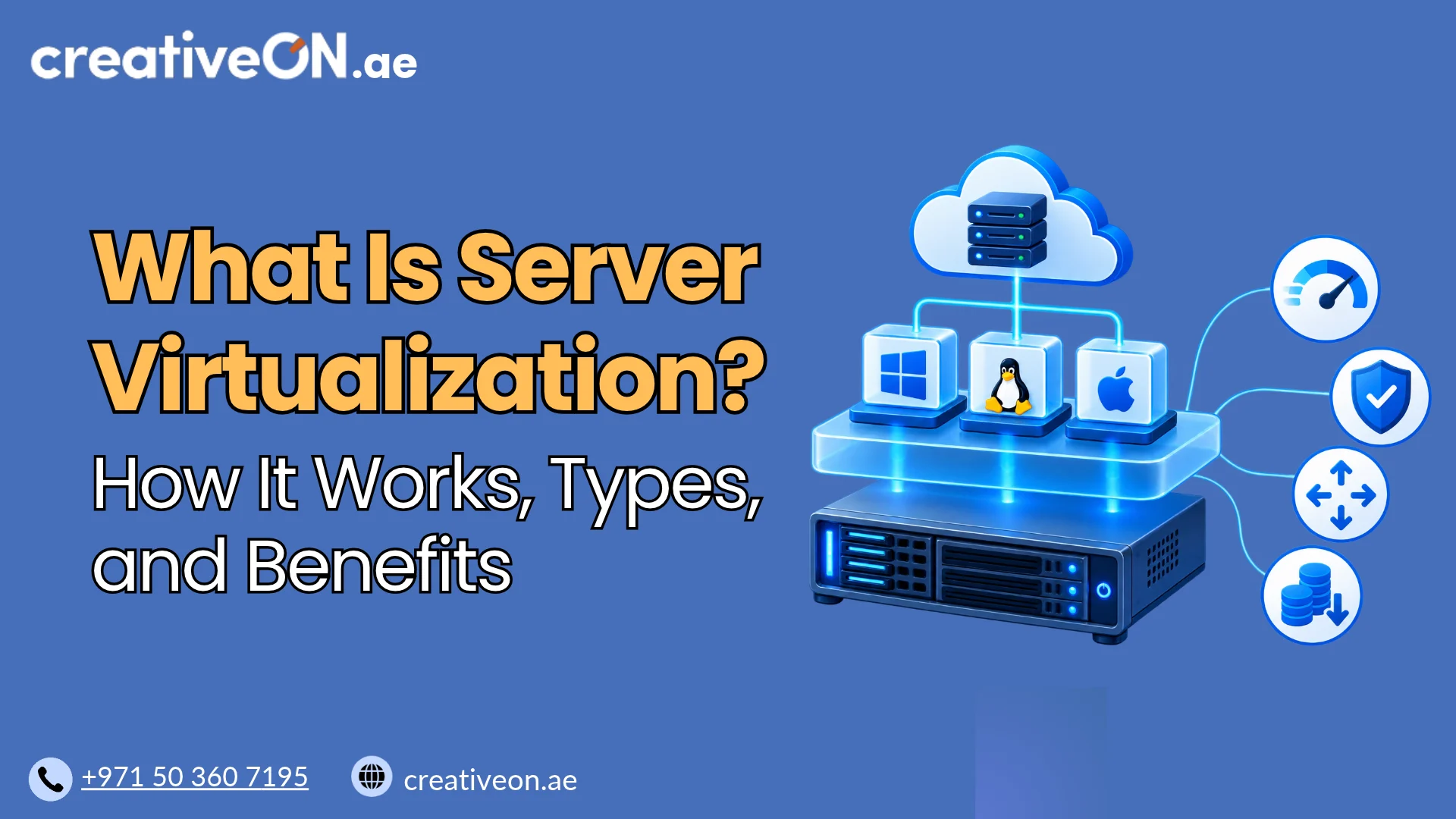
Server virtualization is a technology that allows a single physical server to run multiple independent virtual servers. It uses a software layer called a hypervisor to divide and manage physical hardware resources, such as CPU, RAM, storage, and network capacity, among different virtual machines.
Each virtual machine (VM) operates as an independent computing environment with its own operating system, allocated resources, and applications.
Instead of purchasing separate physical servers for different workloads, businesses and hosting providers can use virtualization to run multiple virtual servers on the same hardware.
Server virtualization is widely used in modern data centers, cloud infrastructure, and VPS hosting because it improves hardware utilization, simplifies server management, and helps reduce infrastructure costs.
How Does Server Virtualization Work?
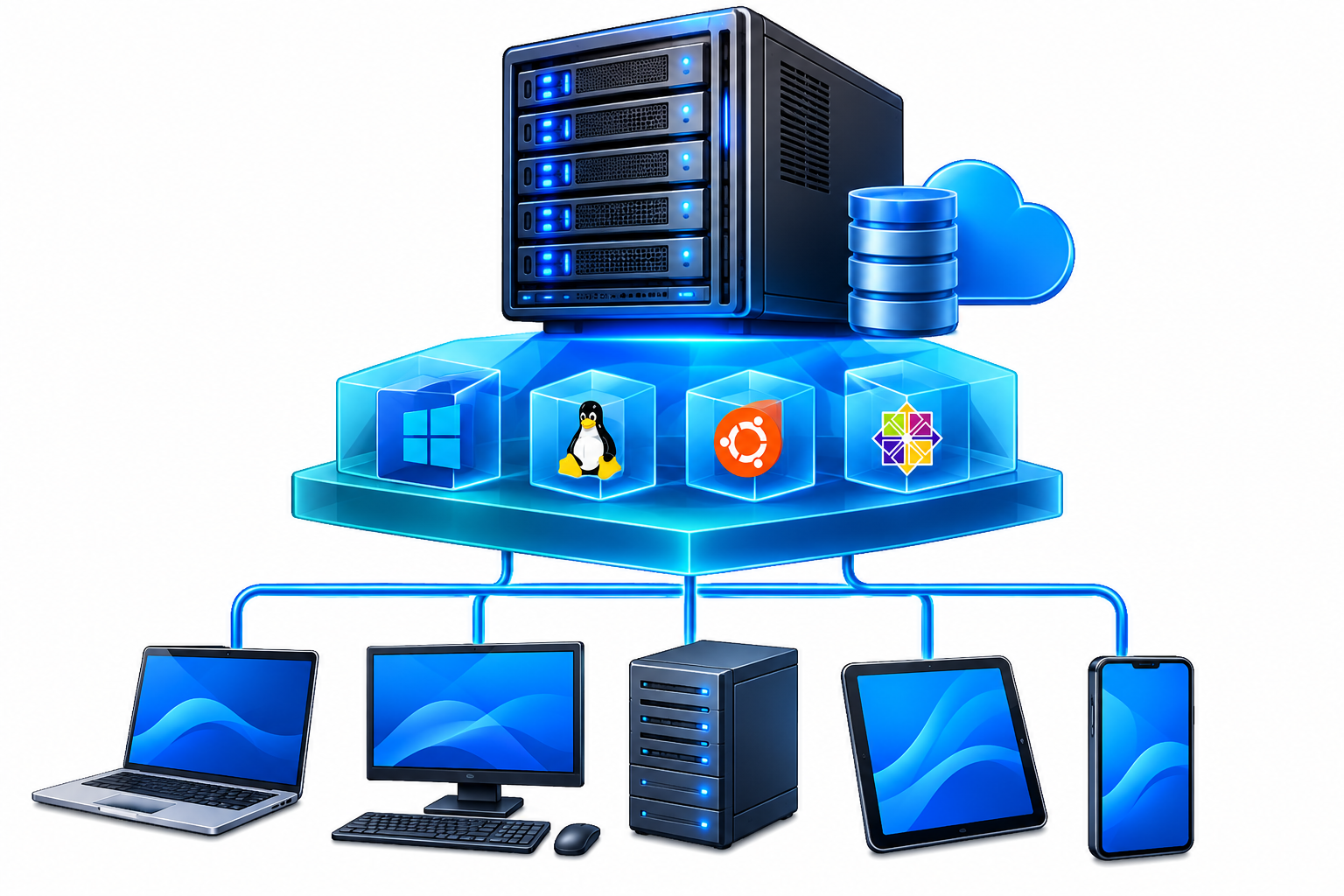
Server virtualization works through a software layer called a hypervisor. It manages the physical server’s hardware resources and makes them available to multiple virtual machines.
A typical virtualized server environment consists of three main components:
- Physical server: The actual hardware containing processors, RAM, storage drives, and network interfaces.
- Hypervisor: The virtualization software that creates virtual machines and manages access to physical hardware resources.
- Virtual machines: Independent virtual server environments that run their own operating systems and applications.
Example of Server Virtualization
Imagine a physical server with the following hardware specifications:
- 32 physical CPU cores
- 128 GB RAM
- 2 TB SSD storage
Using virtualization software, a server administrator can create multiple virtual machines and allocate resources to each one.
For example:
| Virtual machine | RAM allocation | vCPU allocation |
| Virtual Server 1 | 32 GB | 8 |
| Virtual Server 2 | 32 GB | 8 |
| Virtual Server 3 | 16 GB | 4 |
| Virtual Server 4 | 16 GB | 4 |
The remaining resources can be reserved for the hypervisor, other workloads, or future allocation.
Important: vCPUs represent virtual processor resources assigned to a virtual machine. They do not necessarily correspond to dedicated physical CPU cores. Multiple virtual machines may share the processing capacity of the underlying physical processors.
Similarly, virtual disks are backed by physical storage, while virtual network interfaces connect virtual machines to other systems and networks.
This resource allocation allows multiple virtual servers to operate independently while sharing the same physical infrastructure.
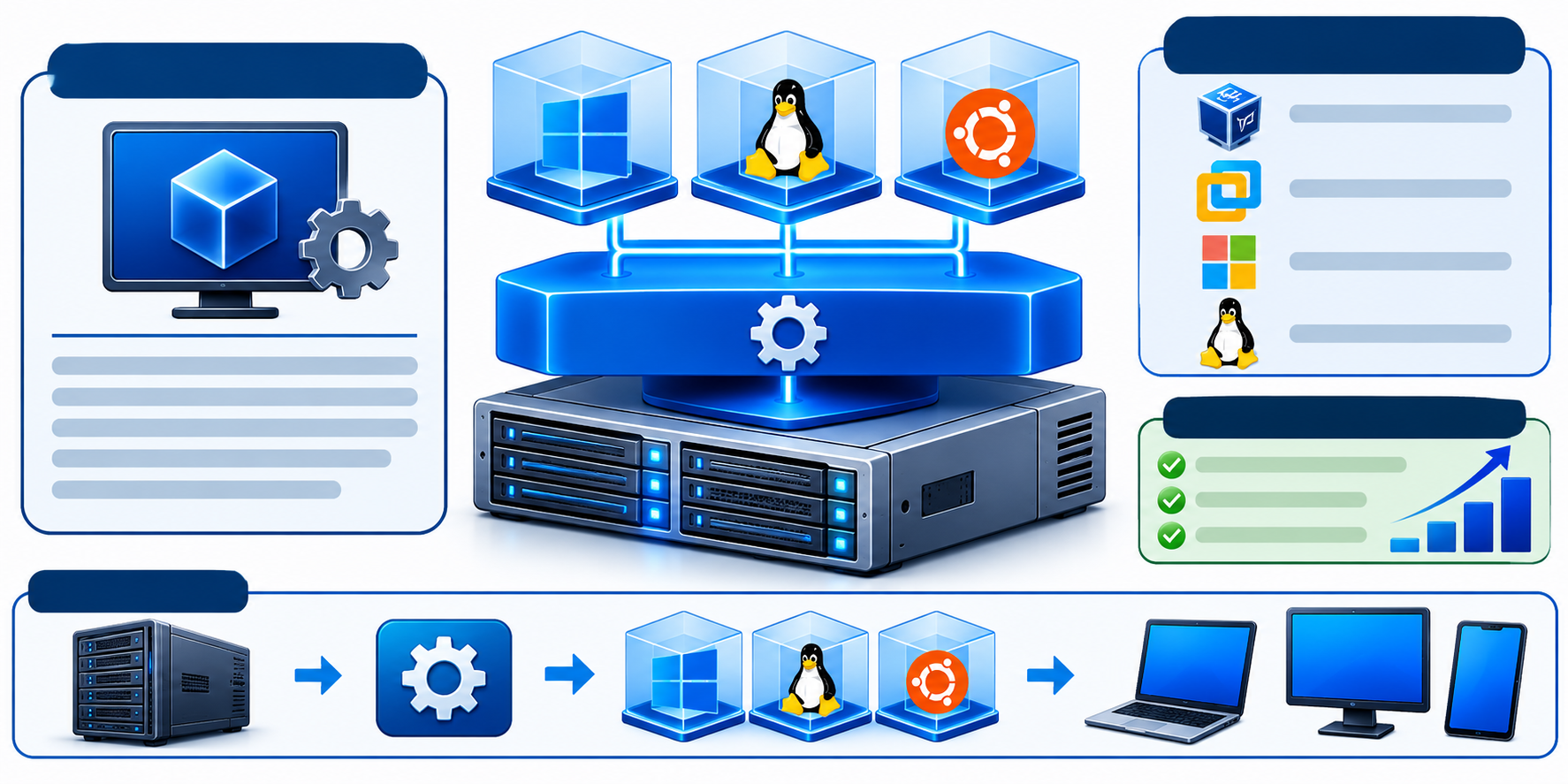
What Is a Hypervisor in Server Virtualization?
A hypervisor is the software responsible for creating, running, and managing virtual machines. It acts as an intermediary between physical hardware and virtual servers.
Its main responsibilities include:
- Allocating CPU and memory resources.
- Managing virtual storage and network interfaces.
- Creating, starting, and managing virtual machines.
- Maintaining isolation between virtual environments.
- Controlling how virtual machines access physical hardware.
Hypervisors are generally divided into two main categories.
1. Type 1 Hypervisor (Bare-Metal Hypervisor)
A Type 1 hypervisor runs directly on physical server hardware without requiring a conventional host operating system underneath it.
It is commonly used in enterprise data centers and production server environments because it manages hardware resources directly through its virtualization architecture.
Examples include:
- VMware ESXi
- Microsoft Hyper-V
- Xen
- KVM (Kernel-based Virtual Machine)
KVM requires a little additional explanation. Unlike standalone hypervisors such as ESXi, KVM is integrated into the Linux kernel. It works with components such as QEMU to provide a complete virtualization environment for running virtual machines.
2. Type 2 Hypervisor (Hosted Hypervisor)
A Type 2 hypervisor runs as an application on an existing operating system, such as Windows, Linux, or macOS.
It relies on the host operating system to access the underlying hardware.
Examples include:
- Oracle VirtualBox
- VMware Workstation
- VMware Fusion
Type 2 hypervisors are commonly used for software testing, development, and running multiple operating systems on desktop computers.
| Feature | Type 1 Hypervisor | Type 2 Hypervisor |
| Installation | Directly on server hardware | On a host operating system |
| Typical use | Data centers and production servers | Development and testing |
| Hardware access | Through its virtualization architecture | Through the host OS |
| Examples | ESXi, Hyper-V, Xen | VirtualBox, VMware Workstation |
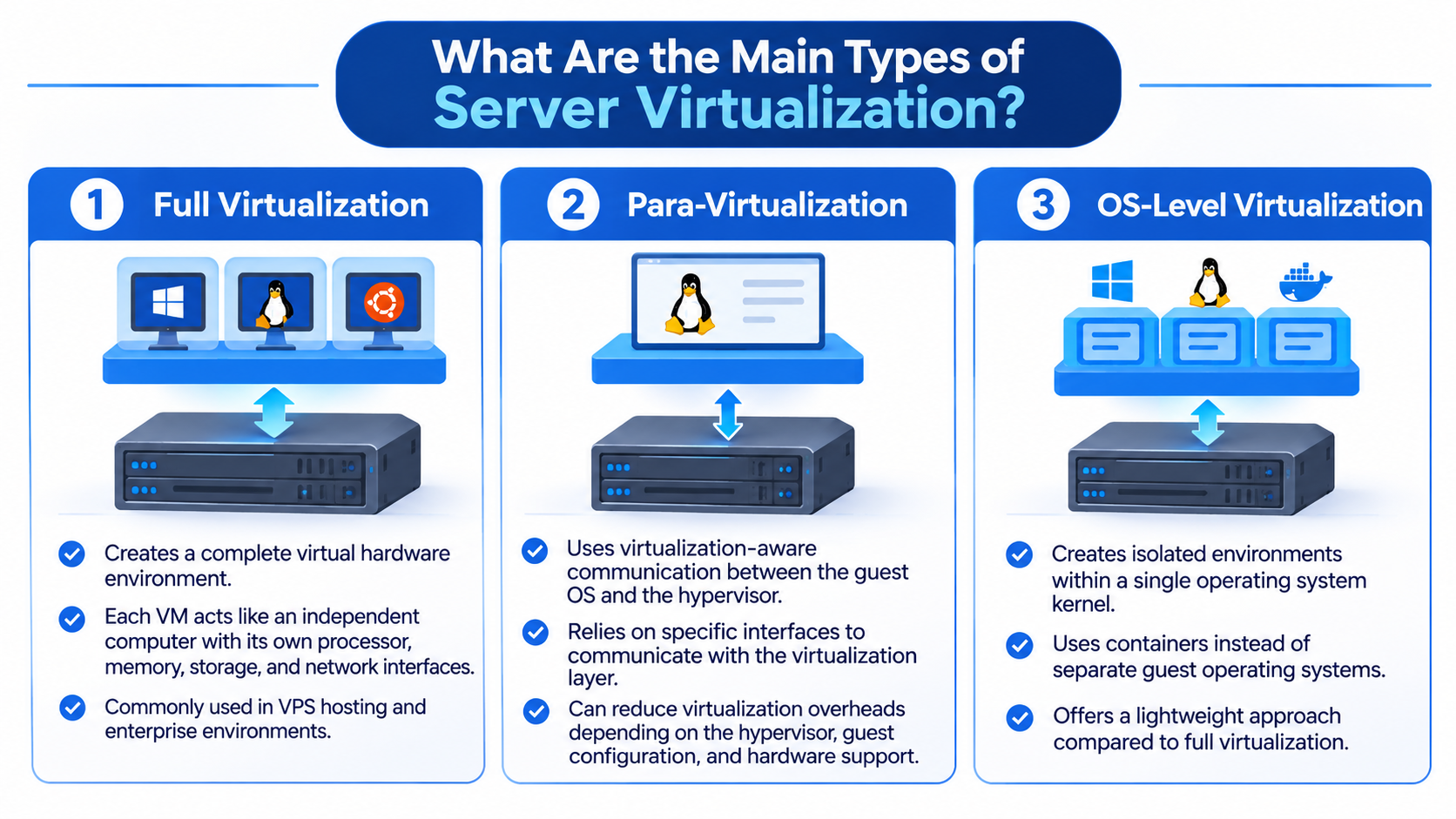
What Are the Main Types of Server Virtualization?
Server virtualization can be implemented using different approaches depending on operating system requirements, hardware capabilities, and workload requirements.
The main approaches include:
1. Full Virtualization
Full virtualization creates a complete virtual hardware environment that allows an operating system to run inside a virtual machine without requiring modification to the guest operating system.
Each virtual machine behaves like an independent computer with its own virtual processor, memory, storage, and network interfaces.
This approach is commonly used in VPS hosting and enterprise virtualization environments.
2. Para-Virtualization
Para-virtualization uses virtualization-aware communication between the guest operating system and the hypervisor.
Instead of relying entirely on hardware emulation, the guest can use specific interfaces to communicate with the virtualization layer.
This approach can reduce certain virtualization overheads, depending on the hypervisor, guest configuration, and hardware support.
3. OS-Level Virtualization
OS-level virtualization creates isolated environments within a single operating system kernel rather than running separate guest operating systems.
Containers are a common example of this approach.
Technologies such as Docker use containers to package applications and their dependencies into isolated environments while sharing the host operating system kernel.
Unlike traditional virtual machines, containers do not require a separate guest operating system for every environment.
Virtual Machines vs. Containers
Although both technologies provide isolated computing environments, virtual machines and containers work differently.
| Feature | Virtual Machine | Container |
| Operating system | Runs its own guest OS | Shares the host kernel |
| Isolation | Virtualized hardware environment | OS-level isolation |
| Resource requirements | Generally higher | Generally lower |
| Startup time | Generally longer | Generally shorter |
| Example | KVM virtual machine | Docker container |
Virtual machines are useful when separate operating systems or stronger hardware-level isolation are required. Containers are generally more suitable for packaging and running applications efficiently.
What Are the Benefits of Server Virtualization?
Server virtualization offers several advantages for businesses, hosting providers, and IT infrastructure teams.
Better Hardware Utilization
Without virtualization, a physical server may remain underutilized if it runs only one application or workload.
Virtualization allows multiple workloads to share available hardware resources, improving overall server utilization.
Reduced Infrastructure Costs
Running multiple virtual servers on fewer physical machines can reduce:
- Hardware purchasing costs.
- Electricity consumption.
- Cooling requirements.
- Physical server maintenance.
- Data center space requirements.
Improved Scalability
Virtual machines can be created, modified, and removed through virtualization management software.
Administrators can adjust allocated resources when workload requirements change, provided the physical server has sufficient available capacity.
Better Workload Isolation
Each virtual machine operates within its own virtual environment.
This helps separate applications, operating systems, and workloads running on the same physical server.
However, virtualization does not eliminate every security risk. Hypervisor vulnerabilities, misconfigured virtual networks, or improper access controls can potentially affect multiple virtual environments.
Easier Server Management
Virtualization platforms provide centralized tools for managing multiple virtual machines.
Depending on the platform, administrators may also have access to features such as:
- Virtual machine snapshots.
- VM cloning.
- Virtual machine migration.
- Resource monitoring.
- Backup integration.
These features can simplify server administration and infrastructure management.
What Is the Relationship Between Server Virtualization and VPS Hosting?
Server virtualization is the underlying technology that makes traditional Virtual Private Server (VPS) hosting possible.
A VPS is created by dividing a physical server into multiple virtual environments using virtualization technology.
Each VPS receives an allocated amount of resources, such as:
- CPU processing capacity.
- RAM.
- SSD or NVMe storage.
- Network resources.
Customers can use their VPS as an independent server environment to host websites, applications, databases, and other workloads.
For example, a hosting provider may operate powerful physical servers using KVM virtualization and create multiple Linux or Windows VPS instances for customers.
Each customer receives an independent virtual server environment without needing to purchase or maintain a complete physical machine.
The key distinction is simple: server virtualization is the technology, while VPS hosting is a service built using that technology.
If you want to understand this hosting model in more detail, explore our guide to VPS Hosting.
What Are the Limitations of Server Virtualization?
Although server virtualization offers several advantages, it also has limitations that organizations should consider.
- Shared hardware resources: Multiple virtual machines use the same physical hardware. Heavy workloads can affect resource availability if capacity is not managed properly.
- Performance overhead: Virtualization introduces some processing and resource-management overhead, although modern hardware and hypervisors can minimize it.
- Physical server dependency: If the underlying physical server experiences hardware failure, the virtual machines running on it may become unavailable until recovery.
- Management complexity: Managing multiple virtual machines requires appropriate technical knowledge, monitoring, and security practices.
- Security considerations: Vulnerabilities in the hypervisor, weak access controls, or incorrectly configured virtual networks can introduce security risks.
Proper resource planning, monitoring, security controls, and backup strategies help reduce these risks.